MICRO S automatic Cutter motor
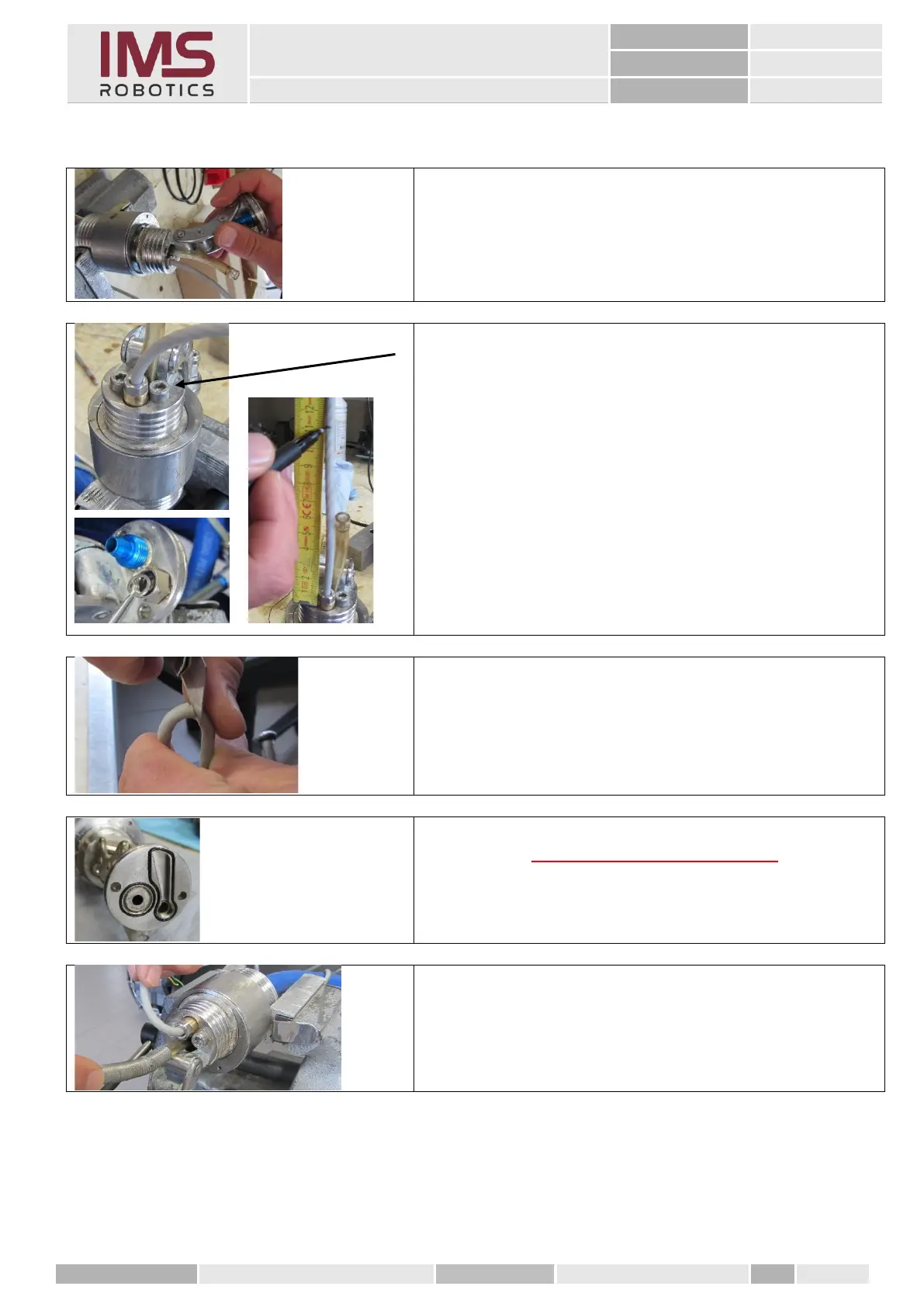
1. Attach the adapter bracket. Make sure that the
two O-rings are not displaced.
2. Seal the two M6 cylinder screws using Loctite
"orange"
3. Mount a new crimp ring on the cable entry and
mark the camera cable at 110 mm from the upper
edge of the adapter housing.
4. Cut the cable sheath carefully and remove it from
the wires.
Caution! Observe TA-21-24
5. Check O-rings and apply grease
6. Clamp the front distributor in a vice and slide the
protective spring over the cutter air hose.



 To Next Page