MICRO S automatic Cutter motor
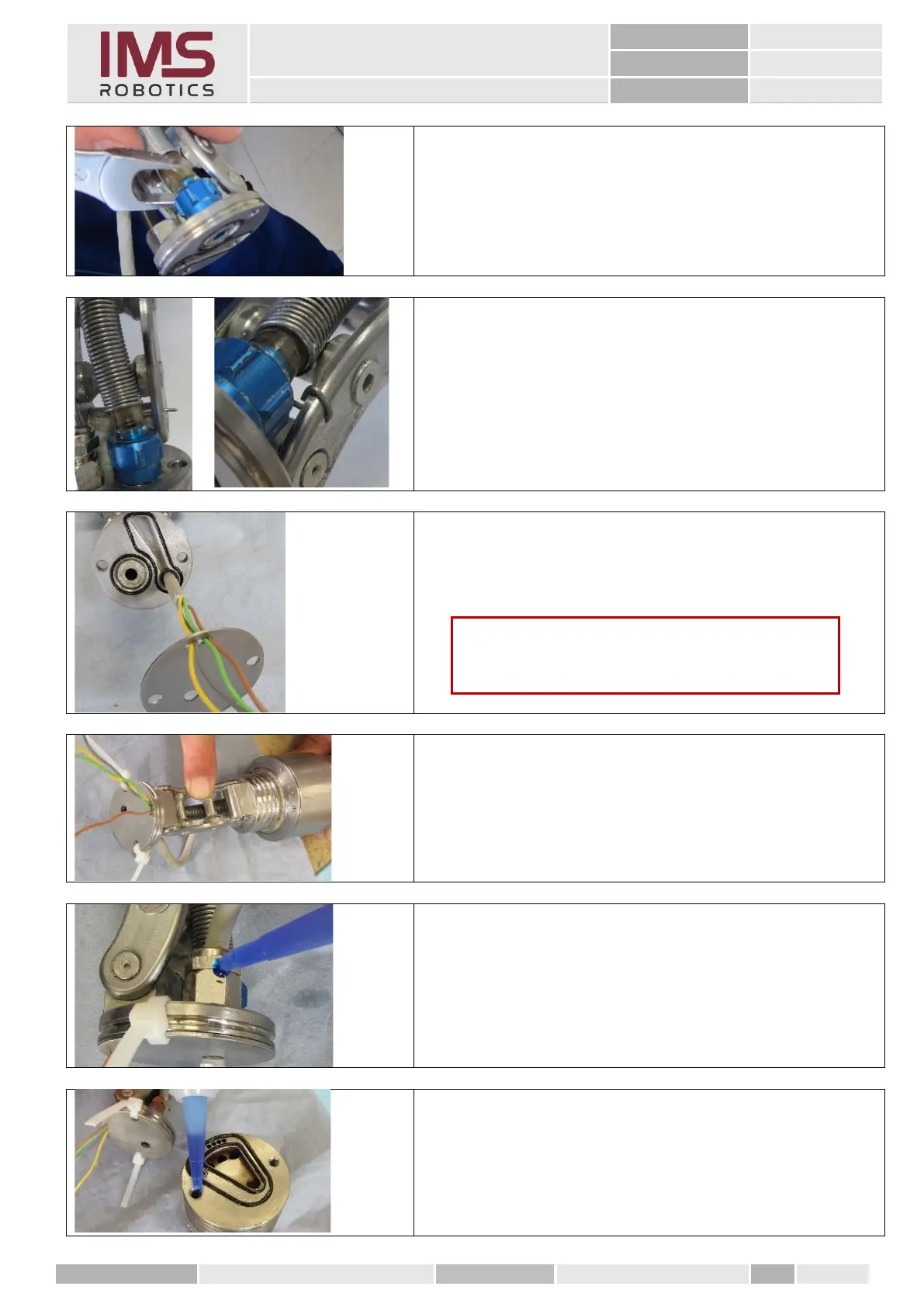
7. Slide the cutter air hose onto the quick-release
coupling and tighten it firmly.
8. Bend the front end of the protective spring up,
insert it through the hole in the bracket and bend
it back by 180°.
9. Insert the camera cable through the assembled
quick release coupling of the cap and push the
sheet over the wires.
10. Pull the camera cable back so that only the 4 individual
wires protrude into the installation groove.
11. Route the wires so that the sheet lies on the cap without
any tension.
12. Fix the sheet and the cap using cable ties.
13. Before finally tightening the cable entry, apply Loctite
"blue" between the sleeve and nut.
14. Before screwing the air motor housing to the cap and the
sheet, apply a bit of
Loctite "blue" to the thread.
Caution
Pay attention to the correct sequence of the wires
here.



 To Next Page