MICRO S automatic Cutter motor
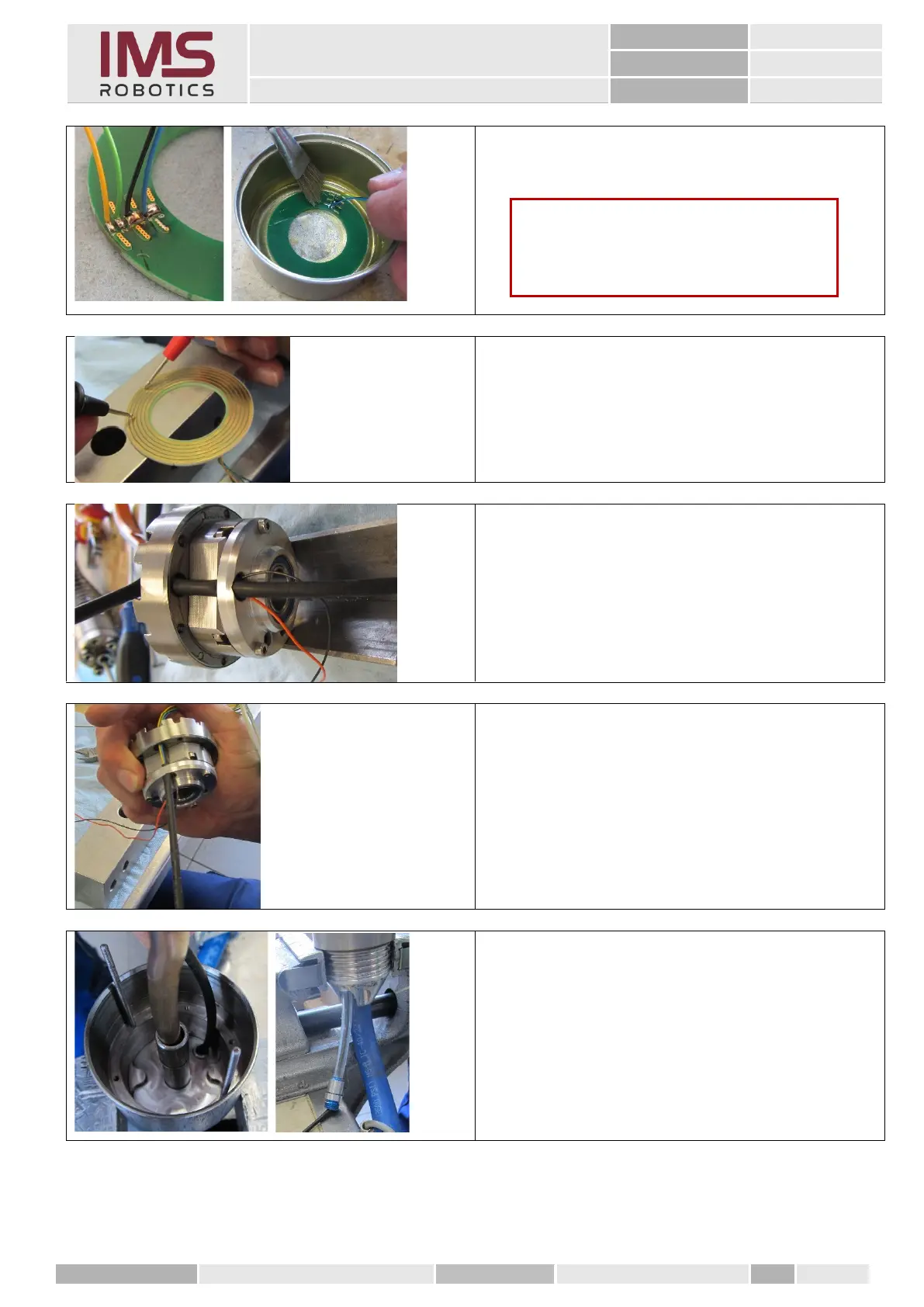
3. After soldering the wires, clean the disc
grinding ring using spirit.
4. Finally, check all the tracks individually
for continuity and insulation from each
other.
1. To be able to route the cable harness of
the wires of the disc grinding ring better
through the rotary unit, insert a heat
shrink tube through the openings
provided for this purpose.
2. Push the wires through the heat shrink
tube and pull the heat shrink tube till it is
just below the rotary unit.
3. Now push the two wires of the rotary
unit into the heat shrink tube.
4. Apply roller and plain bearing grease
evenly in the rear rotary unit.
5. To help with the assembly, insert two 2.5
mm threaded pins into the mounting
holes of the rear rotary unit.
6. Then insert the heat shrink tube into the
opening in the rear rotary unit and push
it through the 8x5 PU hose.
Caution
Pay attention to the correct sequence of
wires when soldering. See latest circuit
diagram.



 To Next Page