EasyManua.ls Logo

InfoPrint 6500 - Printer Component Locations

Default Icon
360 pages
Print Icon
To Next Page IconTo Next Page
To Previous Page IconTo Previous Page
Loading...
32
Chapter 2
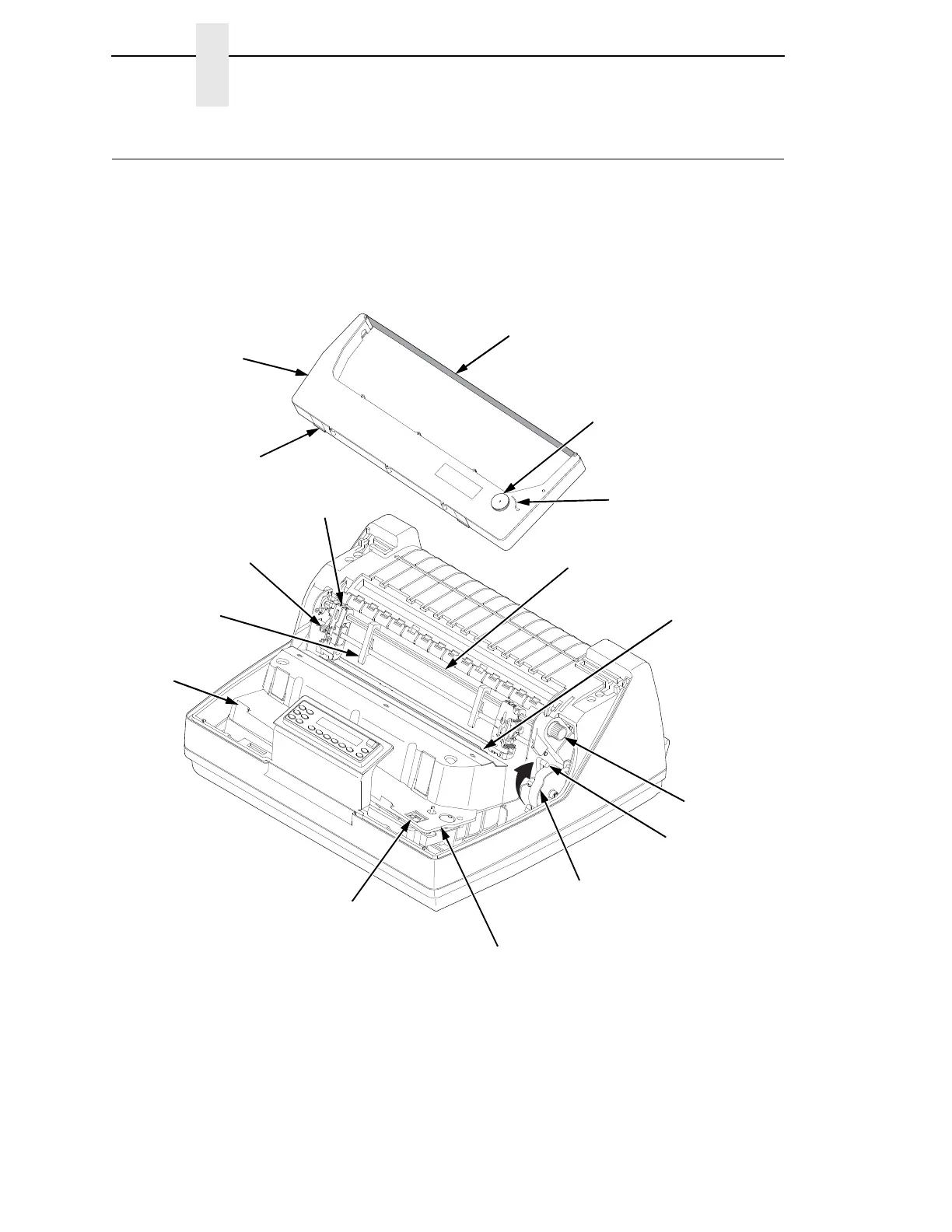
Printer Component Locations
Familiarize yourself with the names and locations of the printer components,
shown in
Figure 6 before continuing with the rest of the installation
procedures.
Figure 6. 6500-V Printer Component Locations with the Cartridge Ribbon System
TOF
TO
F
TOF
T
OF
183965 REV A
183965a
Ribbon
Ribbon
Cartridge
Ribbon Turn
Direction Arrow
Air Shroud
Assembly
Tab (2)
Tab
Slot (2)
Blue Tractor
Lock (2)
Paper
Support (2)
Tractor (2)
Vertical
Position Knob
Platen Lever
Splined Shaft
Platen Stop
Hammer Bank
Cover and
Ribbon Mask
Ribbon Cartridge
Interface
Ribbon
Tension Knob

Table of Contents

Related product manuals