72
Chapter 4
Configuration Management Menu
Configuration Management Menu
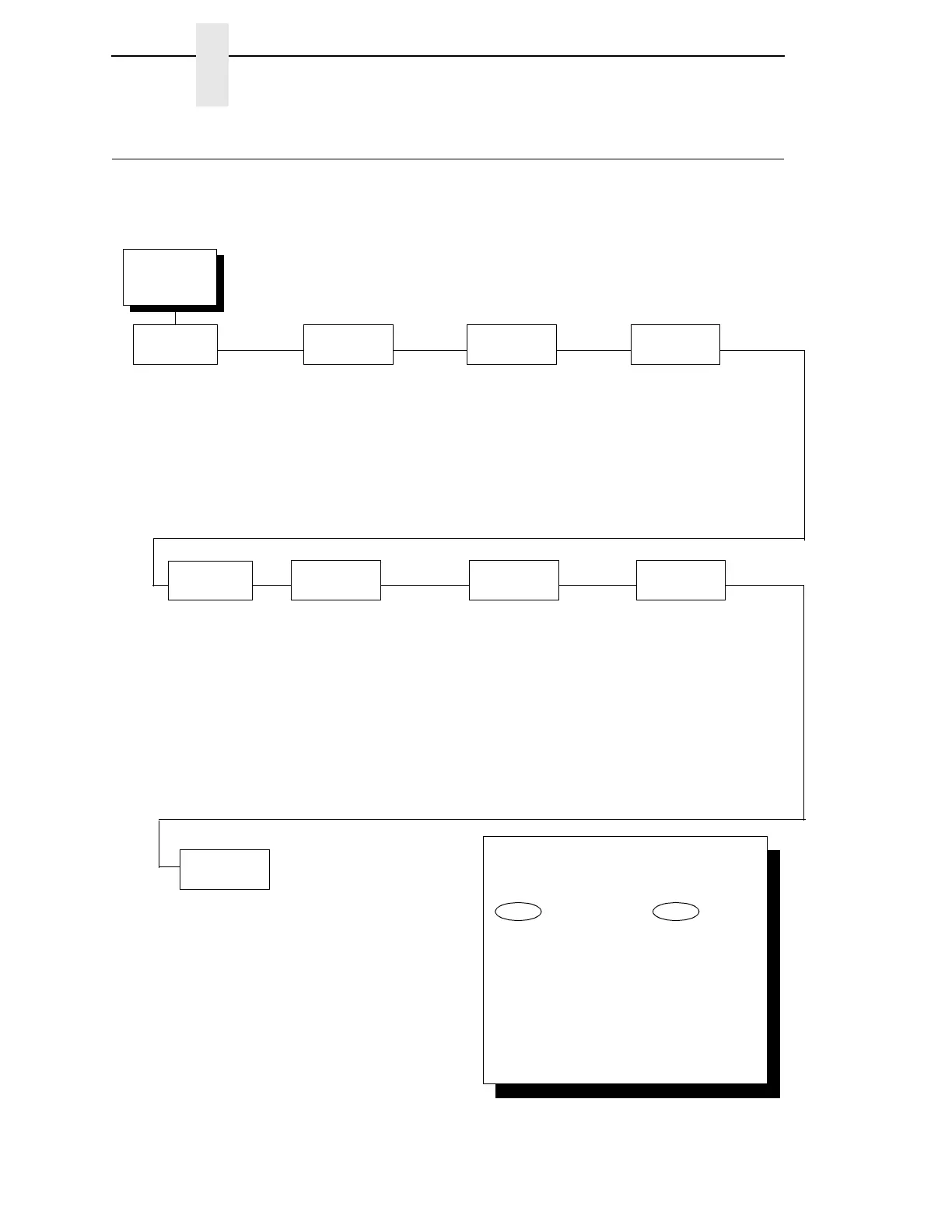
The CONFIG. CONTROL menu allows you to control your printer’s
configurations according to the specifications necessary for your print jobs.
Configuration
Management
(from page 58)
Recall
Custom Set
FACTORY DEFAULT*
CUSTOM SET 1
CUSTOM SET 2
CUSTOM SET 3
CUSTOM SET 4
CUSTOM/PRELOAD SET 5
CUSTOM/PRELOAD SET 6
CUSTOM/PRELOAD SET 7
CUSTOM/PRELOAD SET 8
Save
Current Values
CUSTOM SET 1*
CUSTOM SET 2
CUSTOM SET 3
CUSTOM SET 4
CUSTOM/PRELOAD SET 5
CUSTOM/PRELOAD SET 6
CUSTOM/PRELOAD SET 7
CUSTOM/PRELOAD SET 8
Delete
Custom Set
Change
Power On Set
Protect
Custom Sets
Disable*
Enable
Print Custom
Set Values
CURRENT CUSTOM SET*
FACTORY DEFAULT
POWER ON CUSTOM SET
ALL CUSTOM SETS
CUSTOM SET 1
CUSTOM SET 2
CUSTOM SET 3
CUSTOM SET 4
CUSTOM/PRELOAD SET 5
CUSTOM/PRELOAD SET 6
CUSTOM/PRELOAD SET 7
CUSTOM/PRELOAD SET 8
CURRENT QUICK SETUP
Name Custom
Sets
CUSTOM SET 1
CUSTOM SET 2
CUSTOM SET 3
CUSTOM SET 4
CUSTOM/PRELOAD SET 5
CUSTOM/PRELOAD SET 6
CUSTOM/PRELOAD SET 7
CUSTOM/PRELOAD SET 8
Reset Custom
Set Names
CUSTOM SET 1*
CUSTOM SET 2
CUSTOM SET 3
CUSTOM SET 4
CUSTOM/PRELOAD SET 5
CUSTOM/PRELOAD SET 6
CUSTOM/PRELOAD SET 7
CUSTOM/PRELOAD SET 8
ALL CUSTOM SETS
CUSTOM SET 1*
CUSTOM SET 2
CUSTOM SET 3
CUSTOM SET 4
CUSTOM/PRELOAD SET 5
CUSTOM/PRELOAD SET 6
CUSTOM/PRELOAD SET 7
CUSTOM/PRELOAD SET 8
FACTORY DEFAULT*
CUSTOM SET 1
CUSTOM SET 2
CUSTOM SET 3
CUSTOM SET 4
CUSTOM/PRELOAD SET 5
CUSTOM/PRELOAD SET 6
CUSTOM/PRELOAD SET 7
CUSTOM/PRELOAD SET 8
Config Key
Default
QUICK SETUP CONFIG*
COMPLETE CONFIG
To cycle through the menus and its
options, press MENU then:
To enter a menu or select menu options,
press ENTER.
To return to a previous menu level,
press RETURN.
To exit the configuration menus
and return to READY, press START.
↑
Scroll/
Micro
↓
Scroll/
Micro
OR
* = Factory Default



 To Next Page