12
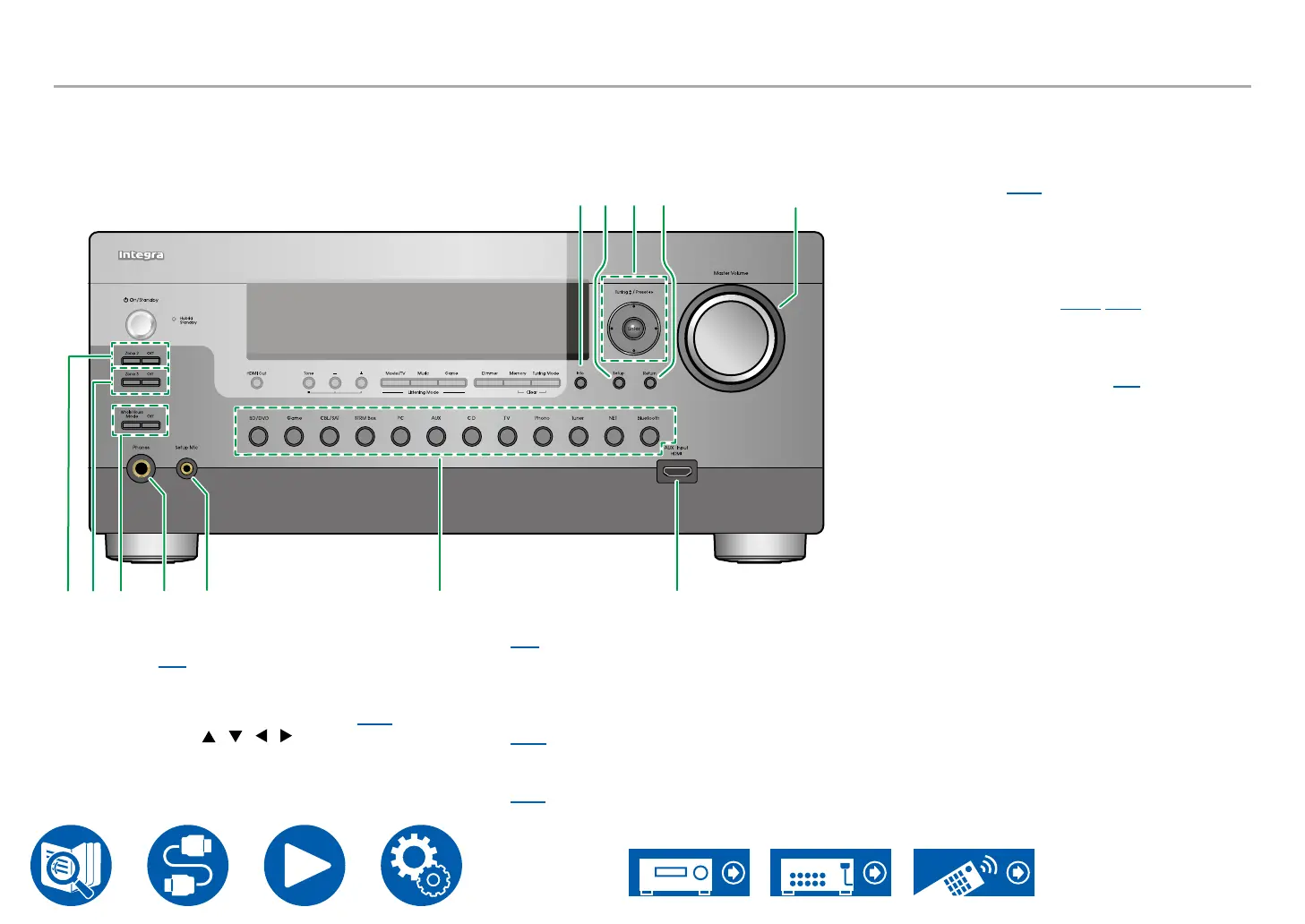
Front Panel (North American and Taiwanese models)
S T U V
P
Q R
KL M N O
K Info button: Switches the information on the
display. ( →p82)
L Setup button: You can display advanced setting
items on the TV and the display to have a more
enjoyable experience with this unit. ( →p126)
M Cursor buttons ( / / / ) and Enter
button: Select an item with the cursors, and
press Enter to conrm your selection. When
using TUNER, use them to tune in to stations.
( →p88)
N Return button: Returns the display to the
previous state while setting.
O Master Volume
P Zone 2 button: Controls the multi-zone function.
( →p108)
O button: Switches the multi-zone function o.
Q Zone 3 button: Controls the multi-zone function.
( →p110)
O button: Switches the multi-zone function o.
R Whole House Mode button: Enable the
WHOLE HOUSE MODE function to play the
same source in all rooms that are multi-zone-
connected. ( →p112)
O button: Switches the WHOLE HOUSE
MODE function o.
S Phones jack: Connect headphones with a
standard plug (ø1/4″/6.3 mm).
T Setup Mic jack: Connect the supplied speaker
setup microphone. ( →p170, p172)
U Input selector buttons: Switches the input to be
played.
V AUX Input HDMI jack: Connect a video camera,
etc. using an HDMI cable. ( →p70)



 To Next Page