71
Connections
Connecting a TV or Integrated Amplier in a separate room (Multi-zone)
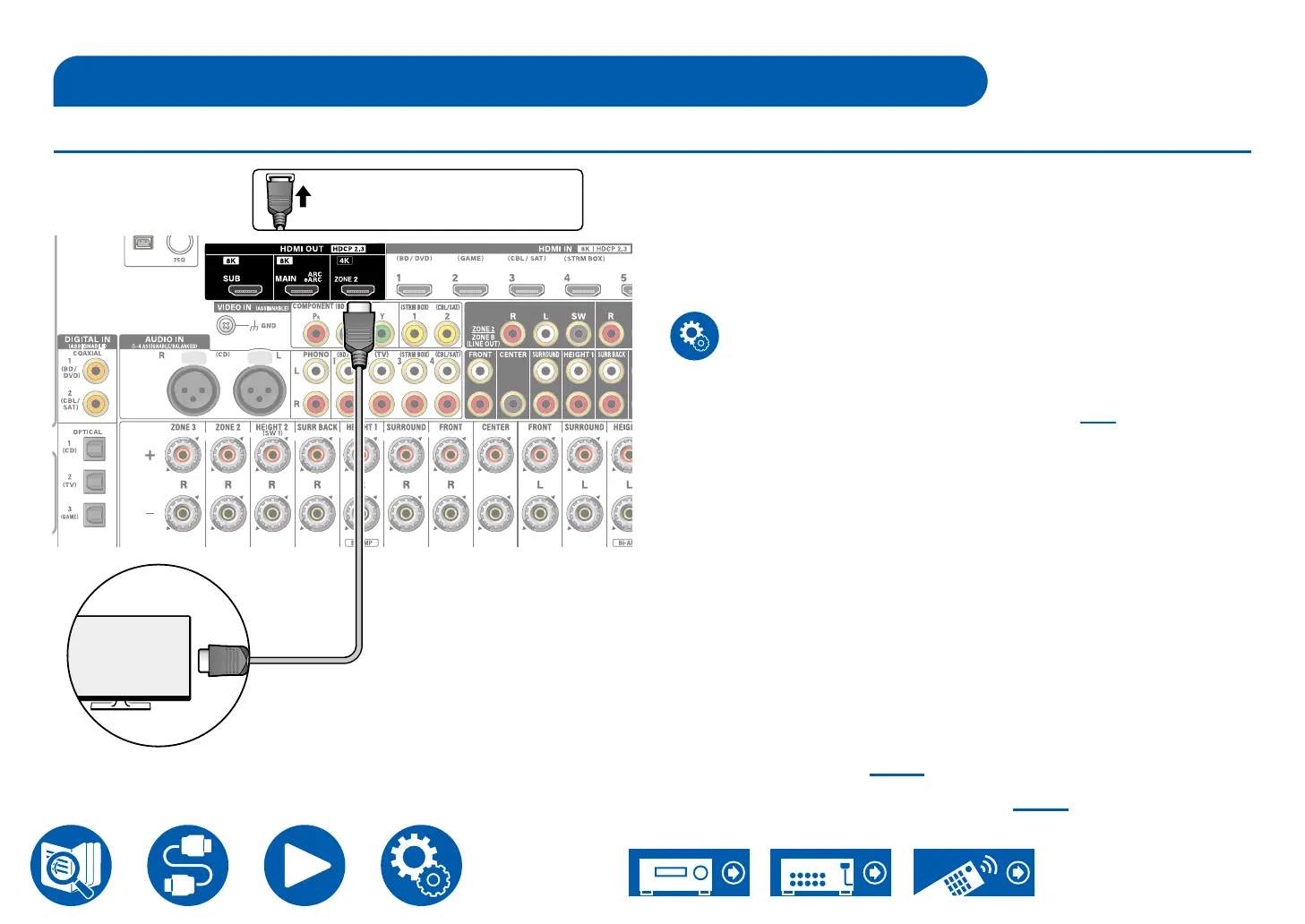
Connecting a TV (ZONE 2)
While a disc is played on a Blu-ray Disc player in the main room (where this unit
is located), you can play the video and audio of the same Blu-ray Disc player or
another AV component on the TV equipped with an HDMI IN jack in a separate
room (ZONE 2).
• Audio from an externally connected AV component can be output only
when the audio is 2 ch PCM audio signal. Also, the audio output of the AV
component may need to be changed to the PCM output.
Setup
• When video and audio via HDMI input are output to ZONE 2, set "Input/
Output Assign" - "TV Out / OSD" - "Zone 2 HDMI" ( →p130) to "Use" on the
Setup menu.
Multi-zone ( →p107)
Playing Back (ZONE 2) ( →p108)
a HDMI cable
a
TV
Be sure to insert the HDMI
cable all the way in.



 To Next Page