76
Zone 2—Continued
Controlling Zone 2 with the Remote
Controller
Note:
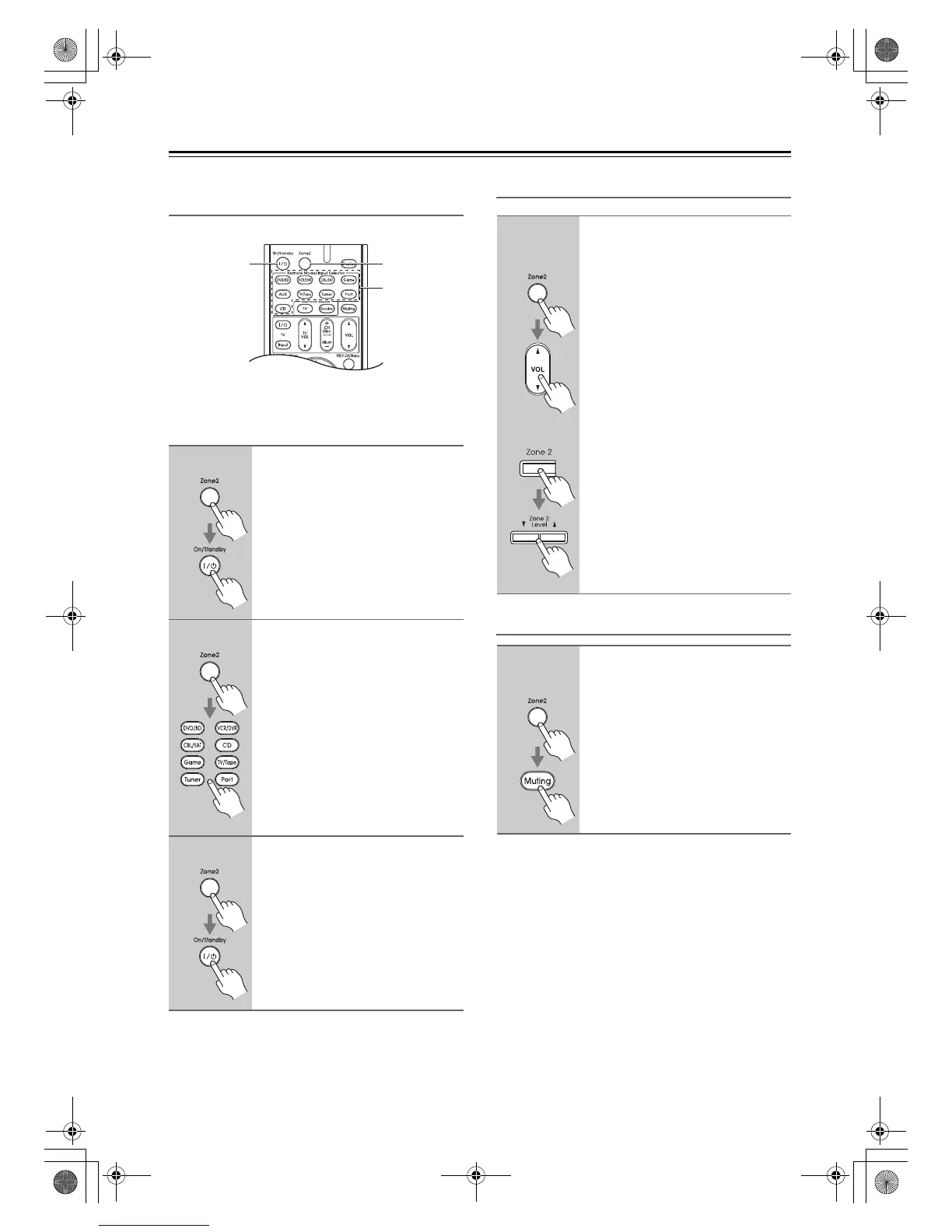
To control Zone 2, you must press the remote
controller’s [Zone 2] button first.
Adjusting the Volume of Zones
Muting Zones
1
Press the [Zone 2] button, then
point the remote controller at the
AV receiver and press the
[On/Standby] button.
Zone 2 turns on and Zone 2 indicator
lights up.
2
To select an input source for
Zone 2, press the [Zone 2] button,
followed by an Input Selector
button.
To select AM or FM press the [Tuner]
Input Selector button repeatedly.
Note:
You cannot select different AM or FM
radio stations for your main room,
Zone 2. The same AM/FM radio station
will be heard in each room.
3
To turn off Zone 2, press the
[Zone 2] button, followed by the
[On/Standby] button.
Zone2
Input
Selector
On/Standby
On the remote controller, press
the [Zone 2] button, and then use
the VOL [q]/[w] button.
AV receiver
On the AV receiver, press the
[Zone 2] button (the Zone 2
indicator and Zone 2 selector on
the display flashes) and then use
the Zone 2 Level Up and Down
[q]/[w] buttons within 8 seconds.
On the remote controller, press
the [Zone 2] button, and then
press the [Muting] button.
To unmute a zone, on the remote
controller, press the [Zone 2]
button, and then press the
[Muting] button again.
Remote
controller
Remote
controller
70_Zone2_En.fm 76 ページ 2009年4月9日 木曜日 午前9時29分



 To Next Page