54
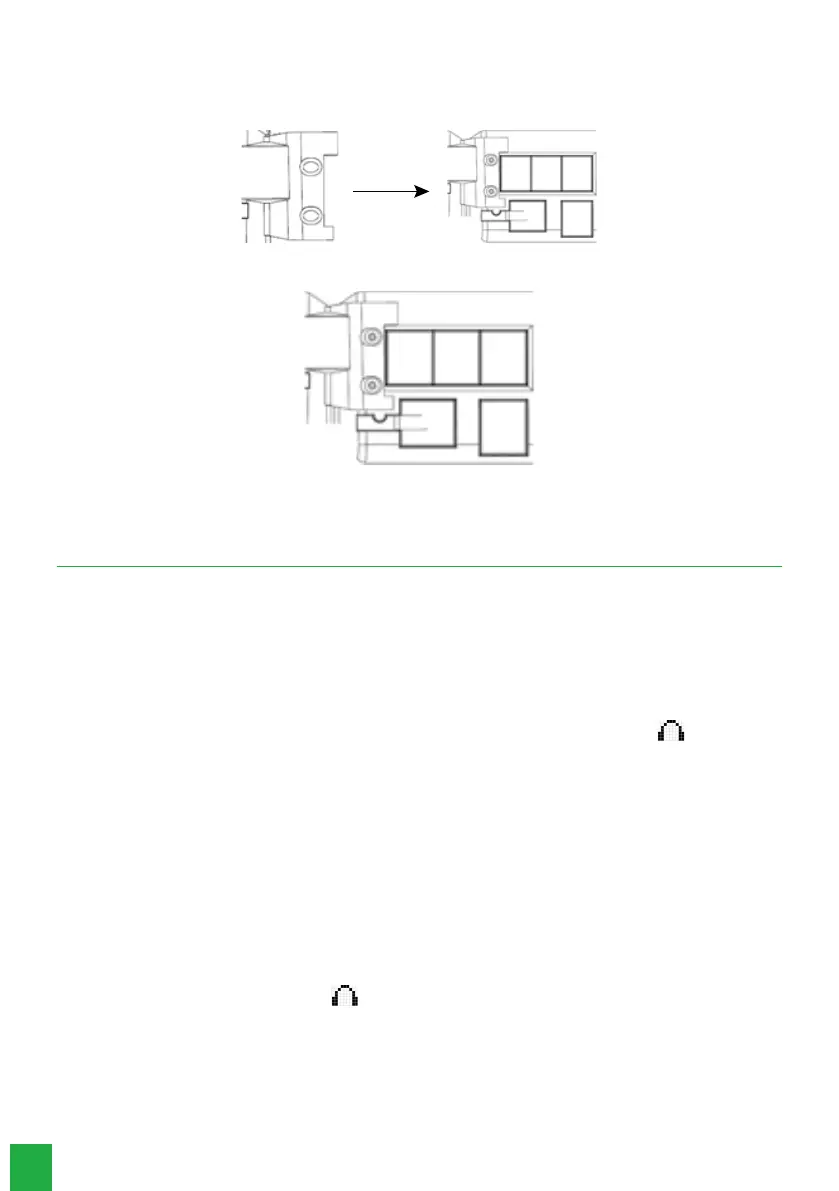
3.3. MOD 115 module assembly
If you have purchased a MOD 115 key module, to attach it to the TI 5000 digital terminal correctly, follow these procedures:
1. Position the slot over the module’s mounting region on the terminal;
2. Adjust the position of the module, then tighten the screws to secure it to the TI 5000 digital terminal.
Done! The MOD 115 module is attached to the TI 5000 digital terminal.
4. Operation
4.1. Operation through the handset
The operation of the terminal through the handset is identical to the operation of a regular telephone. To make calls, just
lift the handset and dial the desired number or press one of the programmed keys.
During a conversation through the handset, the user can press the Speakerphone key once to make the audio available
on the speakerphone and handset. The
Speakerphone
LED will remain ashing. If the user presses the key twice, the
audio will be available only on speakerphone and the handset can be put on hook, without interrupting the call. The
speakerphone LED will remain on. If you have a headset connected to your TI, simply press the function key to
use it. The headset’s LED will stay on until the call is ended or the communication means (headset or hands-free) are
changed.
4.2. Speakerphone or headset operation
» With
Speakerphone
function: when the terminal is idle the
Speakerphone
function is automatically activated
when you press the alphanumeric keypad, the
Speakerphone
key, or a programmed key. When the call is ended, the
Speakerphone
is automatically deactivated. With the terminal in conversation you can also press the
Speakerphone
key
twice to enter in
Speakerphone
mode. While in
Speakerphone
mode the LED indicator remains lit.
» With
Speaker
function: with the terminal in talk mode you can activate the Speaker mode by pressing the
Speakerphone key once. At this moment the Speakerphone LED will remain ashing and the conversation will be carried
out using the Speakerphone´s handset and speaker.
» With headset: with a connected headset, the
Headset
function is automatically activated when you press the
alphanumeric keypad, the
Headset
key or a programmed key. Using the headset disables the Speakerphone
function. While in Headset mode the referent LED will remain on.
4.3. Making a call
Lift the handset, press the Speakerphone key, or if you have a connected headset, press the headset function key and dial
the desired number. Press the programmable key or dial the desired number while the terminal is idle.
During a call, the terminal display will show the extension number that is being called. If this number is in the phone book,
the registered name will be displayed.



 To Next Page