59
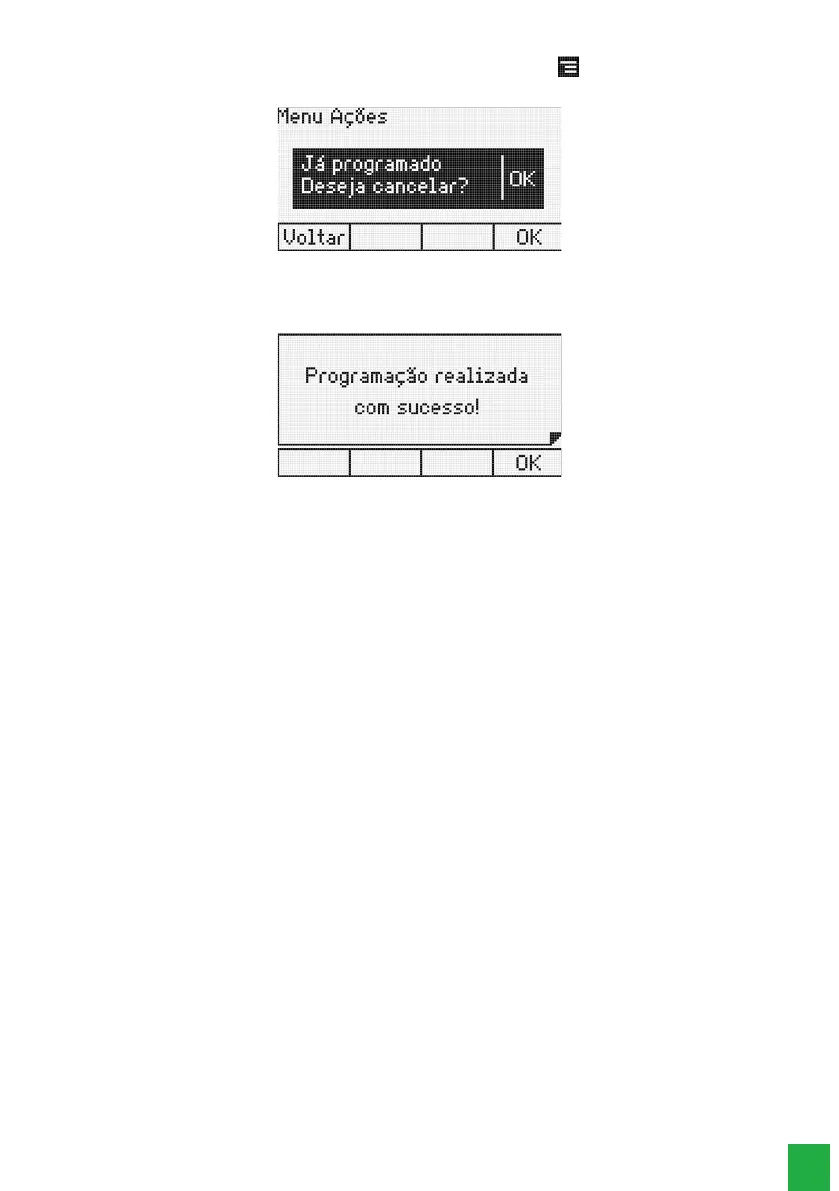
To release the extension, press the key corresponding to the actions menu , and select the
Do not disturb
option. You will see the message:
Cancel Do Not Disturb
Press the
Ok
selection key to disable do not disturb or press the
Back
selection key to cancel the operation. If the user
presses the
Ok
selection key the terminal will beep followed by the message:
Do not disturb unprogrammed
4.12. Using programmable keys to access PABX functions
The terminal’s programmable keys can be used for quick access to extensions and PABX routes. In addition, these keys can
be congured to access various facilities and accessories, freeing the user from typing numeric commands.
Access to extensions
Allows access to the programmed extension.
The indicator light will show the following states:
» LED ashing: extension is receiving call.
» LED is on: extension is busy.
» LED is off: free extension.
Access to the lines
Allows capturing a call from the programmed line.
The indicator light will show the following states:
» LED is on: busy line.
» LED is off: free line.
» LED ashing: line with a call to be answered.
» LED ashing slowly: line with call in parking.
Access to E1 channels
Allows capturing a call from the programmed E1 channel.
The indicator light will show the following states:
» LED is off: free channel.
» LED is on: busy channel.
» LED ashing: channel with a call to be answered.
» LED ashing slowly: channel with a call in parking.
Access to VoIP channels
Allows capturing a call from the programmed VoIP channel.
Note:
it will only work with a VoIP card. To access or signal the IP channels of the ICIP card you must use the Impacta Virtual Desk.



 To Next Page