77
Important: the functions regarding the motion sensor, index
7.15,
will only be available if your product has the motion
sensor installed.
8. Messages
There are three types of messages: Custom Messages and Warning Messages, which allow extensions with Smart
Terminals (TIs) to send text messages to other extensions that also have terminals installed, and SMS messages, which
can be sent from Smart Terminals (TIs) to cell phones (check if your PABX has this feature and if it has a GSM card).
8.1. Customized Messages
Customized messages are written and sent to a designated extension.
1. Press the
Menu
key. The terminal will enter the main menu;
2. Search for
Message
and press the
Ok
key;
3. Search for Send Msg to TI using the and keys, and press the
Ok
key;
4. Enter the desired information using the alphanumeric keypad (up to a maximum of 22 characters) and use the navigation
keys and the Delete selection key to make corrections. Enter the destination extension number;
5. Press the
Ok
selection key to send the message;
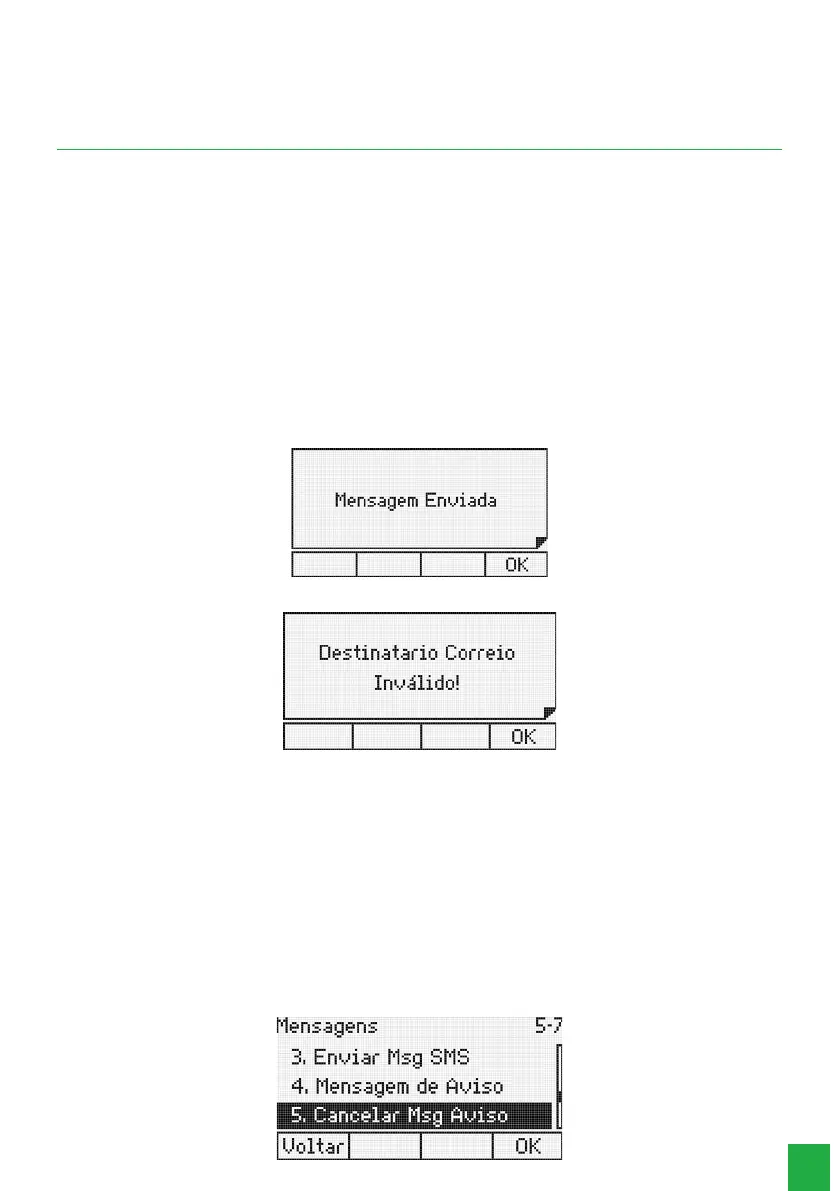
6. If the destination extension of the message is a Smart Terminal ( TI), the following screen will be displayed:
7. If the destination extension is not a TI, the following screen will be displayed:
In this situation, the terminal returns to the message editing screen.
8.2. Alert messages
Allows you to leave recorded messages in your terminal, so that when another terminal calls you, it will receive the
message you have already recorded.
1. Press the
Menu
key. The terminal will enter the main menu;
2. Search for
Messages
and press the Ok key
;
3. Search for
Alert Message
using the keys and , and press the
Ok
key;
4. Type the desired message and press the
Ok
selection key.
To cancel the programmed message:
In the Messages menu use the keys and , select the option:



 To Next Page