58
» Pendulum: this feature makes it possible to exchange the current call for another one in the queue, whether these
calls are internal or external.
» Retain: makes it possible to hold the call for a predetermined time.
» Parking: allows you to park the call in progress.
» Calling Mode: when the terminal is receiving a call.
» Mute: mutes the terminal while receiving a call.
» Transfer to: allows transferring without answering the incoming call.
» Reject: rejects the incoming call.
To use the actions menu in any of the above states, press the selection key and select the desired option depending
on the state of your terminal.
Note: the extension’s password is required in the
Actions
menu whenever the password to access the features menu is
enabled.
4.9. Call Hold
To hold a call in progress press the key corresponding to the actions menu, and with the cursor, select the
Hold
option,
automatically the call will be held. When the hold time is over, the terminal will beep indicating that the call was forwarded
to the queue (last position).
4.10. External call hold for parking with new route occupation
When an external call is in progress, you can hold it by placing it in a parking position and occupying a new route by simply
pressing the key programmed with the route you wish to occupy.
4.11. Do not disturb
This service blocks incoming calls to the extension. Once programmed, the extension will not receive any more calls, and
will only be able to make them.
To program
Do Not Disturb
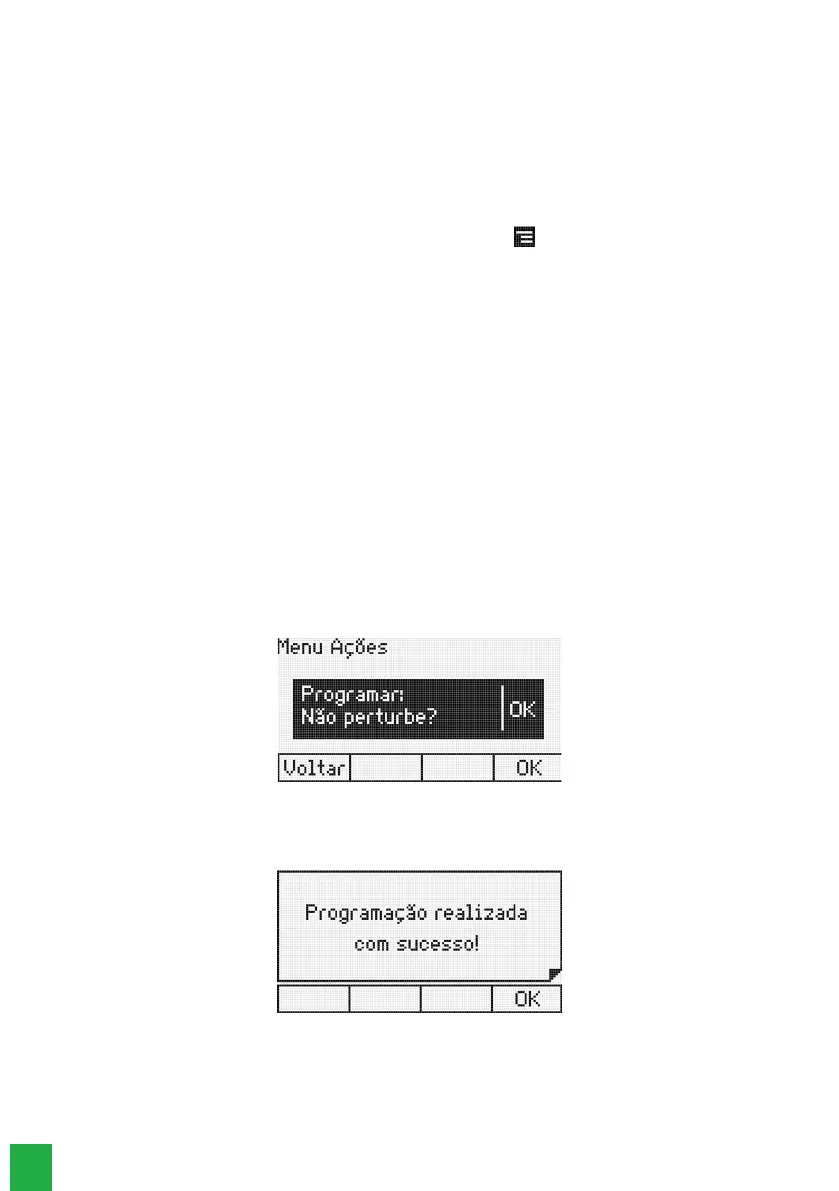
, press the key corresponding to the Actions menu, and select the Do Not Disturb option.
The terminal display will show a message:
Do not disturb
Press the Ok selection key to enable Do Not Disturb or press the Back selection key to cancel the operation. If the user
presses the Ok selection key the terminal will emit a beep followed by the message:
Programmed Do Not Disturb



 To Next Page