D-0112389-I – 2022/04
Sera™ - Instructions for Use - EN Page 12
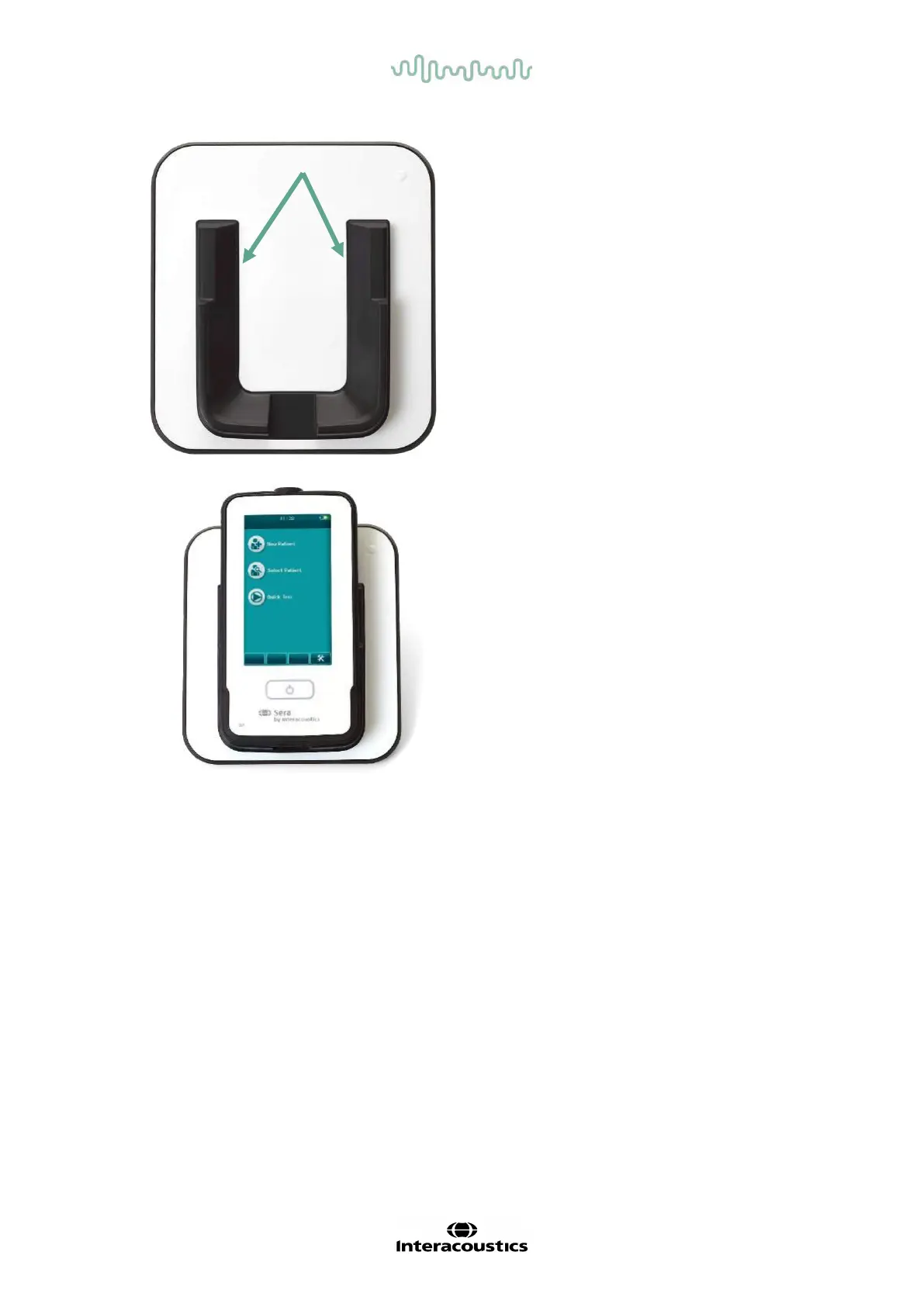
Place the cradle upright on your desk. There are two
insertion guides to place the instrument properly into
the cradle.
Place the Sera
TM
into the cradle so that it sits within
the U-shaped placement guides. Proper placement
in the cradle is needed to ensure charging of the
battery.
Grasp the upper portion of the Sera
TM
above the
cradle placement guides and lift it out of the cradle.
3.4 Installing the HM-E200 label printer (optional)
The connection of the Sera
TM
and the HM-E200 label printer is made via wireless pairing. Only use the
recommended printer from Interacoustics.
NOTICE: Only printers purchased through Interacoustics distributors or Sanibel Supply® are compatible with
the Sera
TM
.














 To Next Page