D-0112389-I – 2022/04
Sera™ - Instructions for Use - EN Page 29
It is possible to configure the device to input an automatic ID number into
this field so that you do not have to enter an ID. The f ormat of the
automatic ID will include the device serial number followed by the year and
month in YYMM f ormat and a sequential number from 1 to 65550. This ID
can be overwritten when entering the patient data.
Configuring Sera
TM
to use an automatically entered ID number is
accomplished via HearSIM
TM
.
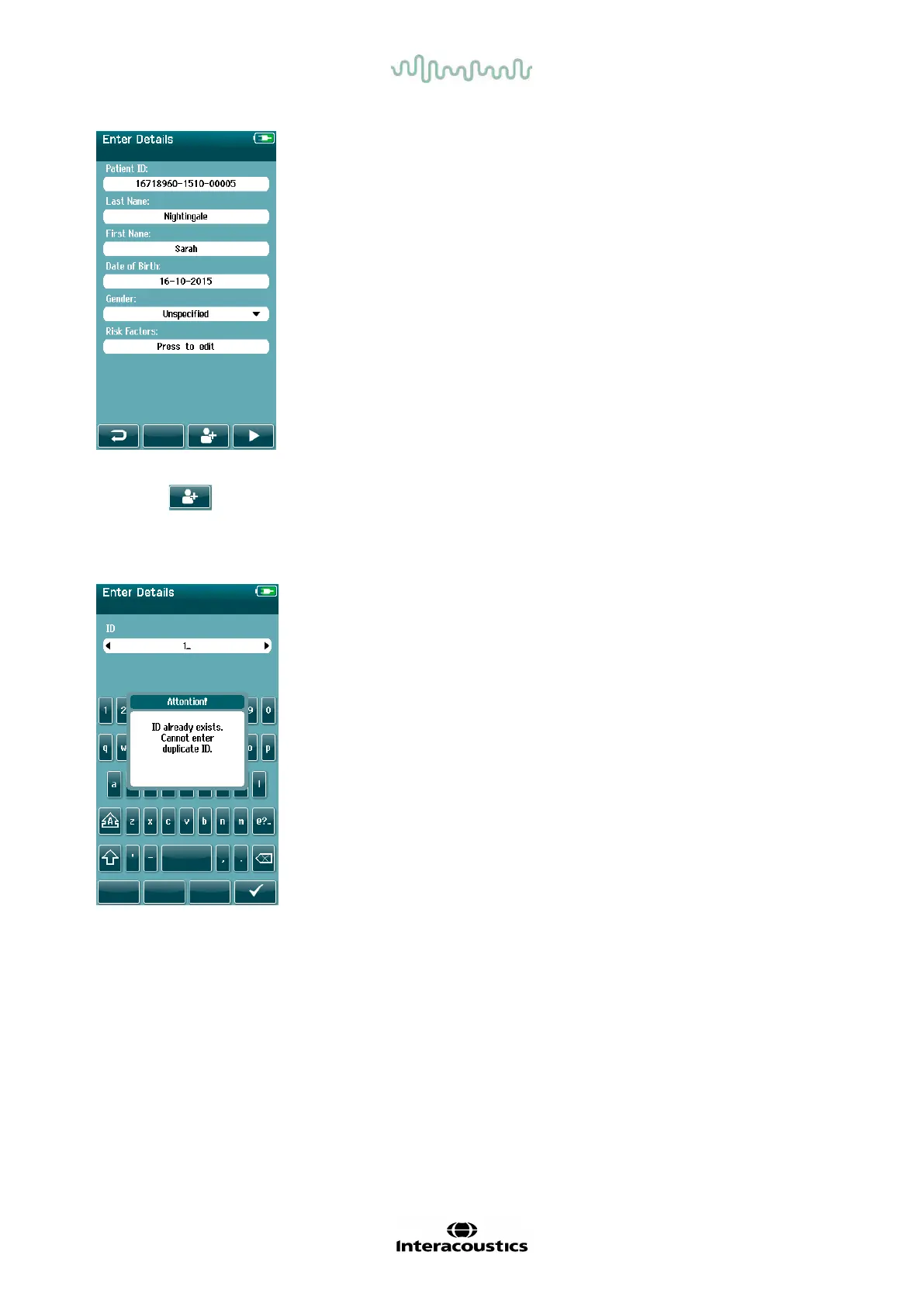
When you have completed entry of data, you can proceed immediately to test the patient or press the ‘quick
add’ button .
4.5.6 Patient ID conflict
The Patient ID must be unique. If you attempt to enter a duplicate patient
ID into the database, an ID conflict message will display. After dismissing
the message by selecting the Checkmark in the bottom control bar,
change the ID to a different unique number.














 To Next Page