D-0112389-I – 2022/04
Sera™ - Instructions for Use - EN Page 37
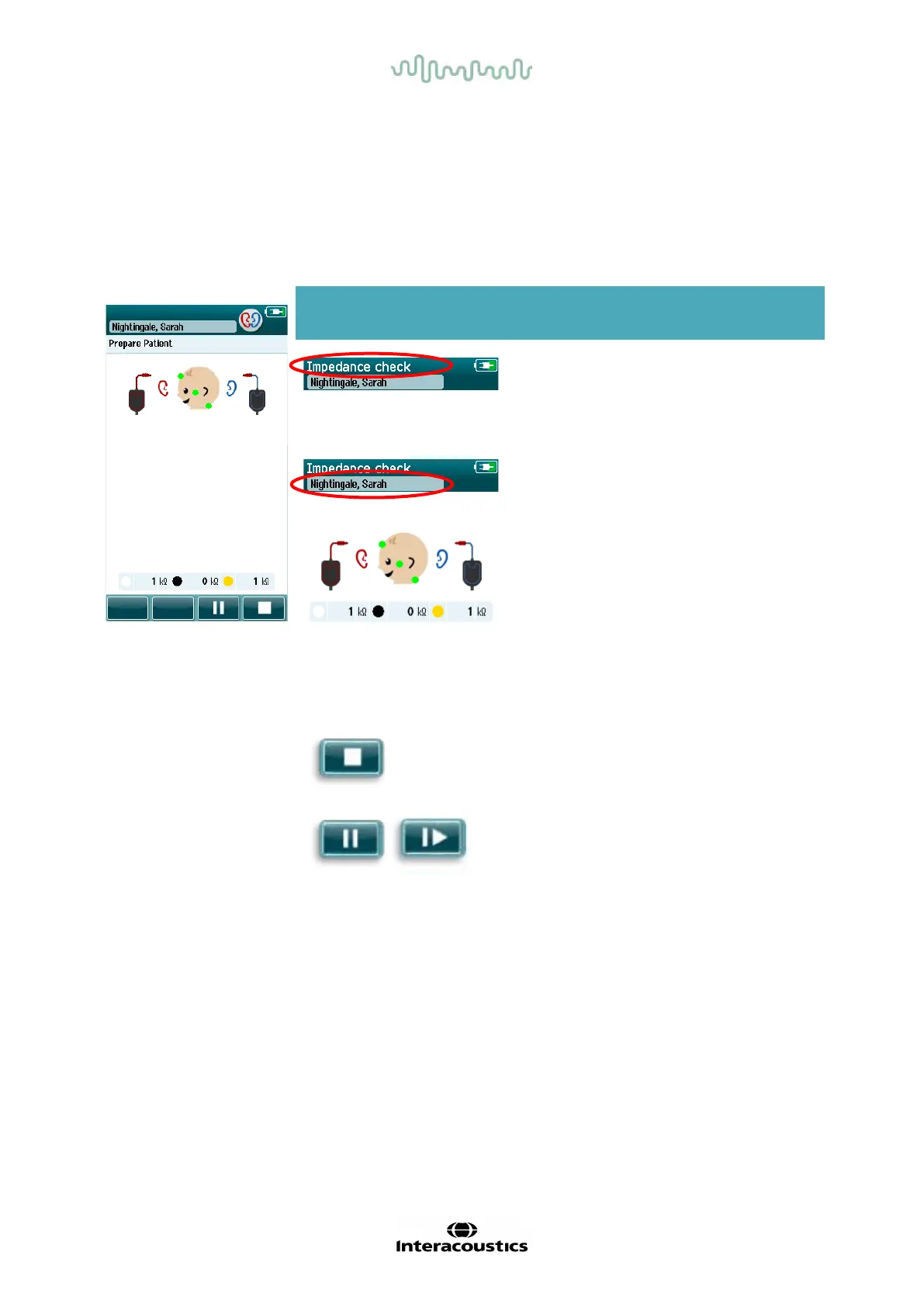
4.7.2 Impedance check screen
During the impedance check, the electrode symbols on the graphic of the baby’s head will display in green or
amber with the kΩ impedance value shown toward the bottom of the screen (Table 5). Once the impedance
values at all locations remain “green” (<50 kOhms) f or a few consecutive seconds, the impedance check
terminates, and the response detection phase begins automatically.
Table 5: Automated ABR impedance check screen.
If any impedance indicator remains “amber”, improve the impedance at this electrode position by:
• Making
sure that the electrode is placed properly on the prepared skin site
• If poor impedance persists, it may be necessary to remove the electrode and use the skin preparation
product to clean the skin again or use a conductive gel. It may be possible to reapply the same
electrode, but if the adhesion is insufficient then a new electrode may be required
If impedance remains poor, an impedance timeout message will appear after approximately 60 seconds of
impedance checking. Upon dismissing the message, the initial test screen will appear again.
Displayed graphic Function name Description
Test status
information.
Indicates device is in
impedance check
mode.
Patient information. Displays the selected
Impedance check
feedback.
Provides feedback
about the impedance
values:
Green = good
impedance.
Amber = poor
impedance.
Impedance values in
Stop button. Stops the impedance
check.
Pause/continue
button.
Pause/Continue the
impedance check.














 To Next Page