D-0112389-I – 2022/04
Sera™ - Instructions for Use - EN Page 54
4.12 User management on device
4.12.1 General
The Sera
TM
can be set up to require user login on the device via HearSIM
TM
. This is disabled by default.
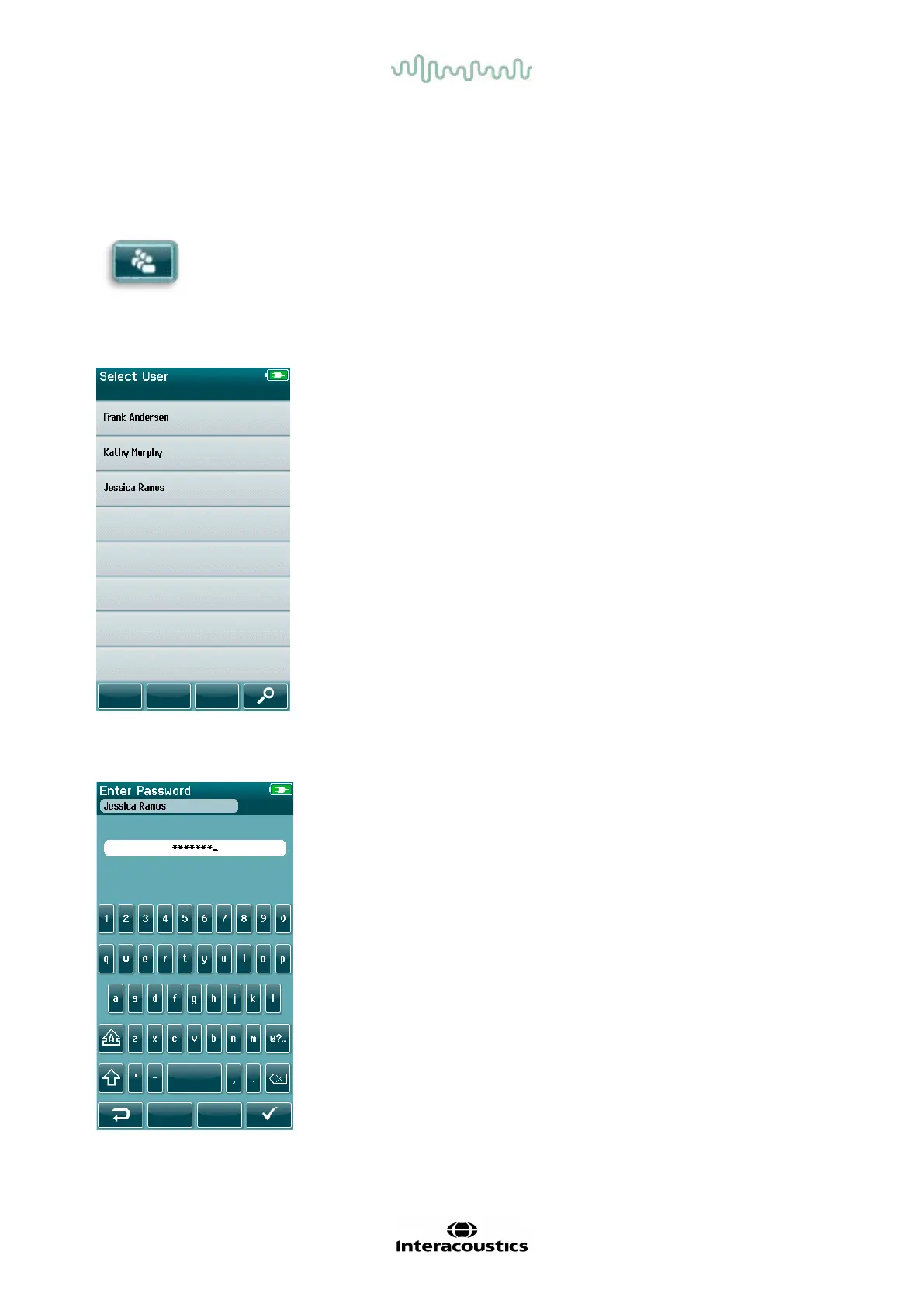
As soon as login is enabled, a button to change the user can be found on the home screen.
4.12.2 Selecting the user (optional)
The Sera
TM
can be setup to require user login on the device via
HearSIM
TM
. This is disabled by default.
When user login is enabled, a User List screen that you created in
HearSIM
TM
and transf erred to the Sera
TM
will display after the device boots
up.
Select your username f rom the list to proceed to the password entry
screen. Up and down arrows in the control bar allow you to move through
pages of names if there are more than 8 users in the list.
Select the Search button in the control bar to type in characters of your
username using the on-screen keyboard. Then select the checkmark in
the control bar to return to view a shortened user list.
4.12.3 Entering the password
Enter your password in the password entry screen using the on-screen
keyboard and select the Checkmark button in the control bar.
If the password is correct, the Home screen will display.














 To Next Page