EasyManua.ls Logo

Interacoustics Sera - Sera operation and button overview; The Sera screen format

Interacoustics Sera
87 pages
Print Icon
To Next Page IconTo Next Page
To Previous Page IconTo Previous Page
Loading...
D-0112389-I 2022/04
Sera™ - Instructions for Use - EN Page 25
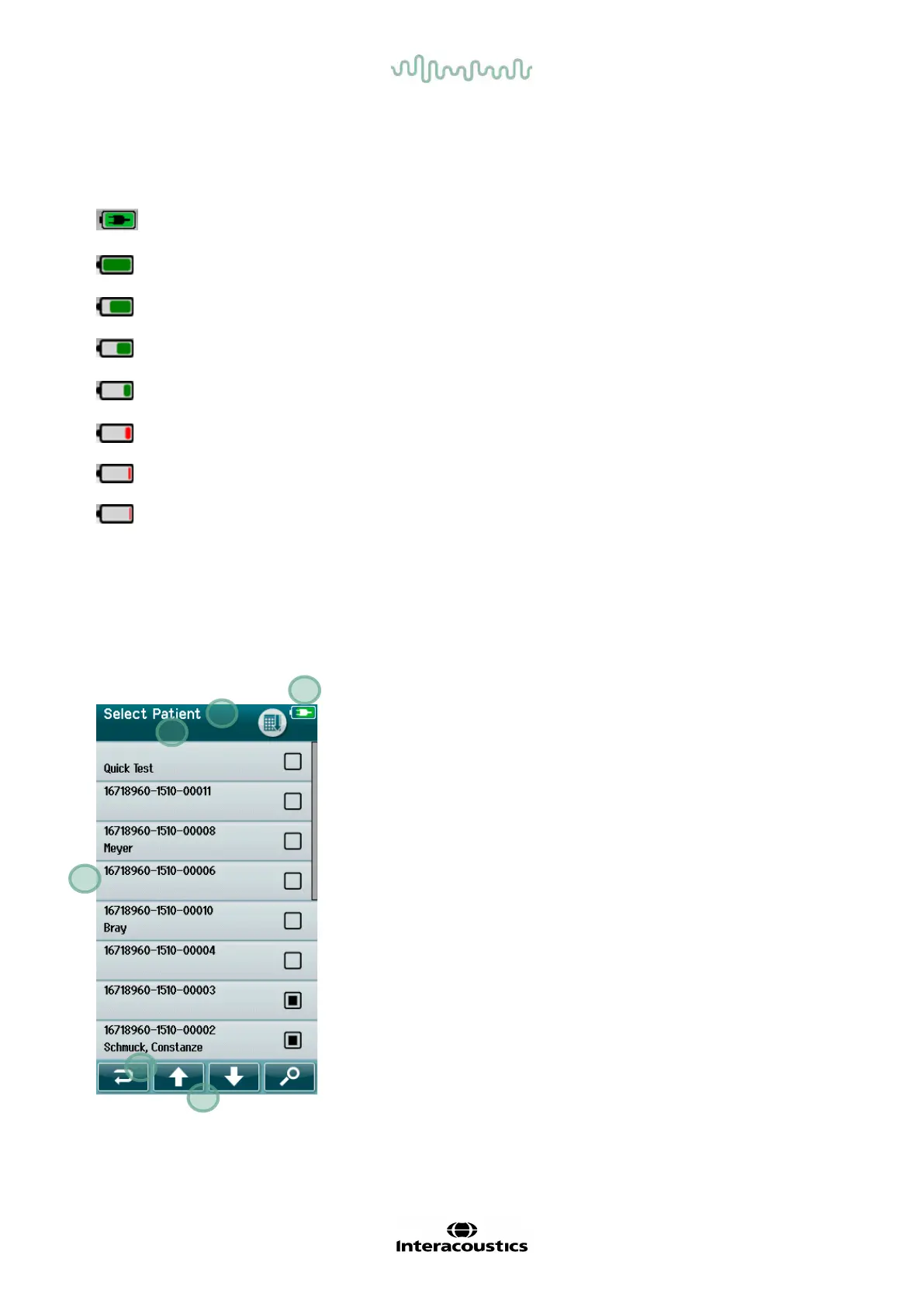
Table 1: Explanation of charge status symbols.
Symbol Charge status
Charging
100%
75 %
50 %
25 %
10% (Approx. 30 minutes of active test time remaining)
5% (Testing cannot be performed; recharge ASAP)
3% (Automatic shutdown)
4.5 Sera
TM
operation and button overview
4.5.1 The Sera
TM
screen format
The general Sera
TM
screen format includes:
1.
Screen title
2.
Status/sub-header
3.
Main screen
4.
Battery indicator
5.
Function button
6.
Control bar with function buttons
1
2
3
4
5
6

Table of Contents

Other manuals for Interacoustics Sera

Related product manuals