D-0112389-I – 2022/04
Sera™ - Instructions for Use - EN Page 67
6.5 Cleaning the SnapPROBE
TM
The ear tips for the SnapPROBE
TM
are designed to maintain distance between the sensitive components of
the probe and an infant ear canal. The elongated shape will typically collect most of the ear wax, which is
disposed along with the ear tip after use, thereby limiting how of ten the filters in the probe need to be
replaced. It is important that the probe tip is clean and free of wax or other debris before conducting a test.
Wax or debris in the probe tip can cause incorrect presentation of the stimulus or recording. A visual
inspection of the probe and its filters should therefore be made prior to every measurement.
If any traces of ear wax, debris or the like are present, the filters of the probe need to be replaced.
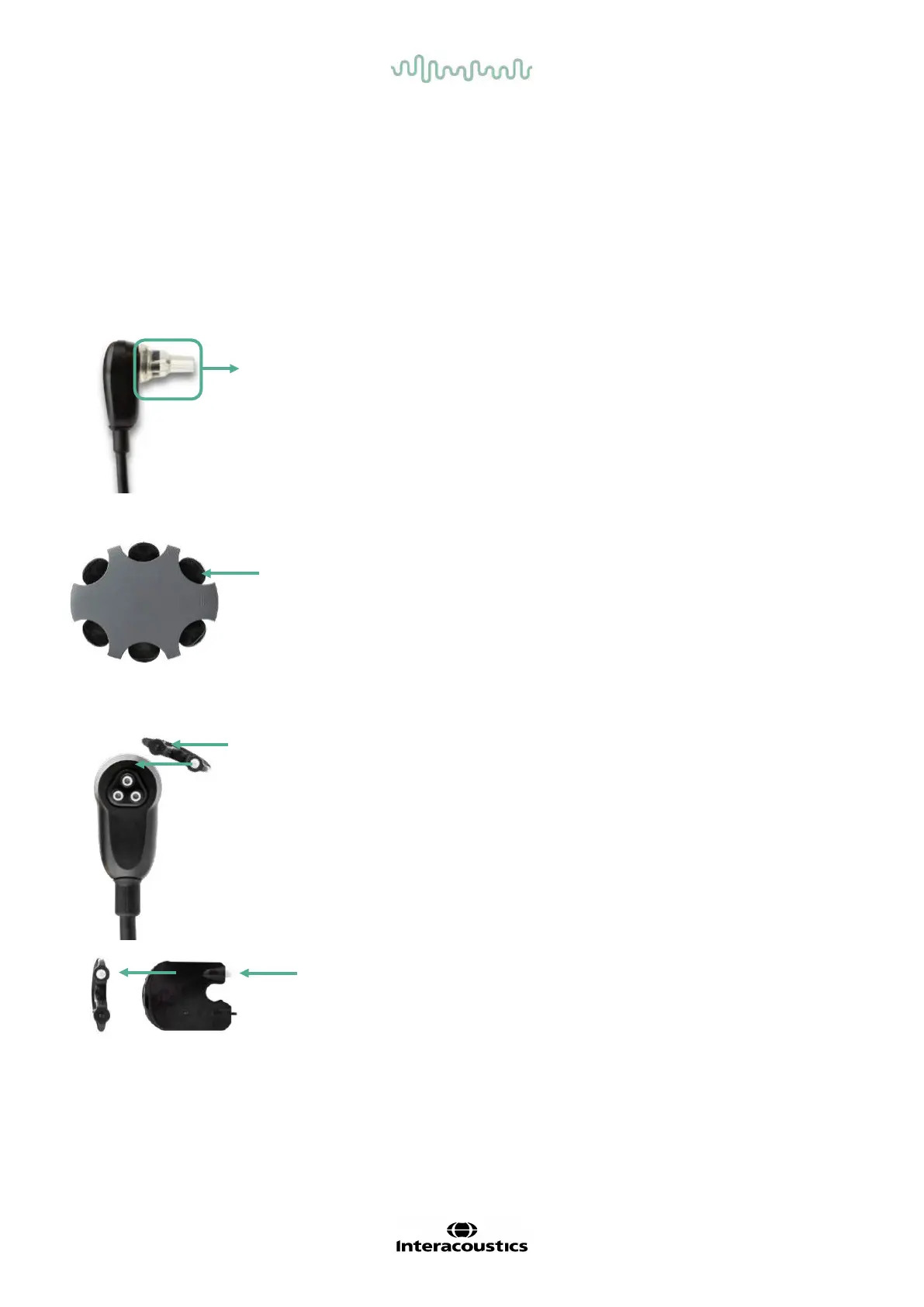
Remove the ear tip f rom the probe to access the SnapPROBE
TM
’s three
filters.
The filters can be removed using a replacement filter tool f rom the
replacement filter kit.
Use the empty slot of the replacement filter kit to remove a f ilter f rom the
probe.
Insert the new filter provided on the tool in the empty f ilter slot. Dispose of
the old filter immediately to avoid mixing it up with new replacement f ilters.
6.6 Accessories/replacement parts
Some reusable components are subject to wear with use over time. We recommend that you keep these
replacement parts available (as appropriate for your Sera
TM
device configuration).














 To Next Page