D-0112389-I – 2022/04
Sera™ - Instructions for Use - EN Page 33
The following processes are the same regardless of the type of testing (Automated ABR or OAE) you
perf orm.
Selection of the Test button starts the process toward testing. Depending on the conf iguration of your
device, some screens may appear bef ore the actual test screen is displayed.
4.6.6 Select test type
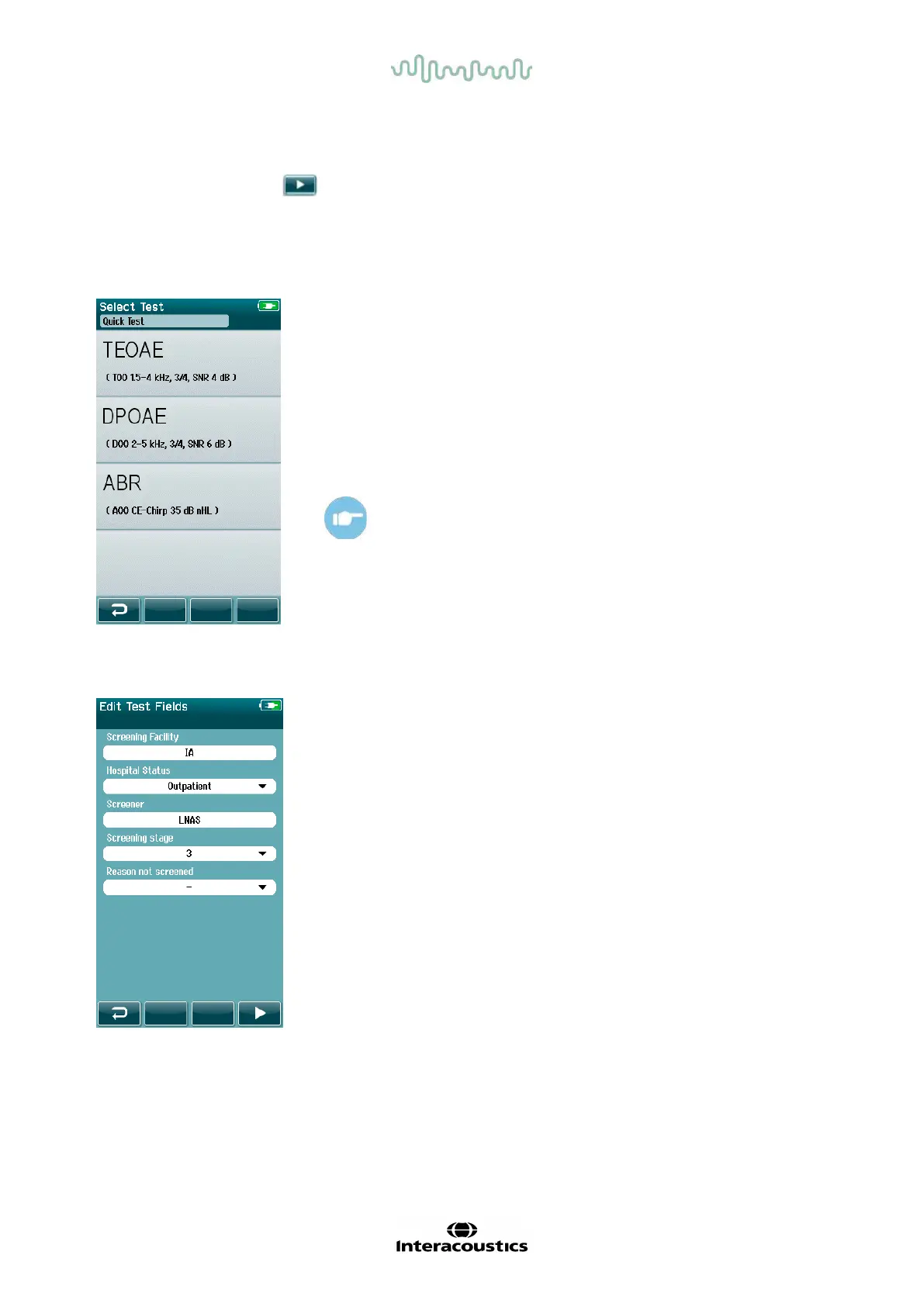
If your device has both Automated ABR and OAE functionality or more
than one protocol of the same test type exists on the device, then a Select
Test screen may appear f or you to select which test you wish to perform.
Underneath the test type (e.g., TEOAE), the name of the protocol is listed.
Displayed tests are also dependent on the connected transducer. For
example, if only the probe is connected to Sera
TM
, then Automated ABR
tests will not show in the list. The preamplifier must be connected with an
appropriate transducer to see Automated ABR tests.
Please refer to the Sera
TM
Additional Information f or f urther
information about the protocols.
4.6.7 Test-related field entry
Your Sera
TM
can be configured via HearSIM
TM
to save inf ormation with
each test regarding:
• Screening f acility name
• Hospital status
• Name of the screener
• Screening stage
• Reason not screened
• Physician
• Tracking ID
• Nursery Type
• Insurance
• Name of the mother
• Birth facility
When this function is enabled, a Test f ield entry screen will appear so you
can complete these fields correctly for the current patient. Since these
fields are often the same f rom patient to patient, your selection will be
recalled so that you only need to confirm the entry by proceeding with
selection of the Test button if the current items displayed in the fields are
correct.
If you have logged into the device upon boot up, then your name will also
be saved with the test and the Test f ield entry screen displays your name














 To Next Page