D-0112389-I – 2022/04
Sera™ - Instructions for Use - EN Page 45
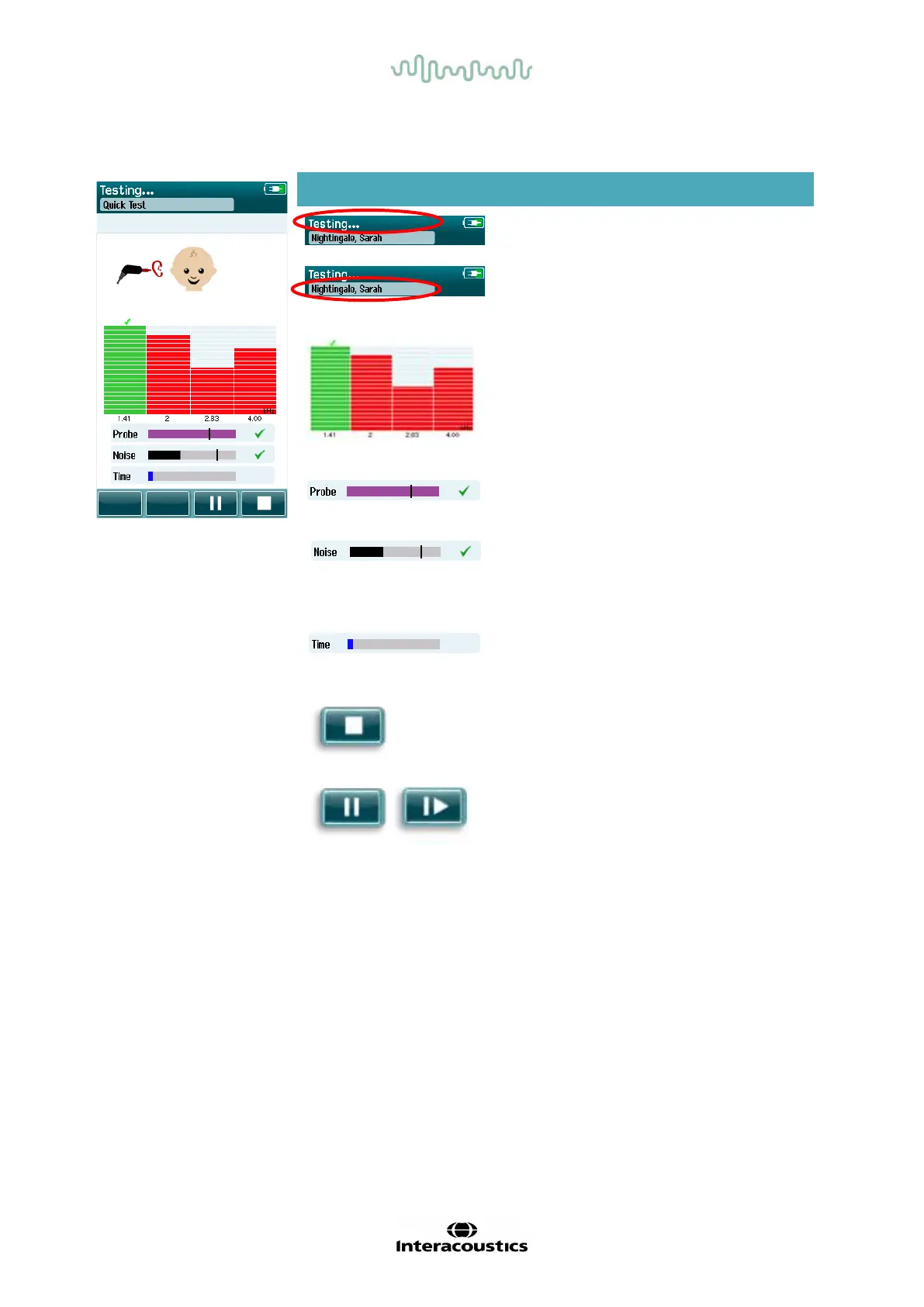
Table 12: TEOAE measurement screen.
4.8.3.1 Probe stability bar
During testing, the Probe stability bar will ref lect the status of the probe in the ear canal. A checkmark will
appear to the right-hand side of the bar when the probe stability is acceptable. If the probe stability drops
below an acceptable level, this suggests that the probe is falling out of the ear, and checkmark will
disappear. If this happens, you should check the fit of the probe in the ear.
4.8.3.2 Noise bar
During testing, the Noise bar will display the amplitude of the incoming acoustic noise. A checkmark will
appear to the right-hand side of the bar when the incoming signals are quiet enough to be accepted and
processed by the response detection algorithm. If the incoming data sample contains high noise, the
checkmark will disappear, and the noise bar will ref lect noise exceeding the rejection level.
If this occurs, you should Pause the test and attend to the noise by calming the baby or managing other
sources of ambient noise. The fit of the probe should also be checked.
Screen area/graphic Function name Description
Test status
information.
Indicates device is in
testing mode.
Patient information. Displays the selected
patient name.
Test progress bars.
Provides feedback
about the test progress
for reaching a Pass
result.
Probe.
Indicates the probe fit
status.
Noise bar with
checkmark if noise is
acceptable.
Indicates acceptable
noise rejection level
and status.
Time bar.
Elapsed test time.
Stop button. Stops the test; assigns
an Incomplete result.
Pause/continue
screening button.
Pause/Continue the
measurement.














 To Next Page