D-0112389-I – 2022/04
Sera™ - Instructions for Use - EN Page 16
3.6 Connecting the probe cable to the Sera
TM
The probe used with Sera
TM
is called the SnapPROBE
TM
. The SnapPROBE
TM
can be connected in two ways
to the device:
1) Directly connected to the device (for OAE only)
2) Via the preamplif ier cable (for OAE & Automated ABR)
Ensure that the Sera
TM
is switched off bef ore attaching or detaching the
probe or the preamplif ier cable from the Sera
TM
.
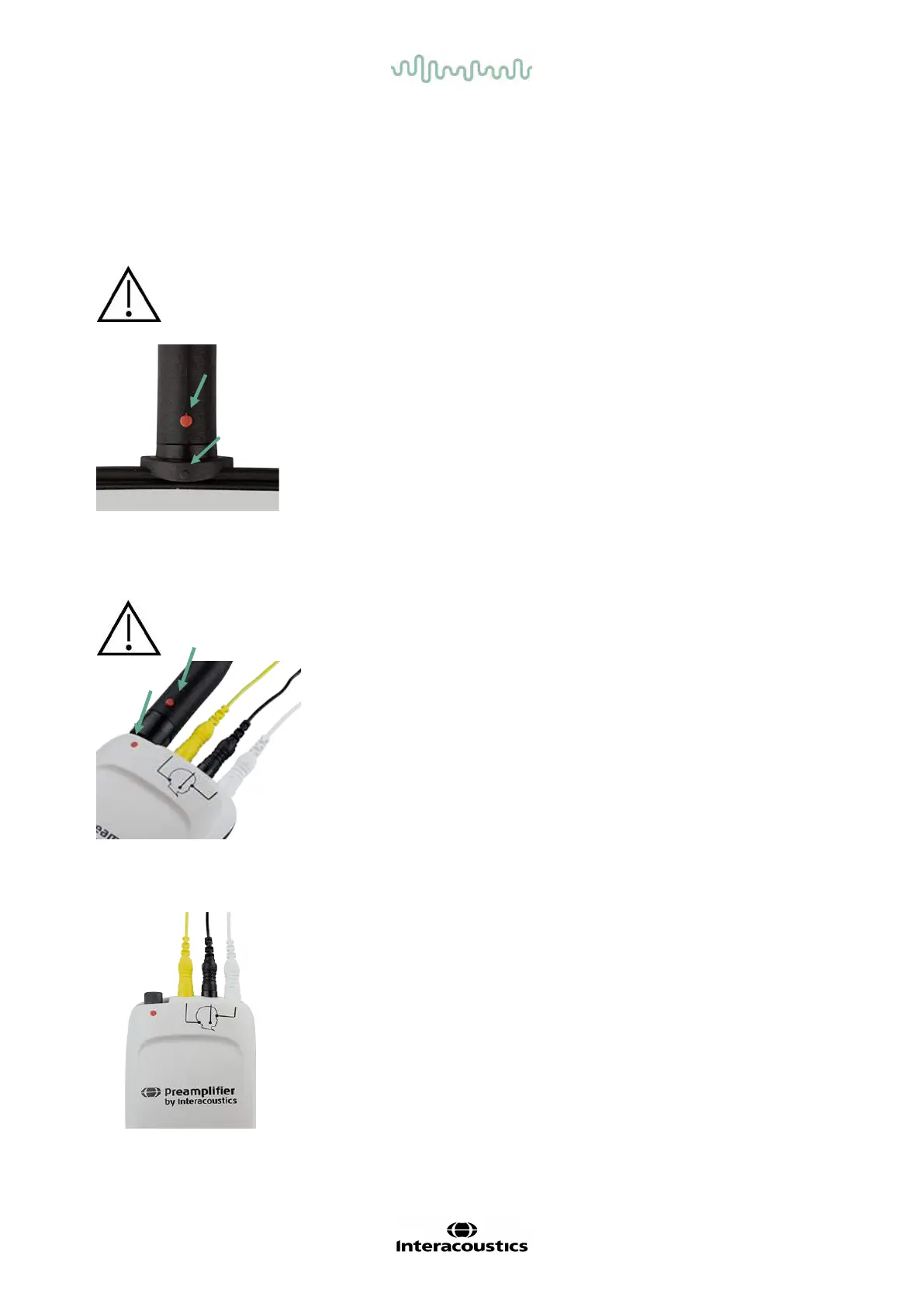
Align the raised dot on the probe plug/preamplifier cable plug with the one
on the front of the socket at the top of the Sera
TM
. Insert the plug and push
it securely into place. The Sera
TM
is designed to guide the probe
plug/preamplif ier into the correct position.
3.7 Connecting transducers to the preamplifier
The preamplif ier cable is required for Automated ABR testing and can also be used with all other modules.
Align the probe/insert phone/EarCup cable plug with the socket at the top
of the preamplif ier cable marked with the graphic. Insert the plug and
push it securely into place. The Sera
TM
is designed to guide the probe
plug/preamplif ier into the correct position.
3.8 Connecting the electrode cables to the preamplifier
Connect the three electrode lead cables securely into the electrode jacks
on top of the preamplifier, matching the color of the cable with the jack.
Make sure they are f ully inserted into the jack.














 To Next Page