D-0112389-I – 2022/04
Sera™ - Instructions for Use - EN Page 30
4.5.7 Selecting from the patient list
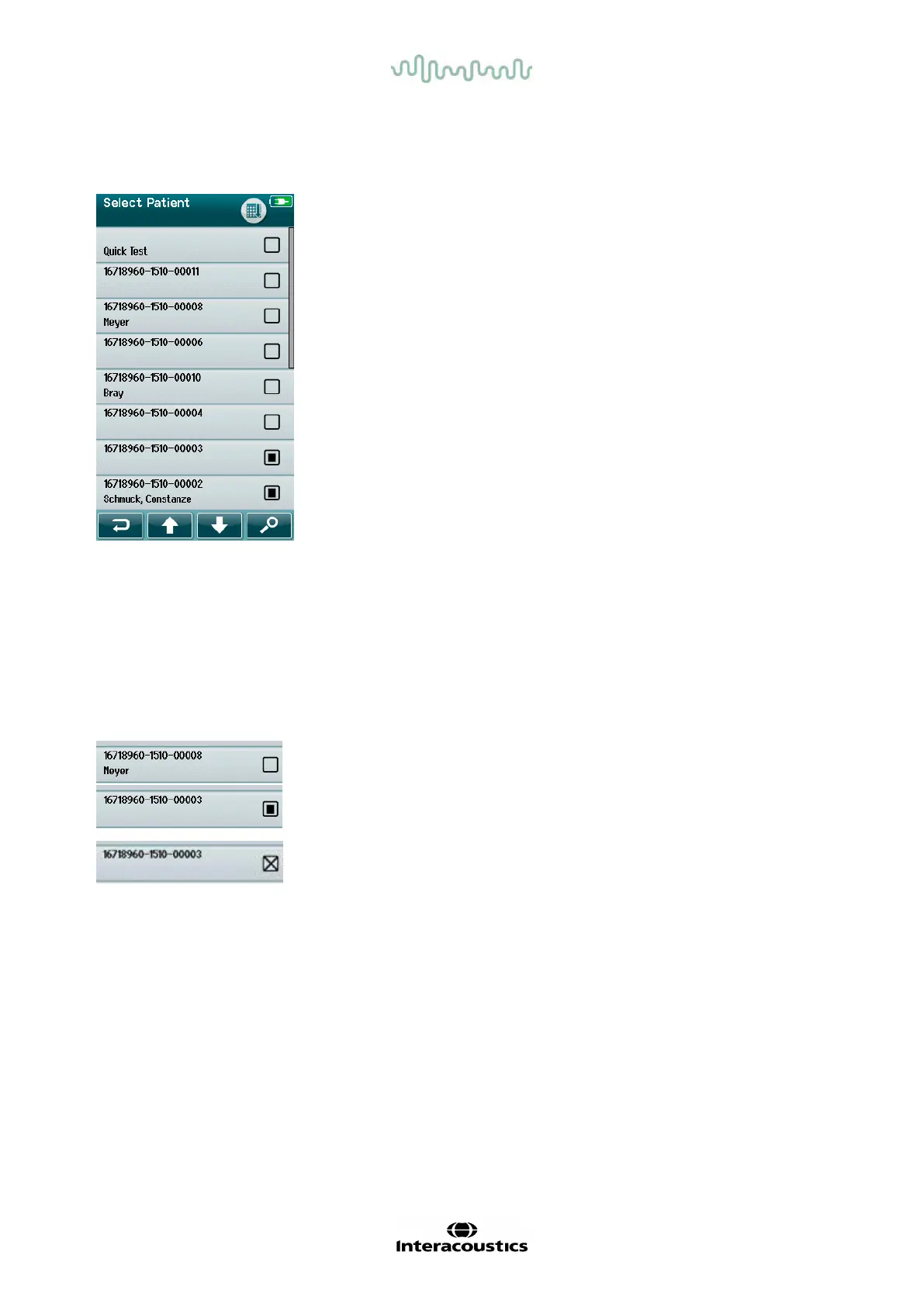
A patient can be selected f rom the Patient list. Select the Select Patient button on the Home screen.
You can f ind the desired patient in the list in several ways:
• Use the Search button to open a screen in which you can enter all
or part of the patient’s ID, last or first name to search f or matching
patients. The patient list will be shortened to include only matching
entries
• Page down or up using the arrow keys to find the desired patient
name
• Select the patient of interest to open the Patient inf ormation
screen
Af ter selecting the patient, you can proceed to:
• Review the patient’s test history
• Test the patient
In the Select Patient list, a square is present on the right-hand side of the patient’s name/ID. The appearance
of the square reflects the test status (Table 3).
Table 3: Test Status of patient.
No tests are saved in the device for this patient.
Tests are saved in the device (between 1 and 49 tests).
The maximum number of tests are saved (50). No additional tests can be
performed for this patient.














 To Next Page