D-0112389-I – 2022/04
Sera™ - Instructions for Use - EN Page 42
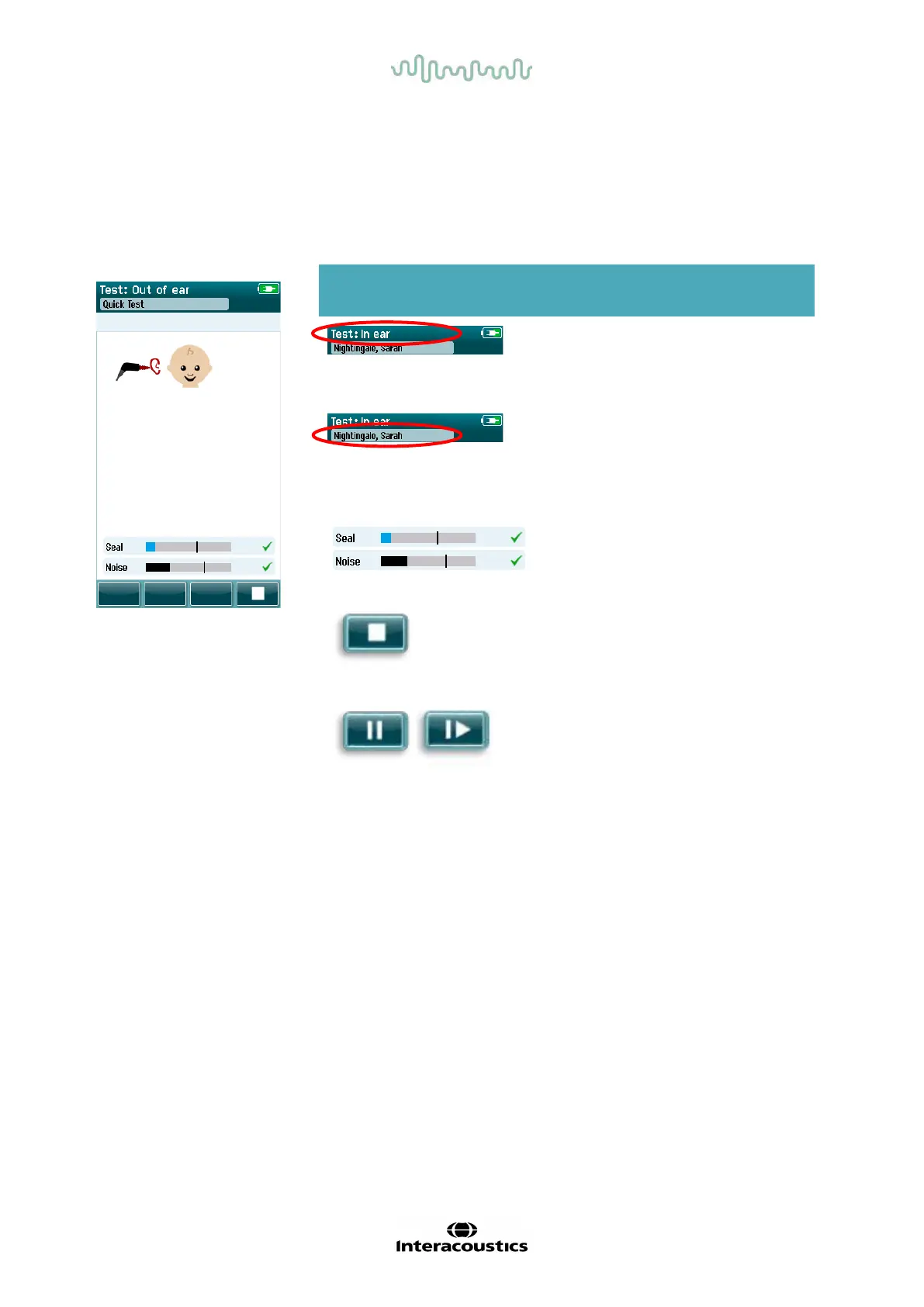
4.8.2 Probe check screen
During the probe check, inf ormation is displayed regarding the quality of the fit of the probe in the ear canal.
(DPOAE in Table 9 and TEOAE in Table 10). Once the probe fit is good, the probe check terminates and the
OAE measurement phase begins automatically.
Table 9: DPOAE Probe check screen.
Displayed graphic Function name Description
Probe check
status.
Displays the probe
check status – in
ear, out of ear or
blocked.
Patient information. Displays the
selected patient
name.
Status bars. Displays the status
of the probe in the
ear. All criteria
must be met before
a test will start.
Stop button. Stops the probe
check.
Pause/continue
button.
Pause/Continue the
probe check.














 To Next Page