D-0112389-I – 2022/04
Sera™ - Instructions for Use - EN Page 43
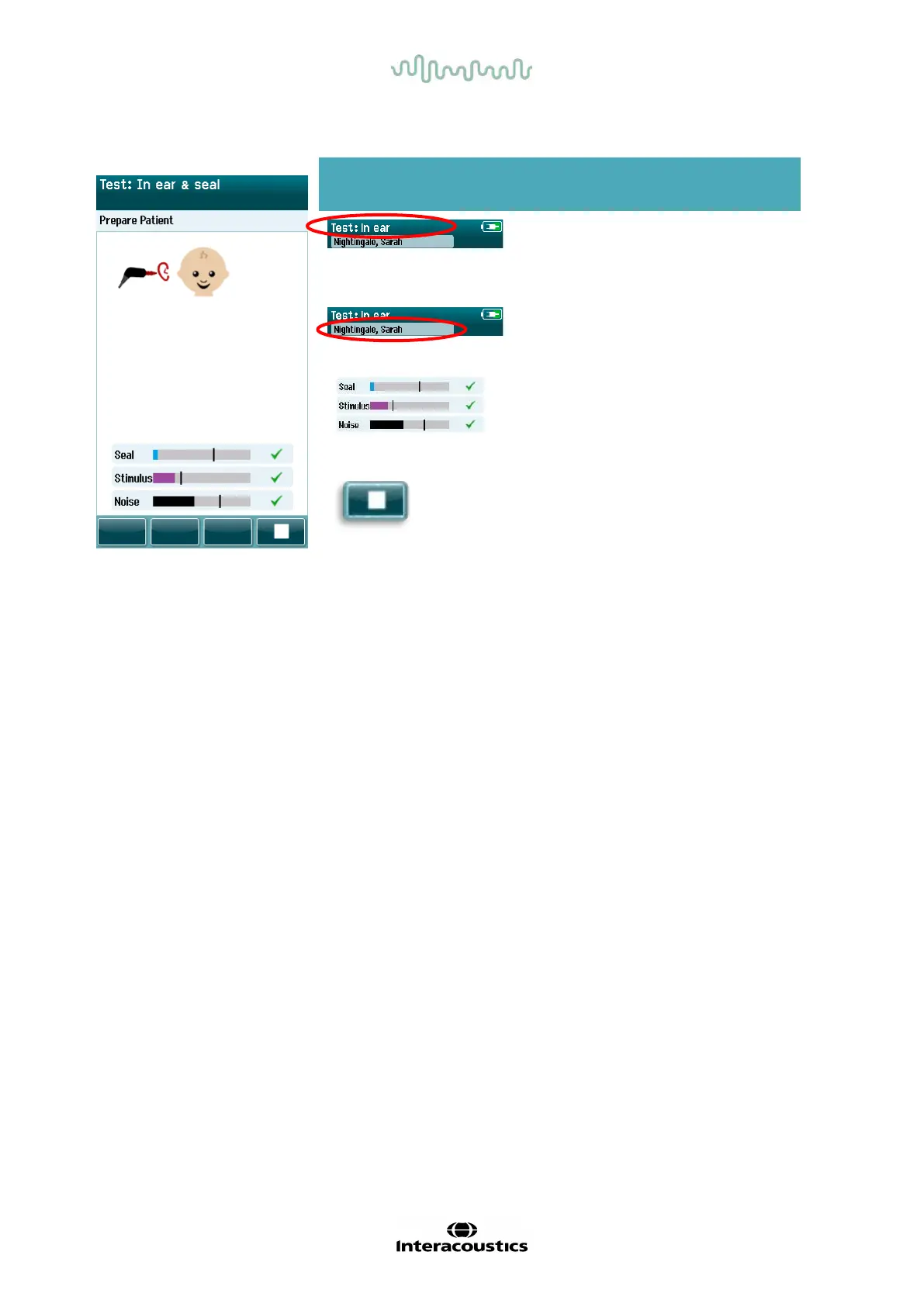
Table 10: TEOAE Probe check screen.
If the probe f it is not acceptable you need to improve the situation before testing will begin:
• Make sure the probe tip is inserted securely into the ear canal.
• Ensure the baby is relaxed and quiet or sleeping and/or attend to any acoustical noise in the test
environment.
Displayed graphic Function name Description
Probe check
status.
Displays the probe
check status – in
ear, out of ear or
blocked.
Patient information Displays the
selected patient
name.
Status bars. Displays the status
of the probe in the
ear. All criteria
must be met before
a test will start.
Stop button.
Stops the probe
check.














 To Next Page