D-0112389-I – 2022/04
Sera™ - Instructions for Use - EN Page 56
4.13 Setup
Select the Setup button in the control bar of the Home screen to access a list of the
settings that can be made directly on the Sera
TM
.
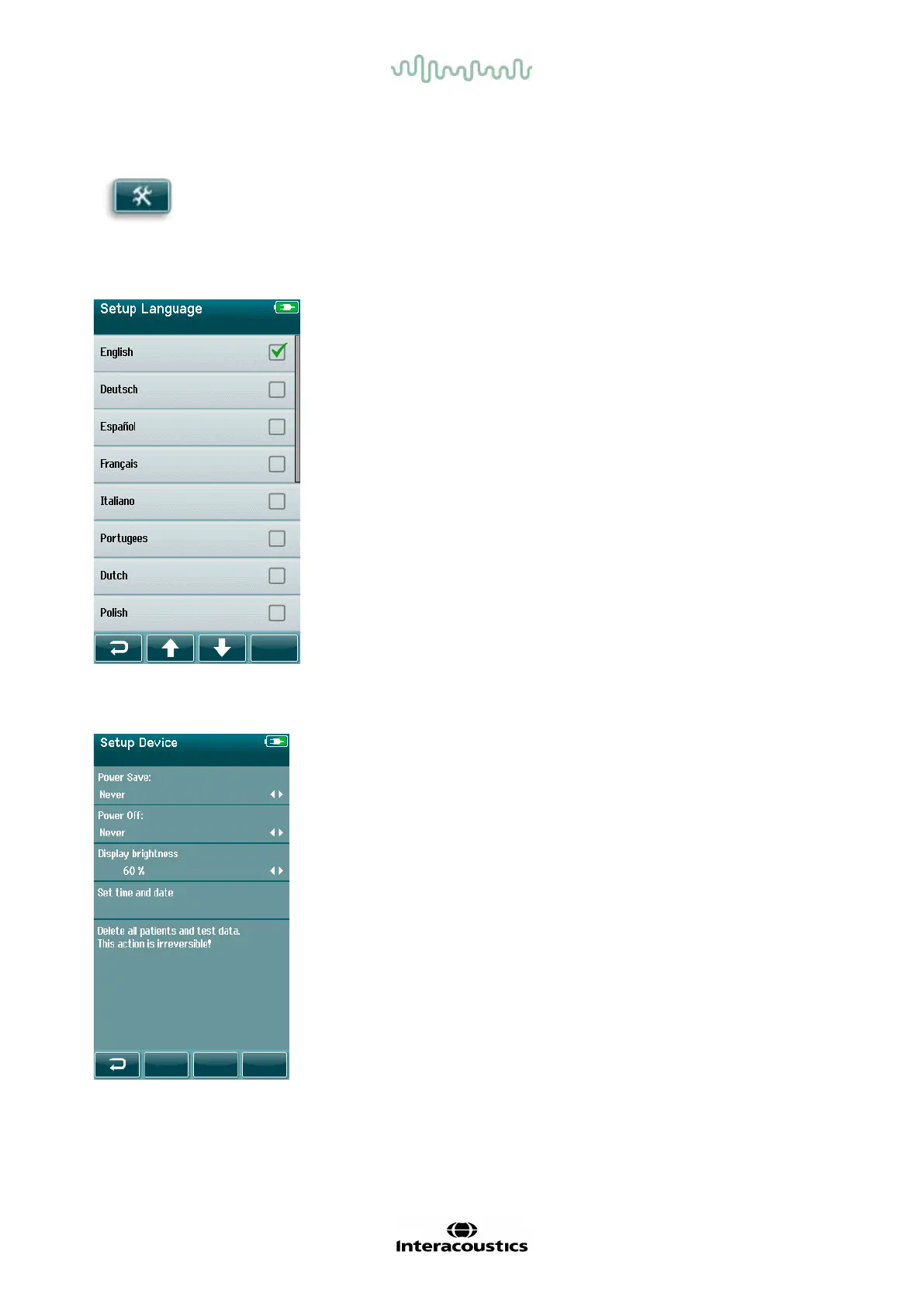
4.13.1 Language screen
Use the Up and Down arrows to scroll through the list of languages.
Select the desired language so that a checkmark appears in the checkbox
next to the language.
To confirm the selection and exit the Language screen, select the
checkmark button in the control bar.
Available languages are English, German, Spanish, French, Italian,
Portuguese, Dutch, Polish, Finnish, Russian, Chinese, Korean, Norwegian
Turkish and Japanese.
4.13.2 Device
Set your time preference for Power Save and Power Off f eatures.
• Power Save (Standby) can be set to Never, 1-5 minutes or
10 minutes
• Power Off can be set to Never or 1, 5, 10, 15 or 30 minutes
Select the Checkmark button in the control bar to confirm the
settings and close the Device Setup screen.
Set your preferred Display brightness.
Set your preferences for time and date.
• Adjust time and date setting
• Choose between 24-hour clock or 12-hour clock mode
Option to delete all patients and test data from device.
• Deleting data is irreversible. A warning notif ication will be
displayed bef ore deletion is completed














 To Next Page