EasyManua.ls Logo

Interacoustics Sera - Page 54

Interacoustics Sera
87 pages
Print Icon
To Next Page IconTo Next Page
To Previous Page IconTo Previous Page
Loading...
D-0112389-I 2022/04
Sera™ - Instructions for Use - EN Page 48
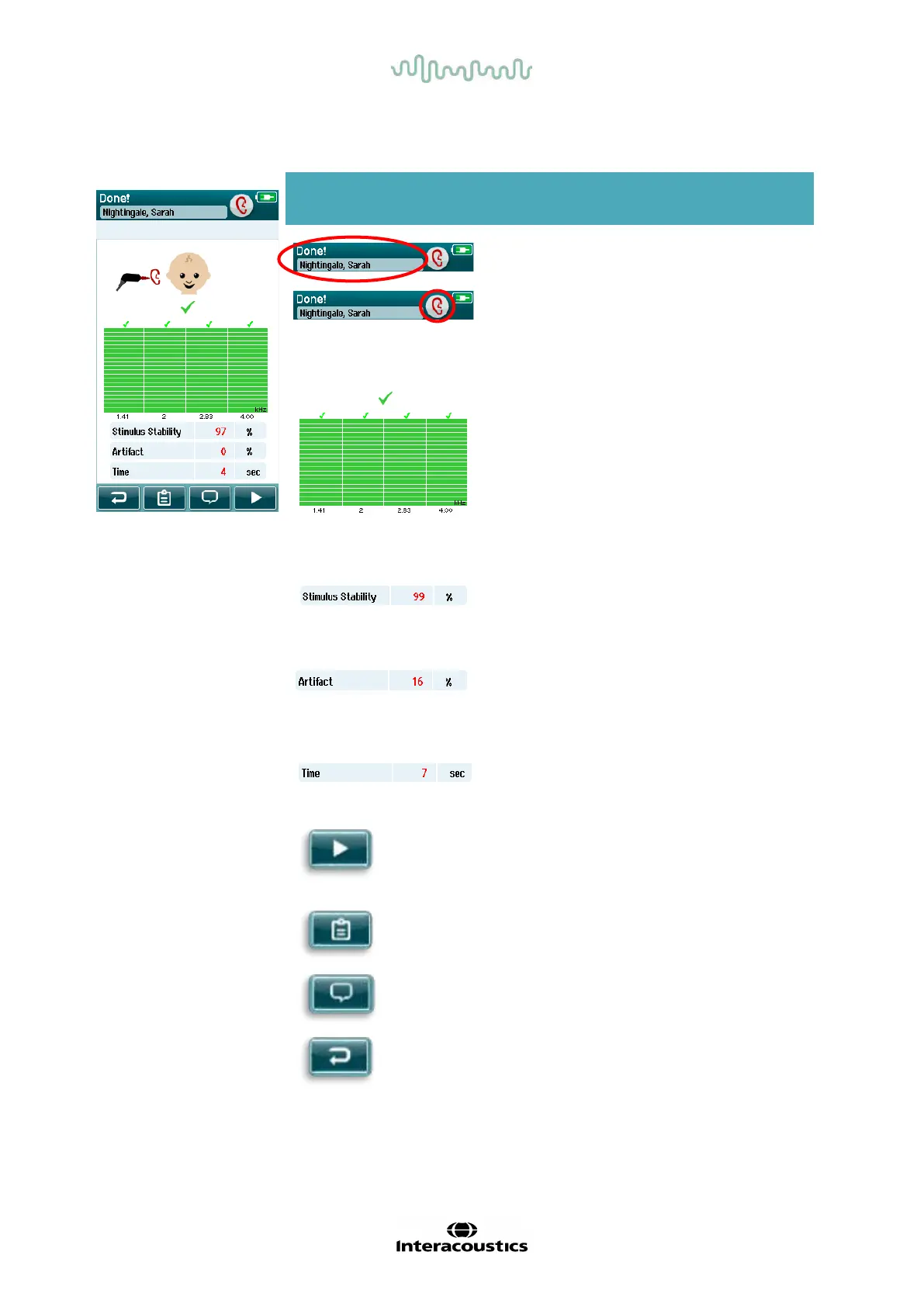
Table 14: TEOAE Test done screen.
Screen area/graphic Function name Description
Patient information and
“Test Done” status.
Shows current patient.
Ear selection buttons
return after test is done.
Choose ear to test; or
toggle to view the
results for the opposite
ear tested in this
session.
Test result bars and
symbols and additional
information about the
test.
Feedback about the
result(s) of the most
recent screening
performed in this test
session. Overall result
appears at the top.
Results for individual
frequencies appear
above ear bar.
Stimulus stability %.
Indicates the stability
of the stimulus
throughout the test.
Artifact %.
Indicates the
percentage of artifacts
measured during the
test.
Tim e.
Total test time.
Start button.
Begins OAE probe fit
check.
Test list view.
Opens list of all tests
performed in this
session; can print from
here if printer is setup.
Back button.
Returns to prior screen
(before initial test
screen).
Comment.
Select to open a
screen for inserting a
comment about the
test just performed

Table of Contents

Other manuals for Interacoustics Sera

Related product manuals