109
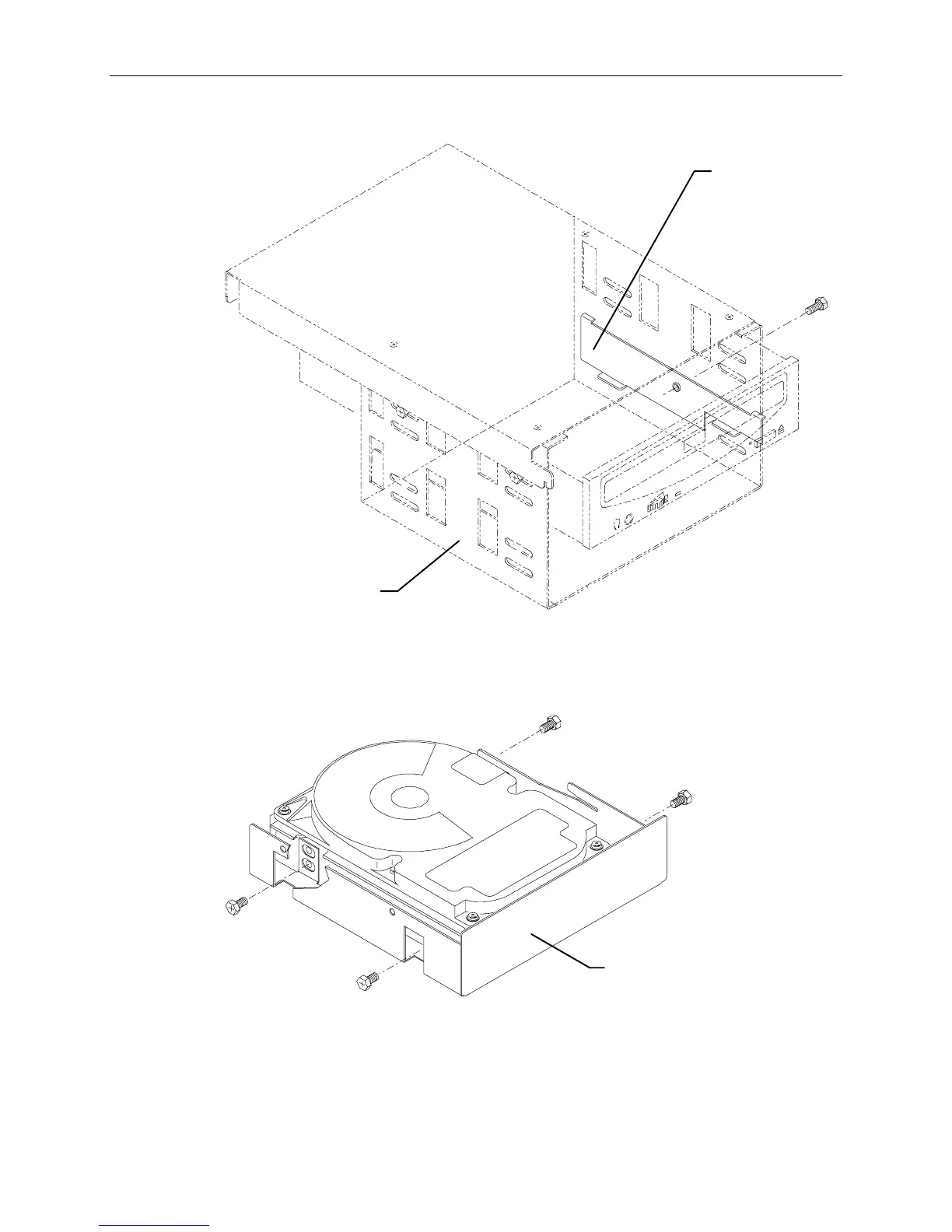
3. If installing a tape drive, remove the slide bracket from inside the peripheral bracket.
Slide
Bracket
Peripheral
Bracket
4. Disable the device’s SCSI termination, and set the device’s SCSI ID to an unused number. By
default, the CD-ROM drive uses ID 4, and the SCSI bus uses ID 7. Tape drives should be set to
ID 6.
5. If installing a hard disk drive, mount the disk drive into the drive tray removed in step 2.
Drive Tray
NOTE Do not mount tape drives or CD-ROM drives to the slide bracket. Install them directly into the slot.
6. Slide the device into the slot and secure it to the chassis.
7. Connect the power cable and SCSI cable to the device.
8. Close the base unit and restart the system.



 To Next Page