13
Rack-mount Interface Kit
This section describes installing the rack-mount keyboard, mouse and monitor into the rack. The box
for the rack-mount monitor contains the monitor, video cable, monitor AC power cord, and
documentation.
NOTE Mounting hardware (adapter bracket, bracket insert, star washers, and screws) for the monitor is
included with the rack.
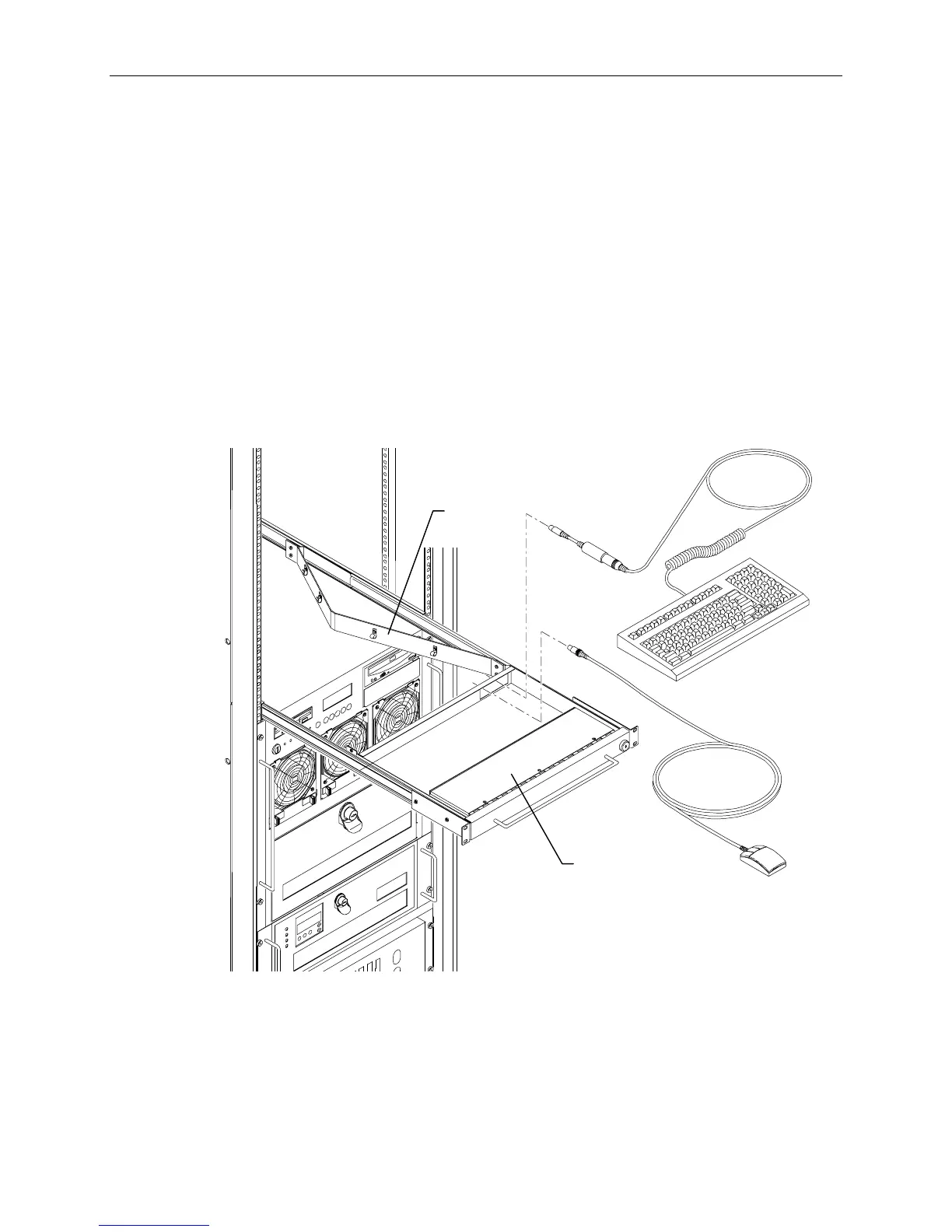
To install the keyboard and mouse into the rack:
1. Pull out the tray until it locks in the extended position.
2. Route the keyboard and mouse cables through the opening in the back of the tray and through the
four clamps in the cable guide.
3. Set the keyboard into the tray.
4. Open the hand-rest tray and set the mouse into it.
Hand Rest
Tray
Cable
Guide



 To Next Page