10
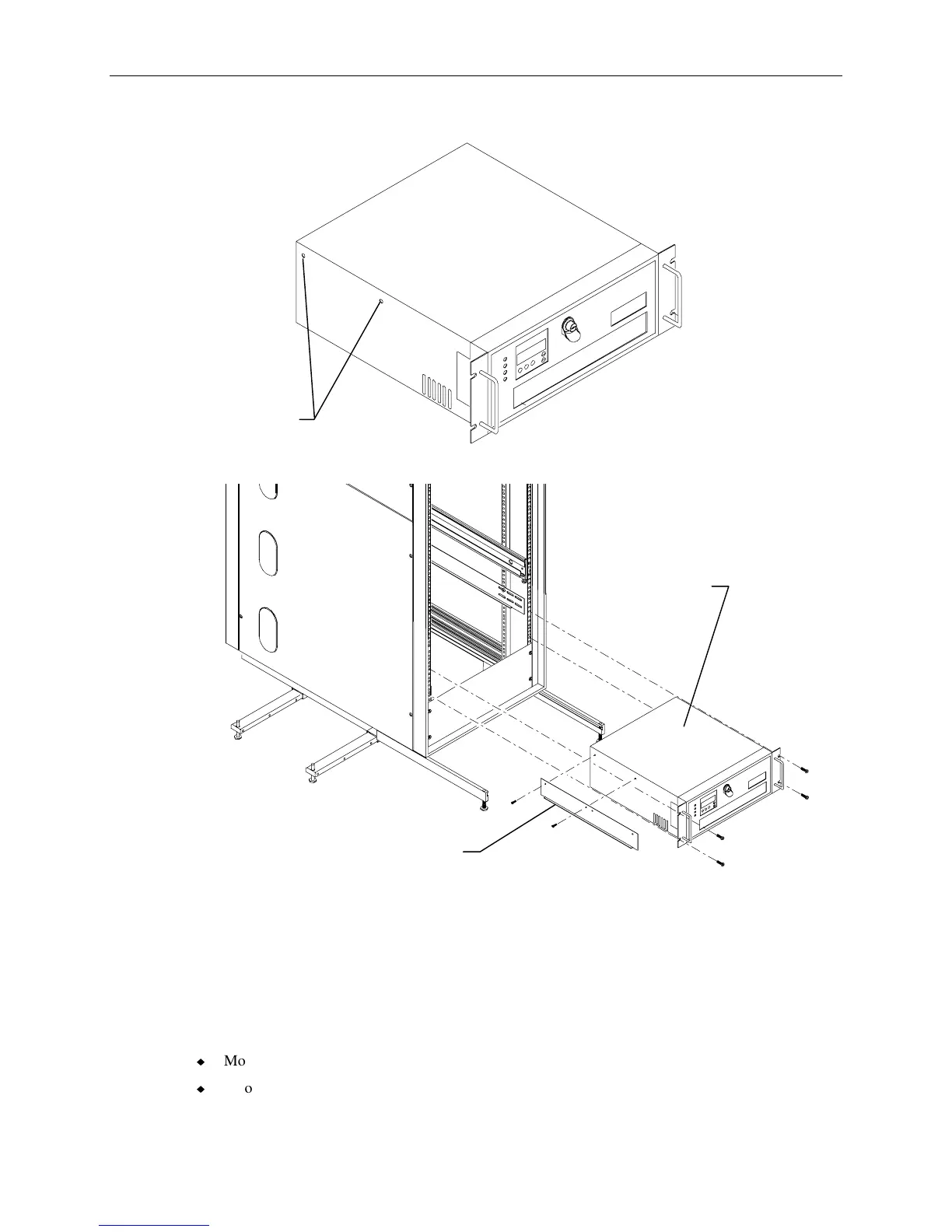
5. Remove and discard the flat head screws from both sides of the InterRAID-8 cabinet as shown.
Flat Head
Screws
6. Attach the mounting brackets to the InterRAID-8 and slide it into the rack as shown.
InterRAID-8
Cabinet
Mounting Bracket
(Note ledge is turned away
from InterRAID-8 cabinet.)
7. Secure the disk array cabinet to the rack using the screws supplied with the InterRAID-8.
InterServe Base Unit
Two boxes are included with the base unit: one for the keyboard, and one for software media and
miscellaneous parts. The software media and miscellaneous parts box contains the following items:
u
Mouse
u
Two cable handlers



 To Next Page