80
Cable Routing and Pinout
If an InterSite Server Monitor (ISM) card is installed, MCBL094A connects to J18 on side one of the
power distribution board. This cable connects to the feature connector of the ISM card. The following
table shows the pinout.
Pin Signal
Pin Signal Pin Signal
1 No connect 8 No connect 15 No connect
2 No connect 9 No connect 16 Ground
3 Ground 10 + 3.3V 17 Intruder Alert
4 Key 11 SYS RESET 18 No connect
5 PWROFF# 12 Ground 19 Key
6 No connect 13 Ground 20 Ground
7 LPOK 14 Key
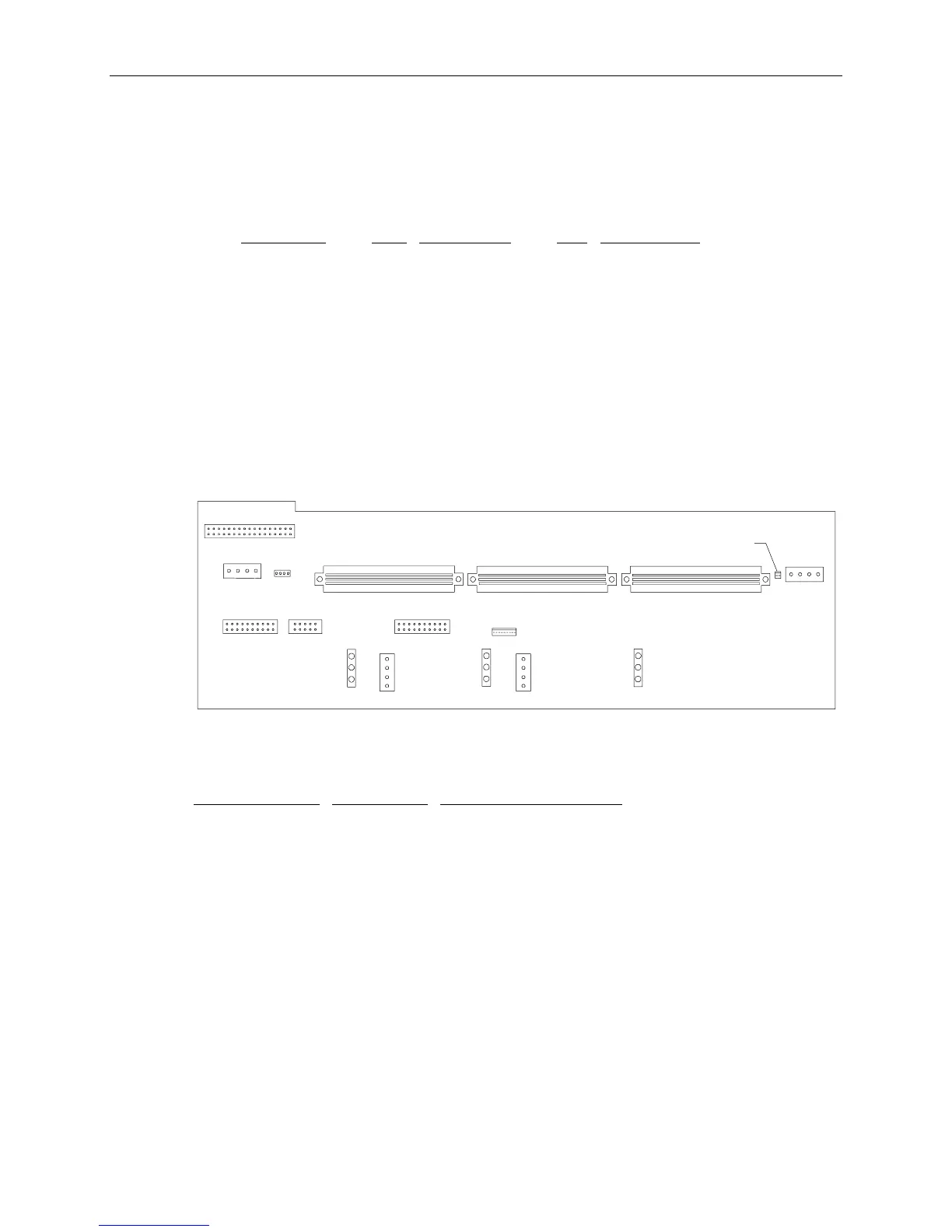
Side 2
Board Layout
J8
J9
J17 J16
J13/14/15
J12
J11
J10
J3
J2
J1
Cable Routing and Pinouts
From MSMT331
or MSMT385
Cable To
J1 MCBL097A MPCBD20, J1
J2 MCBL086A MESAM86
J3 MCBL099A System keyswitch
J8 MCBL085A CDSK094 and CDSK132
J9 MCBL101A Intruder Alert Port
J10 MCBL095A MESAN20, J4
J11 MCBL096A MESAN20, J1
J13, 14, 15 MCBL093A Fans (Left, Center, Right)
J16 MCBL087A MESAN20, JP5
J17 MCBL087A MESAN20, JP5
NOTE CDSK094 (2 GB fixed disk drive) is used only in StudioZ RAX.



 To Next Page