7
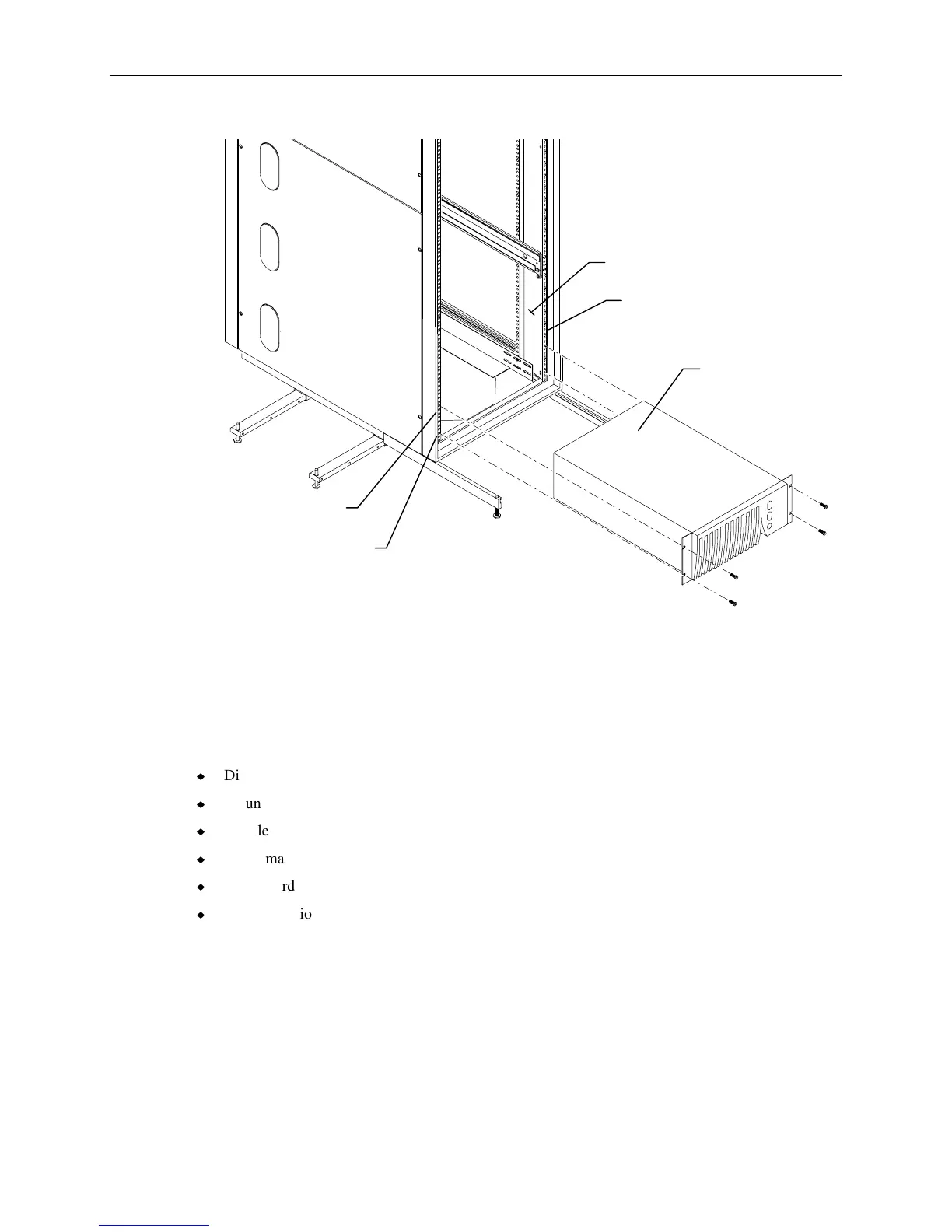
3. Attach the UPS to the rack using a screw at each corner.
UPS
Hole 11
Hole 2
Mounting Post
Front Edge of Post
4. Install the second UPS if included with the shipment. Install tinnerman nuts at hole 15 and hole 22
for the second UPS.
InterRAID-8 Cabinets
Unpack the InterRAID-8 from the carton and verify you have the following items.
u
Disk array cabinet
u
Mounting hardware
u
Handle brackets and screws
u
Tinnerman nuts and screws
u
Power cord
u
Documentation
The mounting hardware includes two shelves to be mounted inside the rack, and two brackets to be
attached to the InterRAID-8 cabinet.



 To Next Page