26
System Power Cord
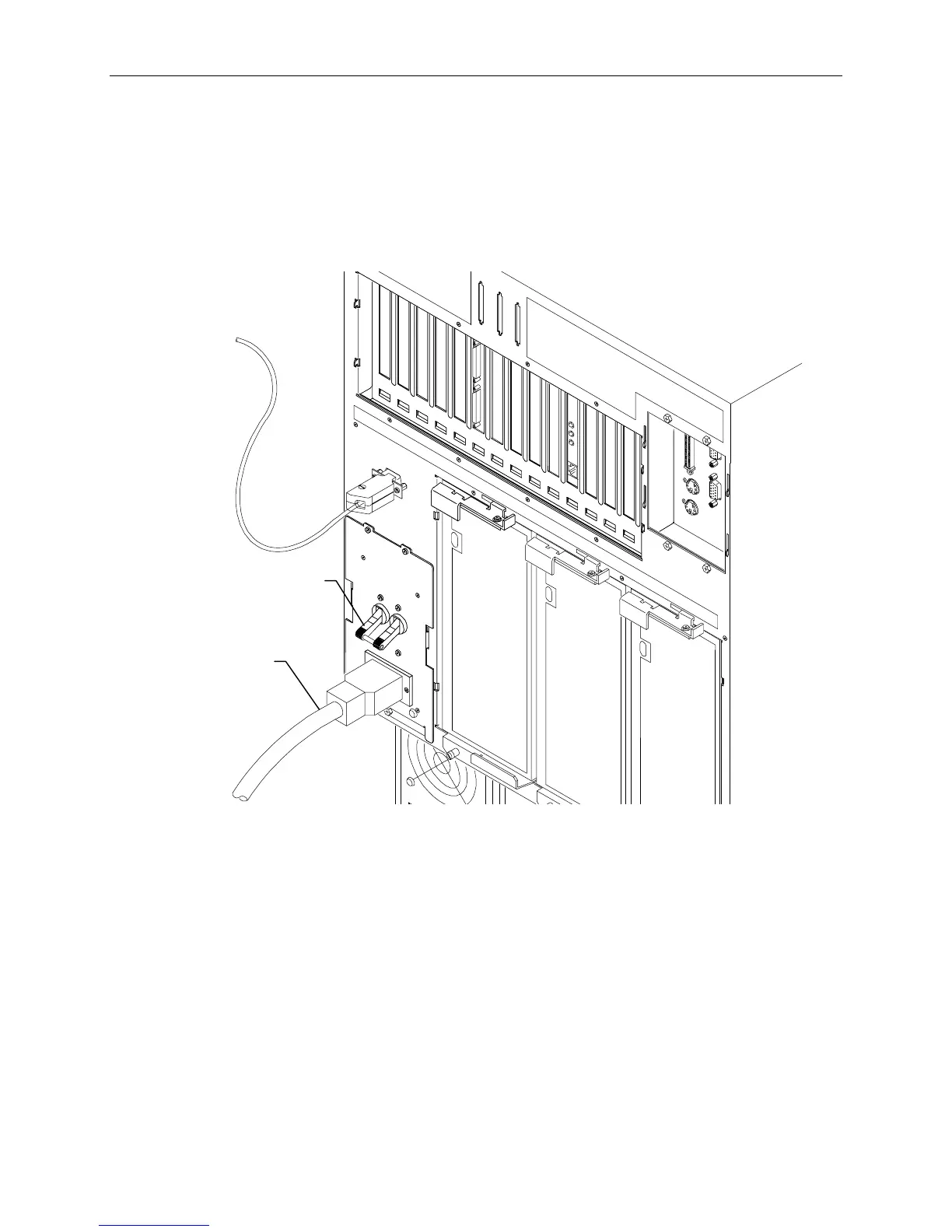
To connect the system power cord:
1. Ensure the base unit circuit breaker switch is in the Off (down) position before attaching the power
cord to the system and wall outlet.
2. Connect the system power cord to the base unit AC receptacle and to the proper receptacle of the
AC distribution box or UPS.
Power
Cord
Circuit Breaker
Switch (Off
position)
3. Connect the power cord to the AC distribution box or UPS and to the wall outlet (NEMA
L14-20R or IEC 309).
NOTE The UPS starts automatically when its power cord is connected to the wall outlet. Refer to the UPS
documentation for more details.
WARNING The wall outlet must be on a properly grounded branch circuit.



 To Next Page