18
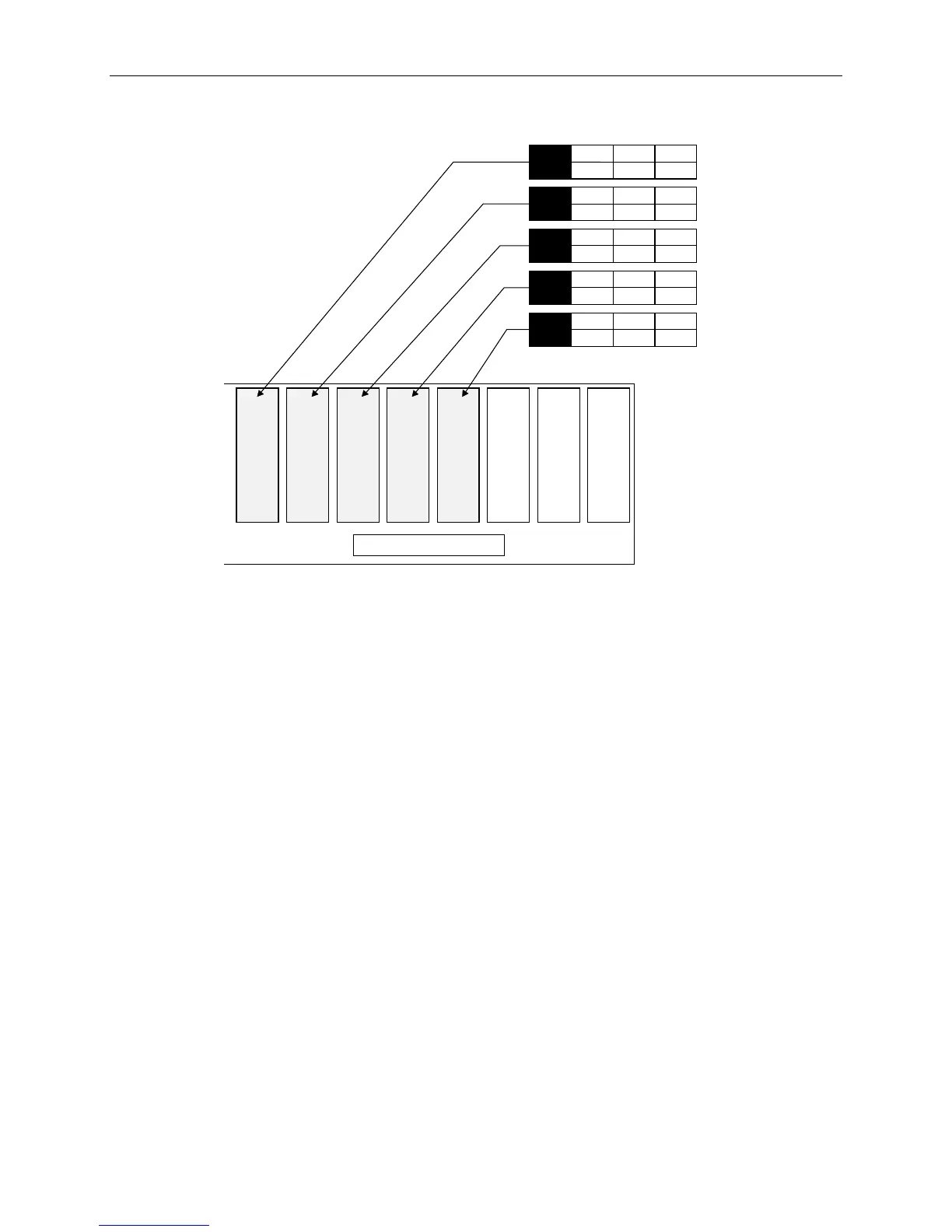
7. Label the remaining drives according to their slot, as shown in the following figure.
Slot 2 Slot 1Slot 3Slot 4Slot 5Slot 6Slot 7Slot 8
Internal Disk Cabinet
5
ID
2
CHN
0
ADP
x GB
4
ID
2
CHN
0
ADP
x GB
9
ID
2
CHN
0
ADP
x GB
8
ID
2
CHN
0
ADP
x GB
6
ID
1
CHN
0
ADP
x GB
NOTE ID 3 and ID 7 are not available on the label sheet. These IDs are reserved for the internal RAID
backplane and the RAID controller.
5. If your system includes external InterRAID disk array cabinets, refer to the InterRAID
documentation for instructions to connect them to your system.
WARNING Do not turn on system power until you are ready to configure Windows NT Server. If you start
the system, and then restart it before completely configuring the operating system, you will have
to re-install system software as described in Chapter 5, “Installing System Software.”
System Cables
All cable ports on the base unit and other Intergraph equipment are keyed or molded to ensure proper
cable attachment. If a cable is not attaching easily, ensure that you are aligning the cable connector
correctly with the port.
Keyboard, Mouse and Monitor
To connect keyboard, mouse and monitor cables:
1. If using the concentrator, connect the extension cables to the keyboard, mouse, and video ports.



 To Next Page