11
u
Screws and tinnerman nuts
u
Keys for base unit and internal RAID section
u
Power cord
u
Windows NT Server kit (software and documentation)
u
Intergraph system software (diskettes)
u
Intergraph InterServe 650, 660 System Introduction (diskette)
WARNING The server base unit is very heavy and bulky. Two people must lift the base unit when removing
it from the pallet and installing it into the rack.
To install the server into the rack:
1. Place the pallet close to the rack.
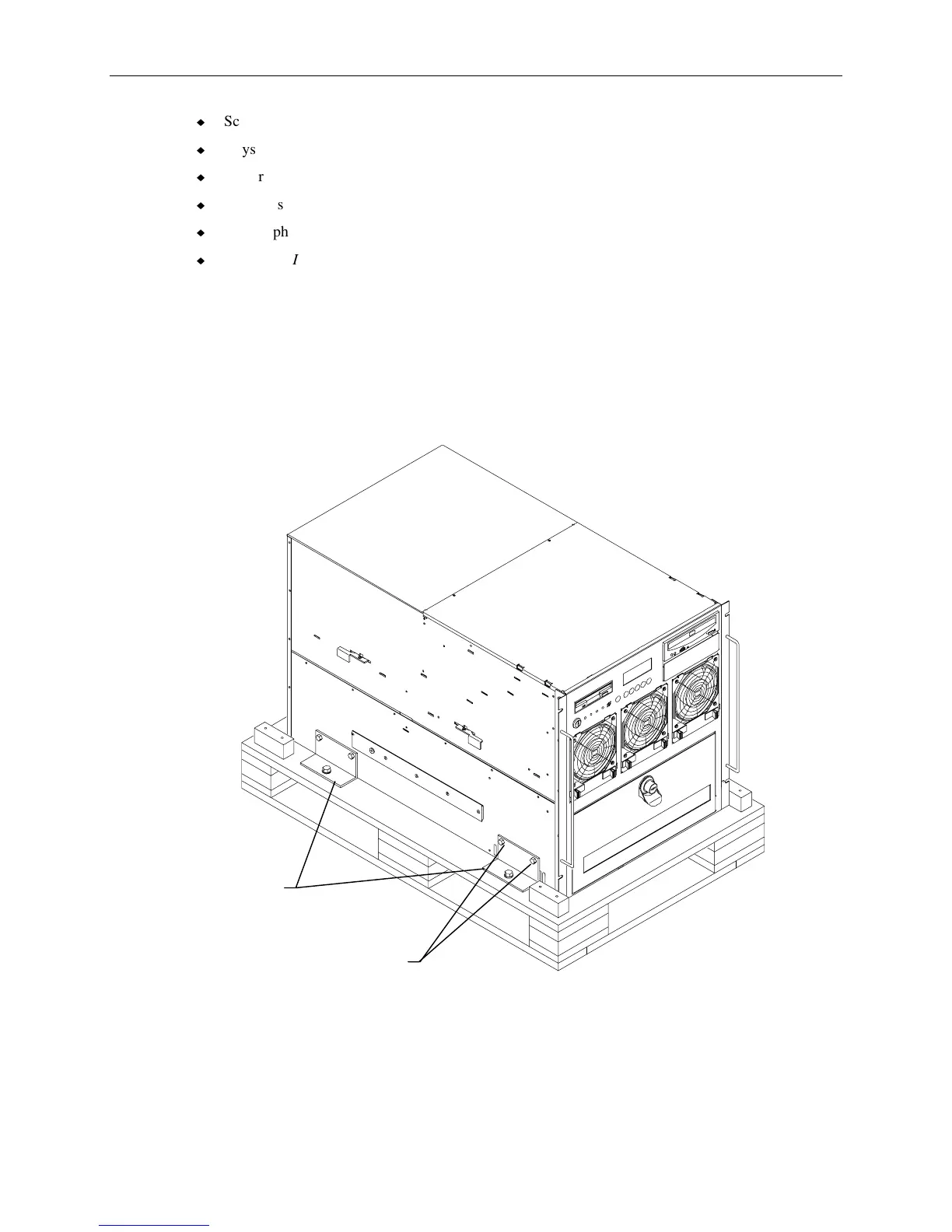
2. Four brackets secure the base unit to the pallet. Remove the two upper screws from each bracket
as shown in the following figure.
Brackets
Screws
3. Insert tinnerman nuts in holes 27 and 55 on both front mounting posts of the rack.
4. Extend the base unit rails from the rack until they lock. Refer to the following figure.



 To Next Page