Wireless Access Point
User Guide
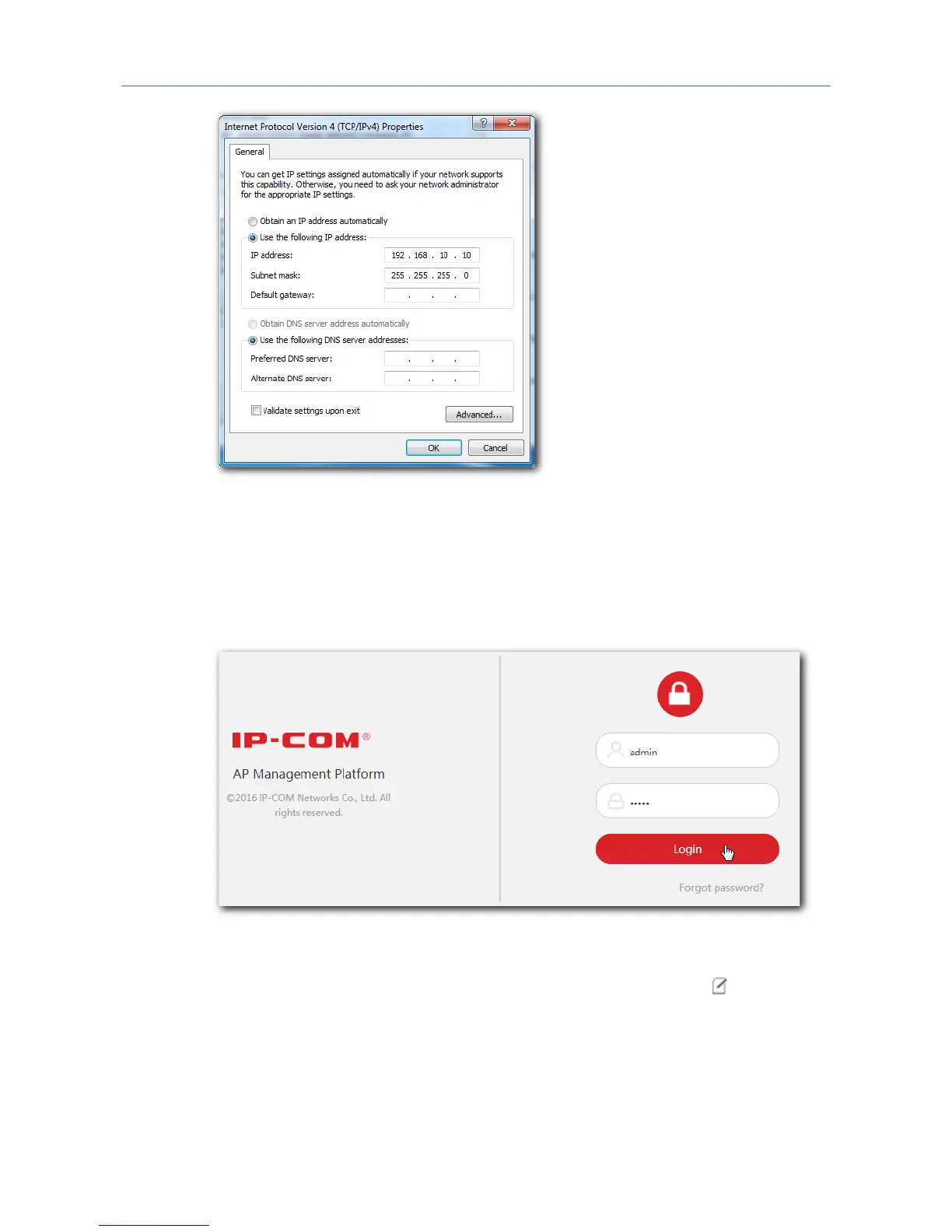
3. Log in to the web UI of the AC.
(1) Start a web browser on the computer connected to the AC, enter the management
IP address of the AC (default: 192.168.10.1) in the address bar, and press Enter.
(2) Enter the user name and password of the AC (default user name and password:
admin/admin) and click Login.
4. Configure the APs.
(1) To access the configuration page, choose Manage Policy. Then click to access the
detailed configuration page.
9



 To Next Page