Wireless Access Point
User Guide
5.2 Setting WiFi network in AP mode
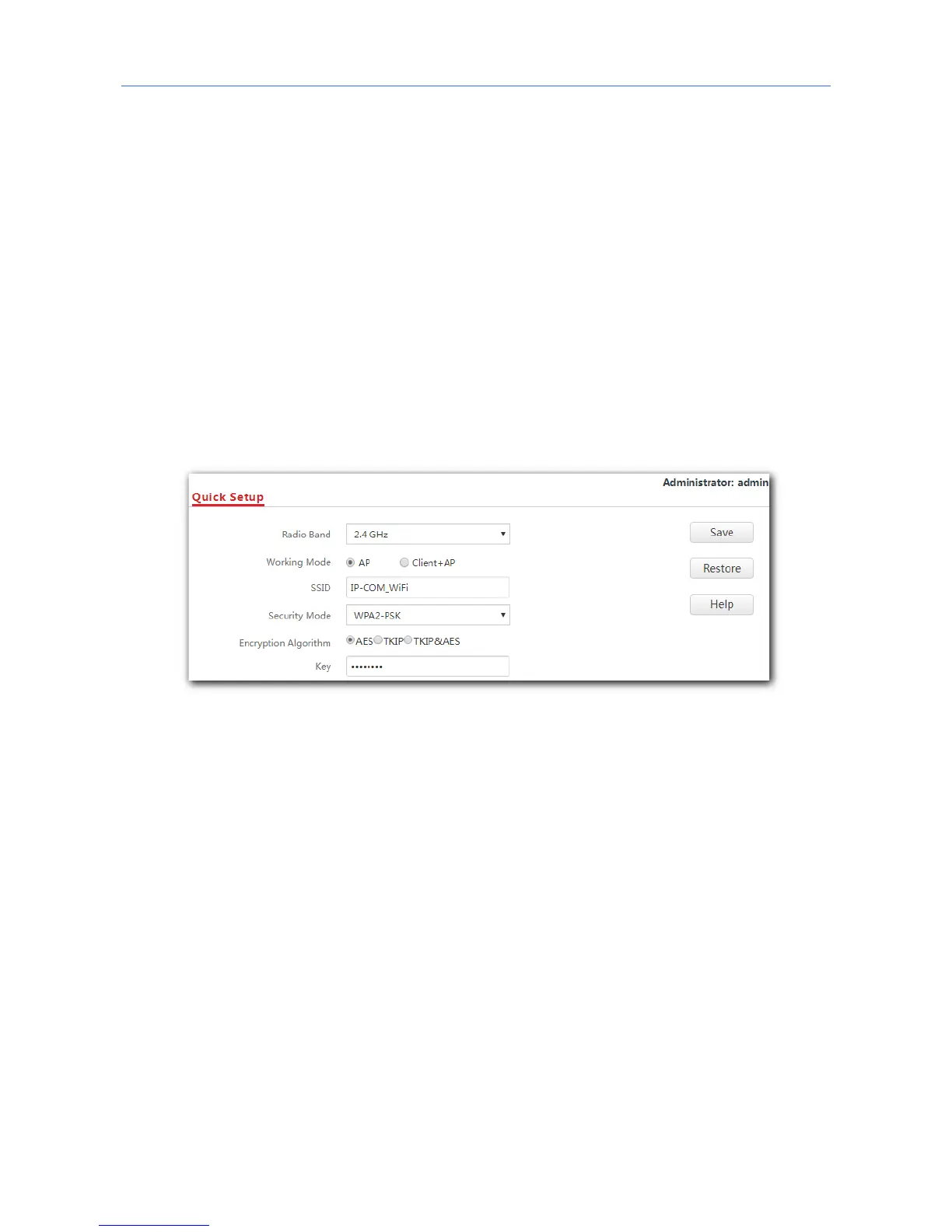
1. Click Quick Setup.
2. Radio Band: Select the radio band according to your requirement, which is 2.4 GHz in this
example.
3. Working Mode: Select AP mode.
4. SSID: Set a WiFi name for the WiFi network of your AP, which is IP-COM_WiFi in this
example.
5. Security Mode: Select one security mode for your AP. You are recommended to select
WPA2-PSK.
6. Encryption Algorithm: Select one encryption algorithm for your AP, which is AES in this
example.
7. Key: Set a WiFi password for your AP’s WiFi network.
8. Click Save.
---End
After configuration, connect wireless devices to the WiFi network of your AP using the SSID
and WiFi password you set on the Quick Setup page.



 To Next Page