To prevent damaging the AP, ensure that the new firmware version is applicable to the AP
before upgrading the firmware, and keep powering on the AP during an upgrade.
Procedures:
1. Download the latest firmware version for the AP from http://www.ip-com.com.cn to your
local computer.
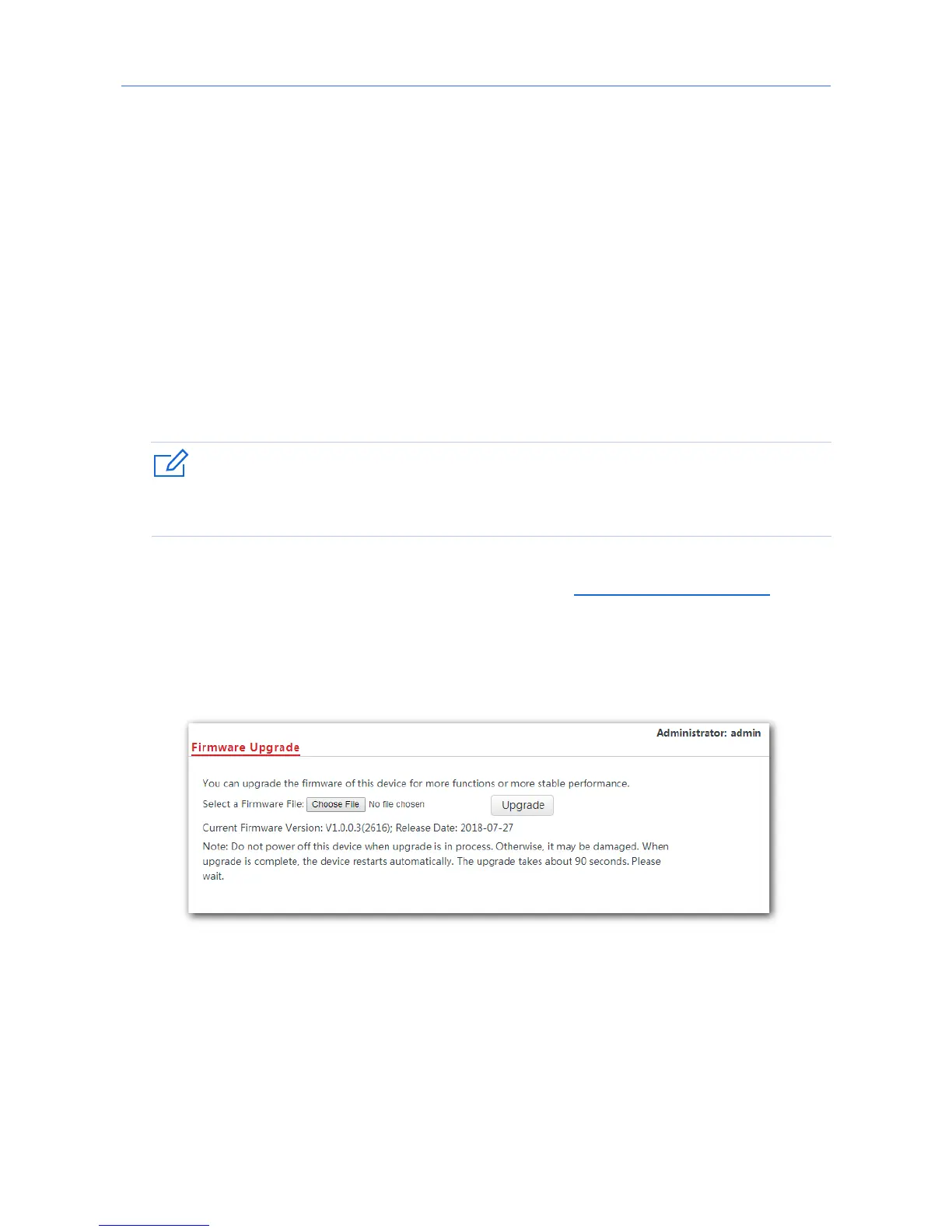
2. Log in to the web UI of the AP and click Tools > Firmware Upgrade.
3. Click Choose File and select the downloaded firmware file for upgrade.
4. Click Upgrade.
---End
Wait until the progress bar completes. Then log in to the web UI of the AP again. Click
Status > System Status and check whether the upgrade is successful according to the
Firmware Version parameter.
95



 To Next Page