Wireless Access Point
User Guide
6 Network Settings
6.1 LAN setup
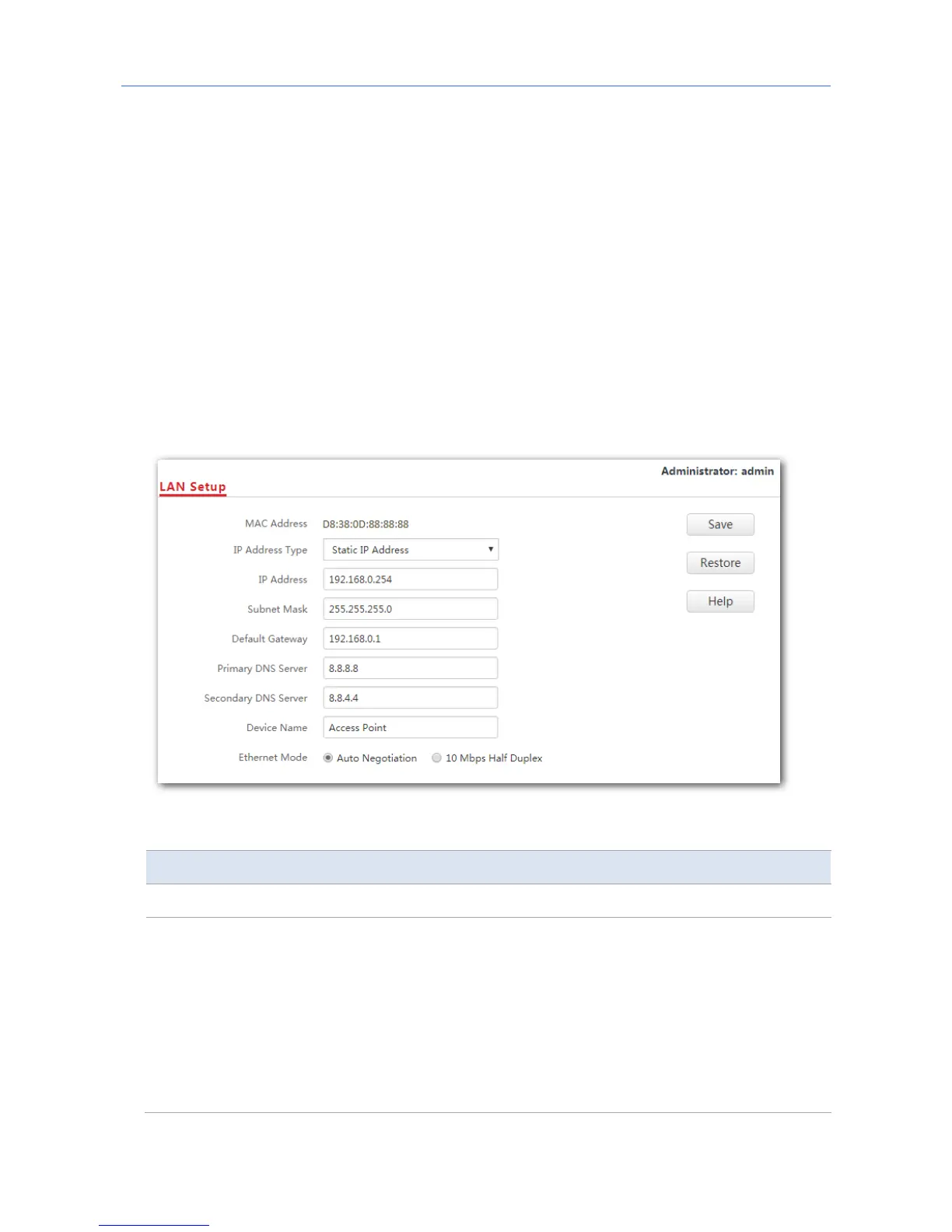
This page enables you to check the MAC address of your AP’s LAN port, and set the LAN
port’s IP address type and other parameters. To access the page, click Network Settings >
LAN Setup.
Parameter description
Parameter Description
MAC Address It specifies the MAC address of the AP’s LAN port.
IP Address Type
It specifies how the AP gets its IP address. The default option is Static IP
Address.
−
Static IP Address: It indicates that the AP has static IP address
information. In this condition, you need to set IP address, subnet
mask, gateway, and DNS server information for the AP manually.
−
DHCP: It indicates that the AP gets IP address, subnet mask,
gateway, and DNS server information from a DHCP server in your
LAN network automatically.
27



 To Next Page