Wireless Access Point
User Guide
2.4 Deploying the AP with an IP-COM router with
AP control function
A hotel may be deployed with a large number of APs. But you can manage them centrally
using an IP-COM router with AP control function. The following describes the procedure.
1. Connect devices.
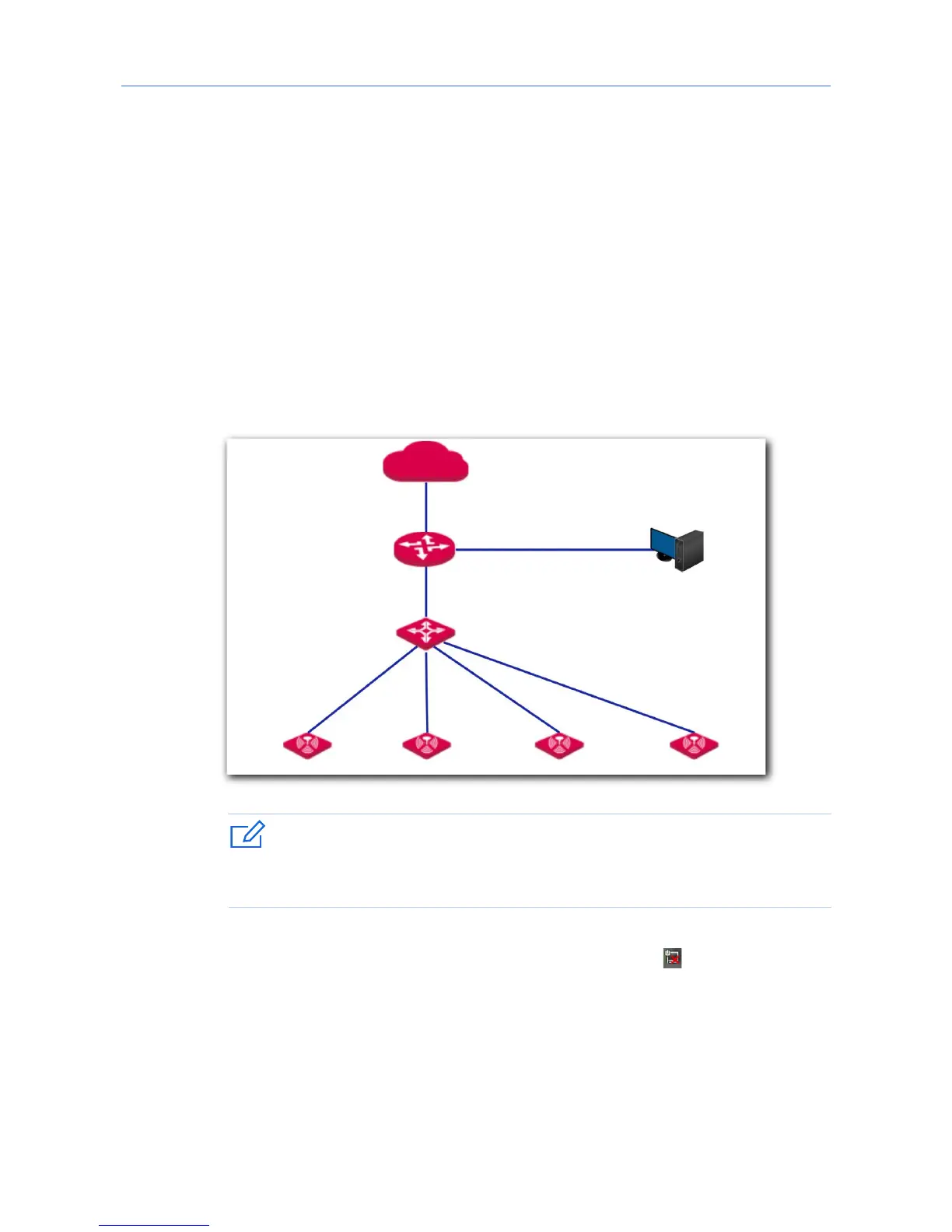
(1) Ensure that your IP-COM router is connected to the internet.
(2) Ensure that your router and PoE switch are connected to power supply.
(3) Connect your computer and PoE switch to the LAN ports of the router using Ethernet
cables.
(4) Connect your APs to PoE ports of your PoE switch using Ethernet cables.
The network topology is shown as follows:
If you choose to power on your AP using DC power supply, connect the PWR port of
your AP to a DC power resource using the included power adapter.
After finishing connection, ensure that the AP’s LED indicator blinks and the
lower-right network icon on your computer is not displayed .
2. Start a web browser on your computer and log in to the web UI of the router. For details
about managing your APs, refer to your router’s user guide.
---End



 To Next Page