Wireless Access Point
User Guide
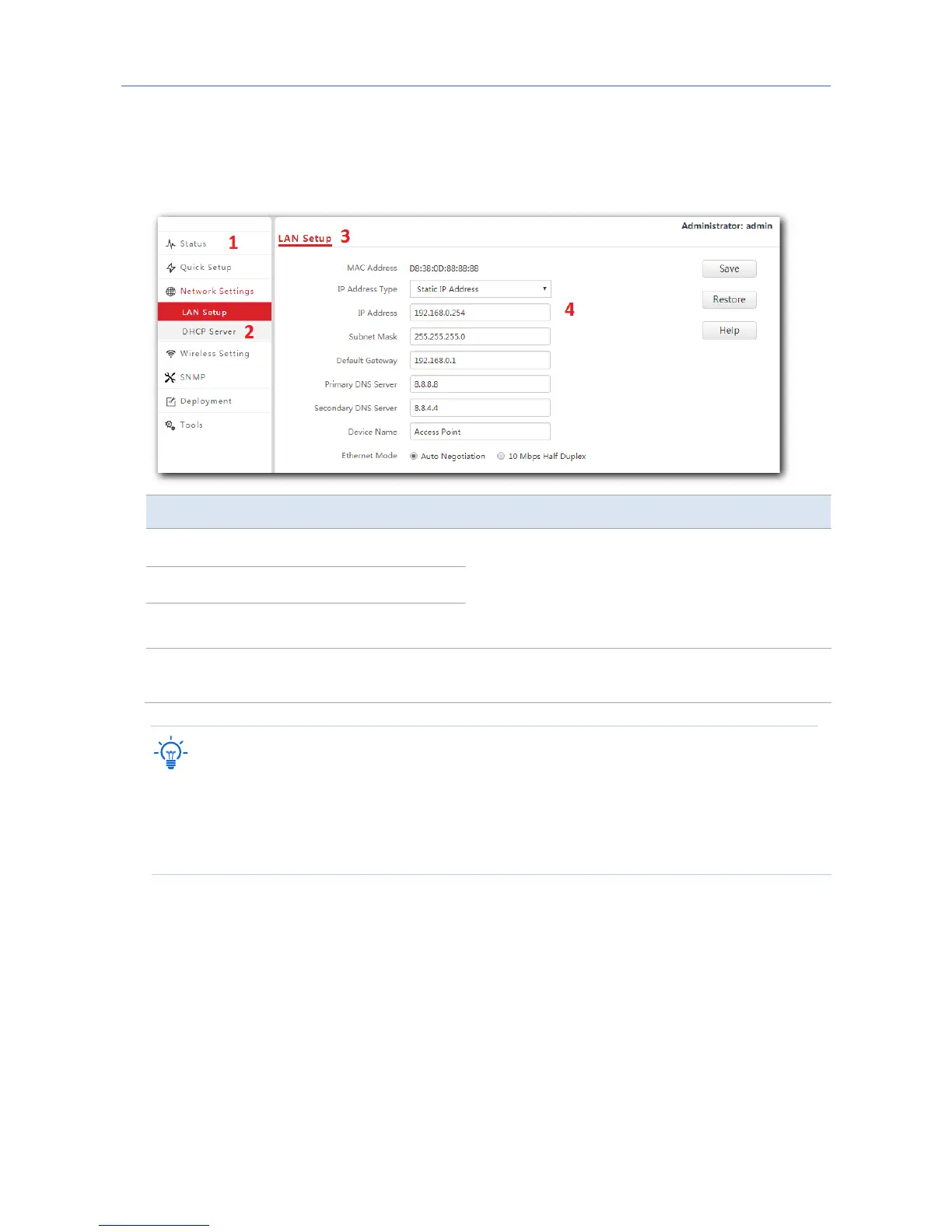
3.3 Web UI layout
The web UI of the AP is composed of four parts, including the navigation trees of two levels,
tab page area, and configuration area. See the following figure.
No. Name Description
1
Level-1 navigation bar
The navigation bars and tab pages display the
function menu of the AP. When you select a
function in the navigation bar, the
corresponding configuration appears in the
configuration area.
2
Level-2 navigation bar
3
Tab page area
4
Configuration area
In this area, you can view and modify
configuration of the AP.
The functions and parameters dimmed on the web UI indicates that they cannot be changed in
the current configuration or they are not supported by the AP. If you want to configure the
functions or parameters dimmed on the web UI, you need to configure their related functions
or parameters on the web UI first.
14



 To Next Page