Wireless Access Point
User Guide
10.2 Date & time
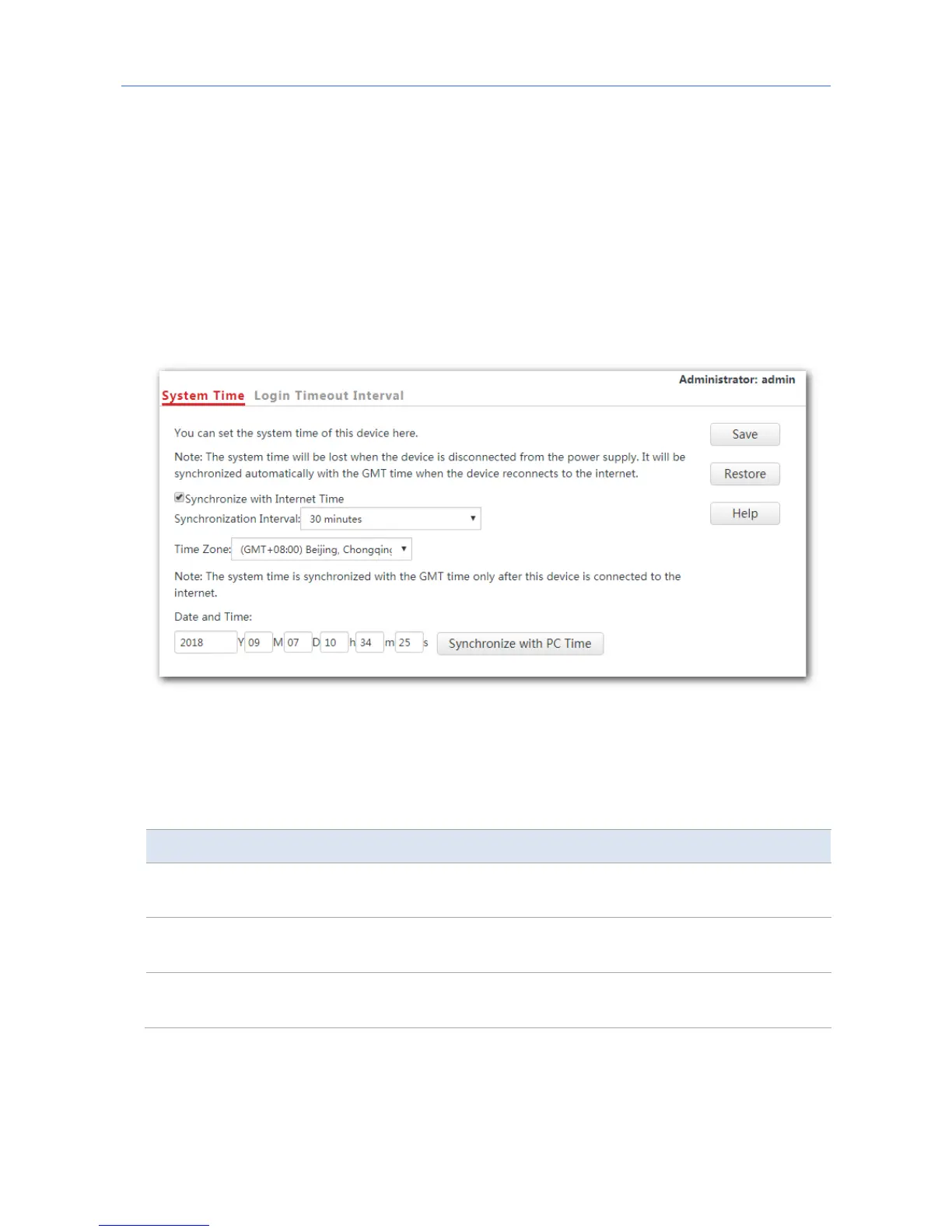
This module enables you to set the system time and login timeout interval of your AP.
10.2.1 System time
Ensure that the system time of the AP is correct, so that logs can be recorded correctly and
the reboot schedule can be executed correctly.
To access the page, click Tools > Date & Time.
The AP allows you to set its system time by synchronizing the time with the internet or
setting the time manually. By default, the AP is configured to synchronize the system time
with the internet.
Parameter description
Parameter Description
Synchronize with
Internet Time
Tick the box beside this item to synchronize the AP’s system time with
the internet time.
Synchronization
Interval
It specifies the interval at which the AP synchronizes its system time with
the internet time.
Synchronize with
PC Time
Click this parameter to synchronize the AP’s system time with the system
time of the computer used to manage the AP.
97



 To Next Page