Wireless Access Point
User Guide
5 Working Mode
5.1 Overview
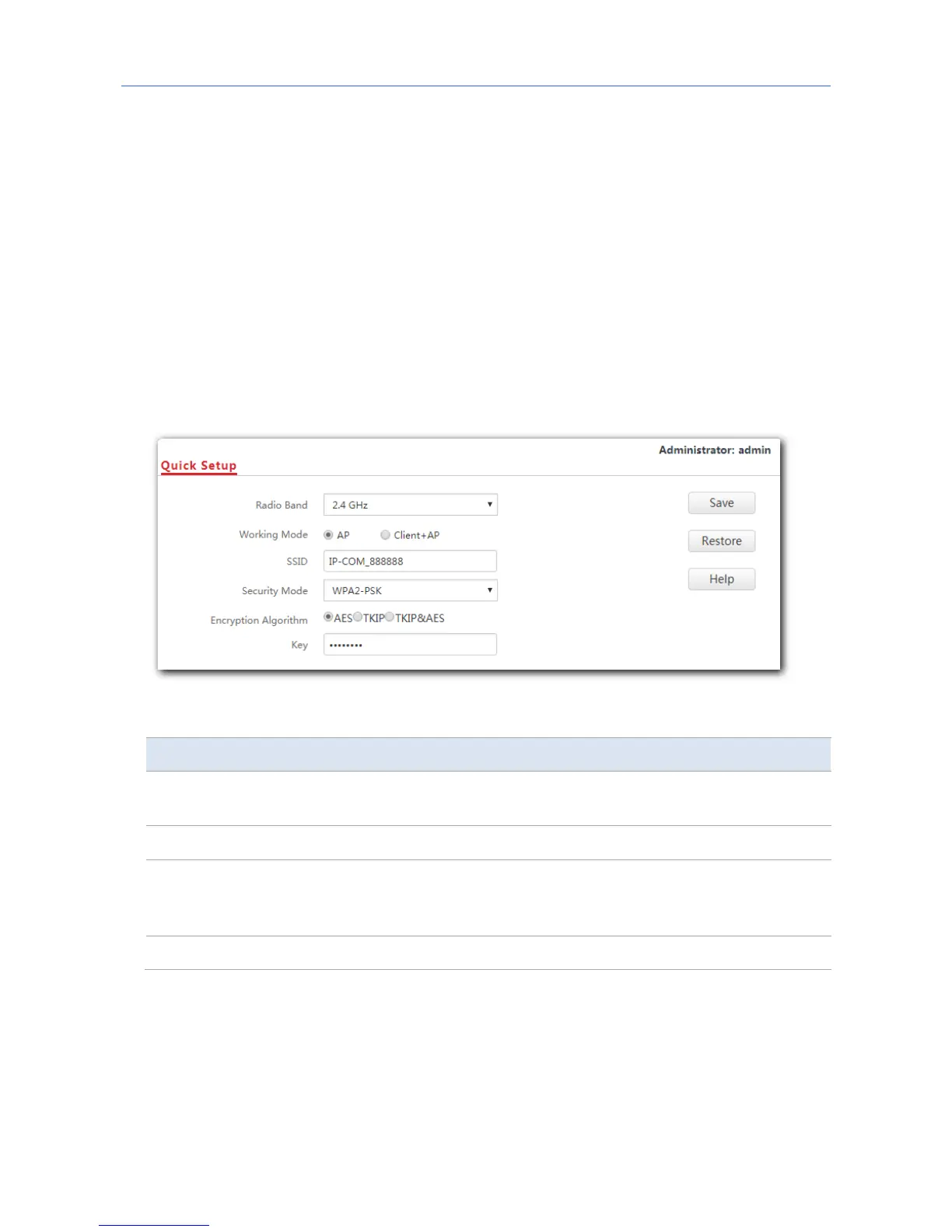
This chapter is mainly about your AP’s working mode: AP and Client+AP. To access the
configuration page, click Quick Setup. See the following figure.
Parameter description
Parameter Description
Working Mode
It specifies the working mode you set for your AP, including AP mode and
Client+AP mode.
SSID It specifies the SSID (WiFi name) you set for your AP.
Security Mode
It specifies the security mode you set for your AP’s WiFi network,
including None, WEP, WPA-PSK, WPA2-PSK, Mixed WPA/WPA2-PSK,
WPA and WPA2.
Key It specifies the WiFi password you set for your AP’s WiFi network.
AP mode
By default, the AP works in AP mode. In this mode, the AP connects to an upstream device
(such as a router or PoE switch) using an Ethernet cable and converts wired signal into
wireless one to offer WiFi coverage. See the following topology.
22



 To Next Page