Wireless Access Point
User Guide
6.3 DHCP server
6.3.1 Overview
The AP supports the DHCP server function to assign IP addresses to devices connected to it.
By default, this function is disabled.
6.3.2 Configuring the DHCP server
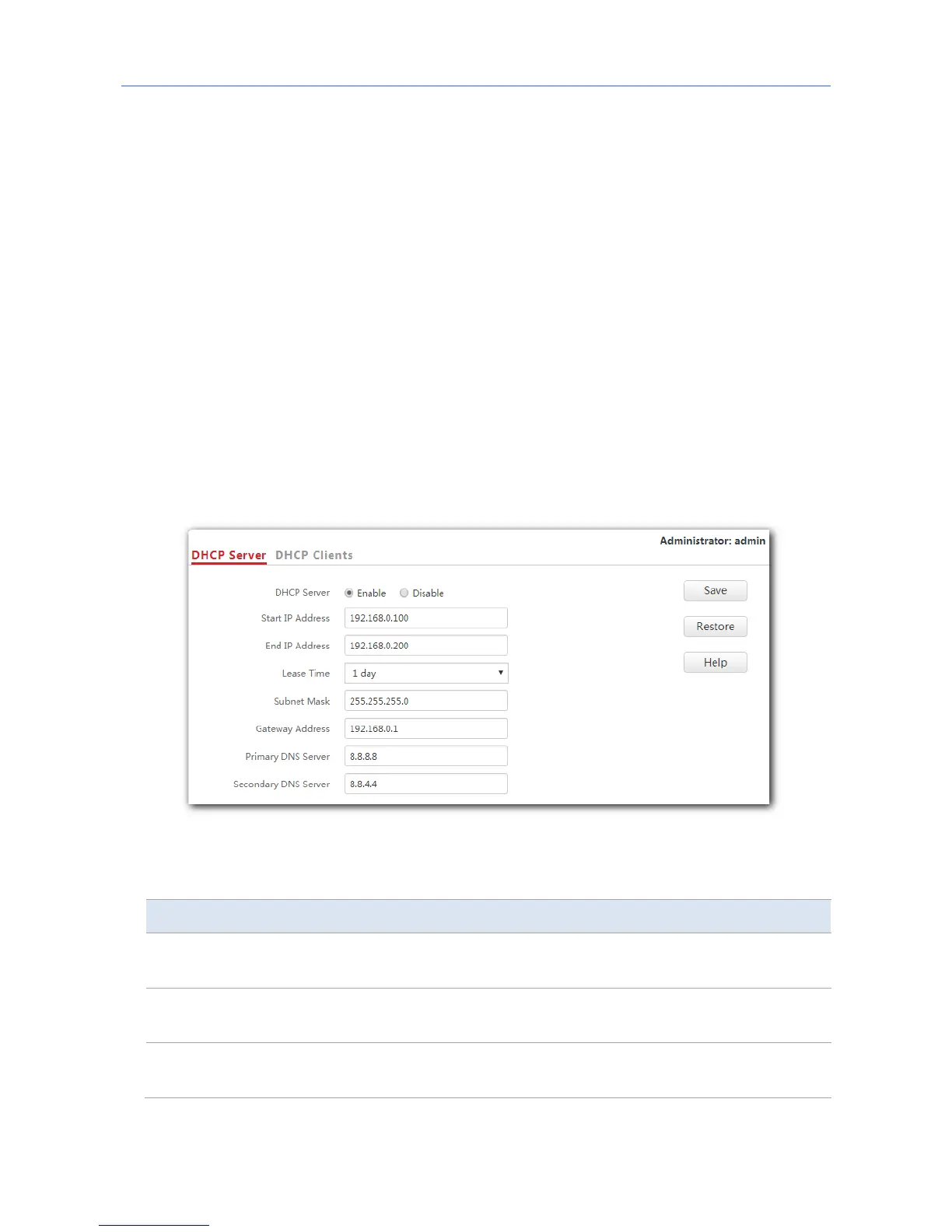
1. To access the configuration page, choose Network Settings > DHCP Server.
2. DHCP Server: Select Enable.
3. Gateway Address: Enter the gateway address, which is 192.168.0.1 in this example.
4. Primary DNS Server: Enter the primary DNS server, which is 8.8.8.8 in this example.
5. Click Save.
---End
Parameter description
Parameter Description
DHCP Server
It specifies whether to enable the DHCP server function of the AP. By
default, it is disabled.
Start IP Address
It specifies the start IP address of the DHCP server’s IP address pool. The
default value is 192.168.0.100.
End IP Address
It specifies the end IP address of the DHCP server’s IP address pool. The
default value is 192.168.0.200.
31



 To Next Page