Wireless Access Point
User Guide
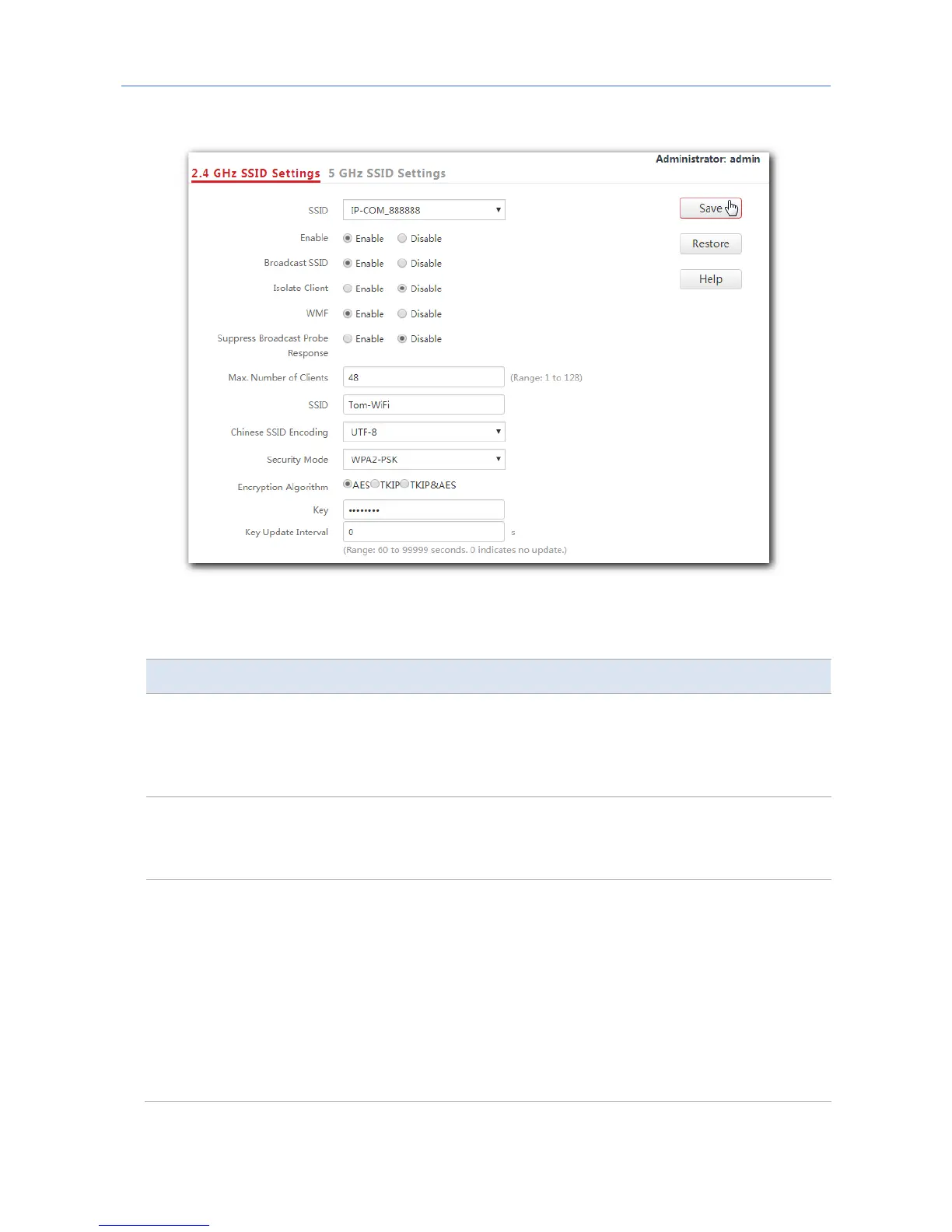
5. Click Save.
---End
Parameter description
Parameter Description
SSID
It specifies the SSID to be configured.
The AP supports eight SSIDs over the 2.4 GHz band and four over the 5
GHz band. The first SSID displayed in the SSID list of the corresponding
band is the primary SSID of that band.
Enable
It specifies whether to enable the selected SSID.
The primary SSID of each band is enabled by default, while the others are
disabled. Users can enable them if required.
Broadcast SSID
It specifies whether to broadcast the selected SSID.
−
Enable: It indicates that the AP broadcasts the selected SSID. In this
case, nearby wireless devices can detect the SSID.
−
Disable: It indicates that the AP does not broadcast the selected
SSID so that nearby wireless devices cannot detect the SSID. In this
case, if you want to connect a wireless device to the WiFi network
corresponding to the SSID, you must enter the SSID on the device
manually.
37



 To Next Page