Wireless Access Point
User Guide
Procedures:
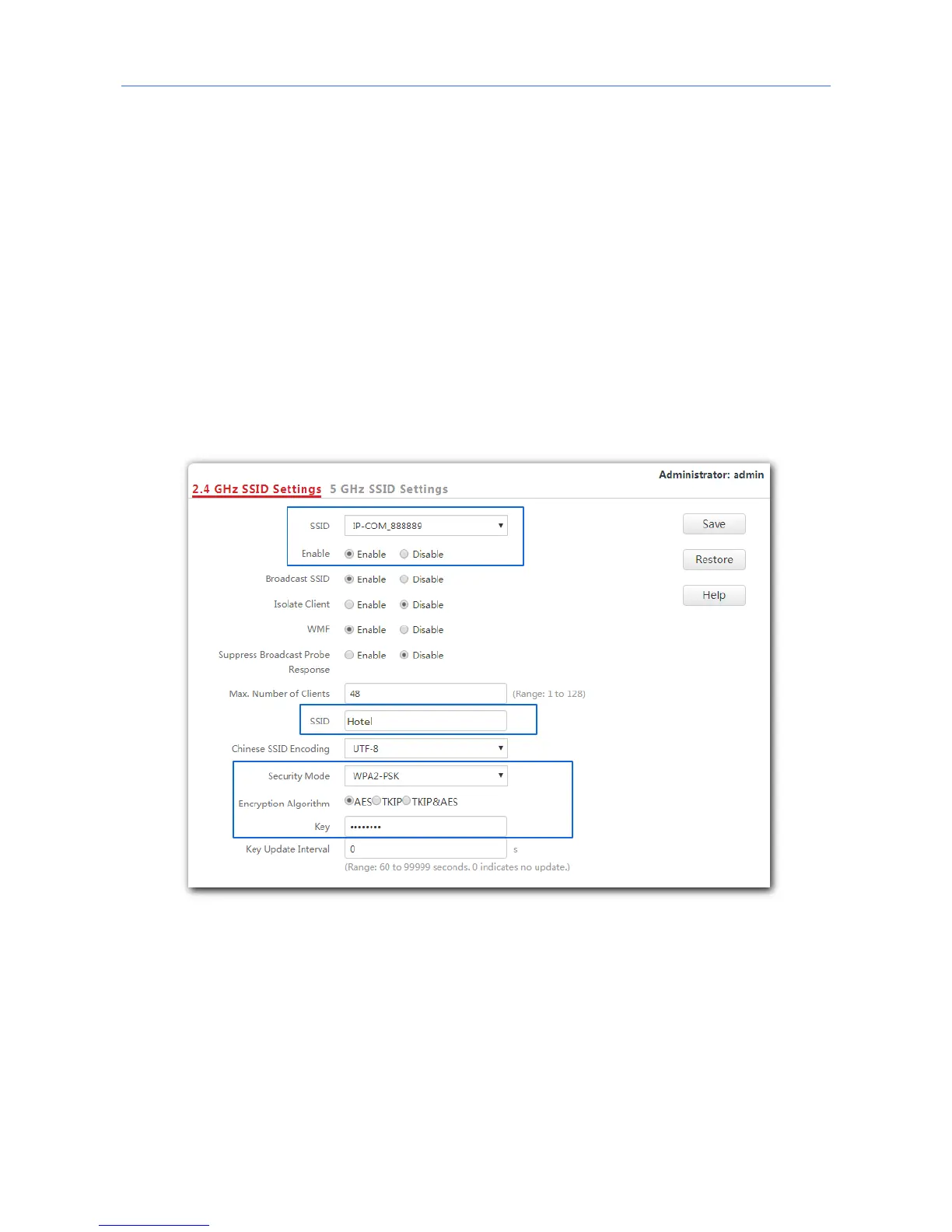
1. Choose Wireless Settings > SSID Settings.
2. If you want to set SSID of 5 GHz WiFi network, click 5 GHz SSID Settings. And 2.4 GHz SSID
Settings is used for instructions in this example.
3. SSID: Select a SSID from the SSID drop-down list box, which is IP-COM_888889 in this
example.
4. Enable: Select Enable.
5. SSID: Set the value of the SSID box to Hotel.
6. Security Mode: Select WPA2-PSK.
7. Encryption Algorithm: Select AES.
8. Key: Enter 87654321.
9. Click Save.
---End
Verification
Wireless devices can connect to the WiFi network named Hotel using the password
87654321.
45



 To Next Page