Wireless Access Point
User Guide
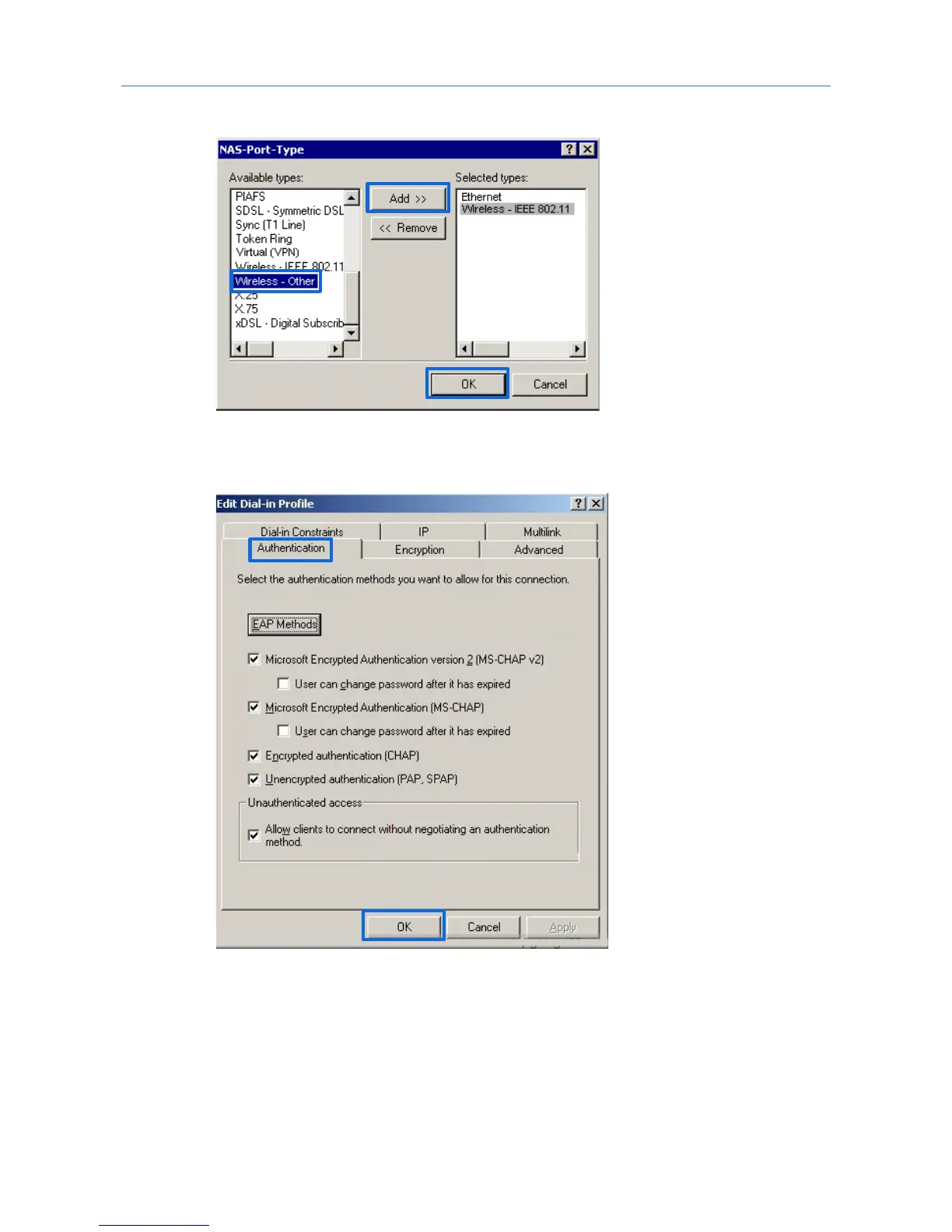
Select Wireless – Other, click Add, and click OK.
Click Edit Dial-in Profile, click the Authentication tab, configure settings as shown in
the following figure, and click OK.
When a message appears, click No.
(3) Configure user information.
Create a user and add the user to group 802.1x.
---End
54



 To Next Page