All active channels which support the shunt check are displayed..
Select those channels who need to be checked:
all channels, the highlighted channels
Press Start to execute the shunt check.
The shunt check results depend on these settings
- Bridge type
- Bridge resistance
- Excitation (sensor)
- Shunt resistance
The shunt check is executed consecutively on all arms of the bridge.
Current values for each quadrant, as well as status results are displayed with the shunt check.
Press Export to save shunt-check values to CSV or HTML file.
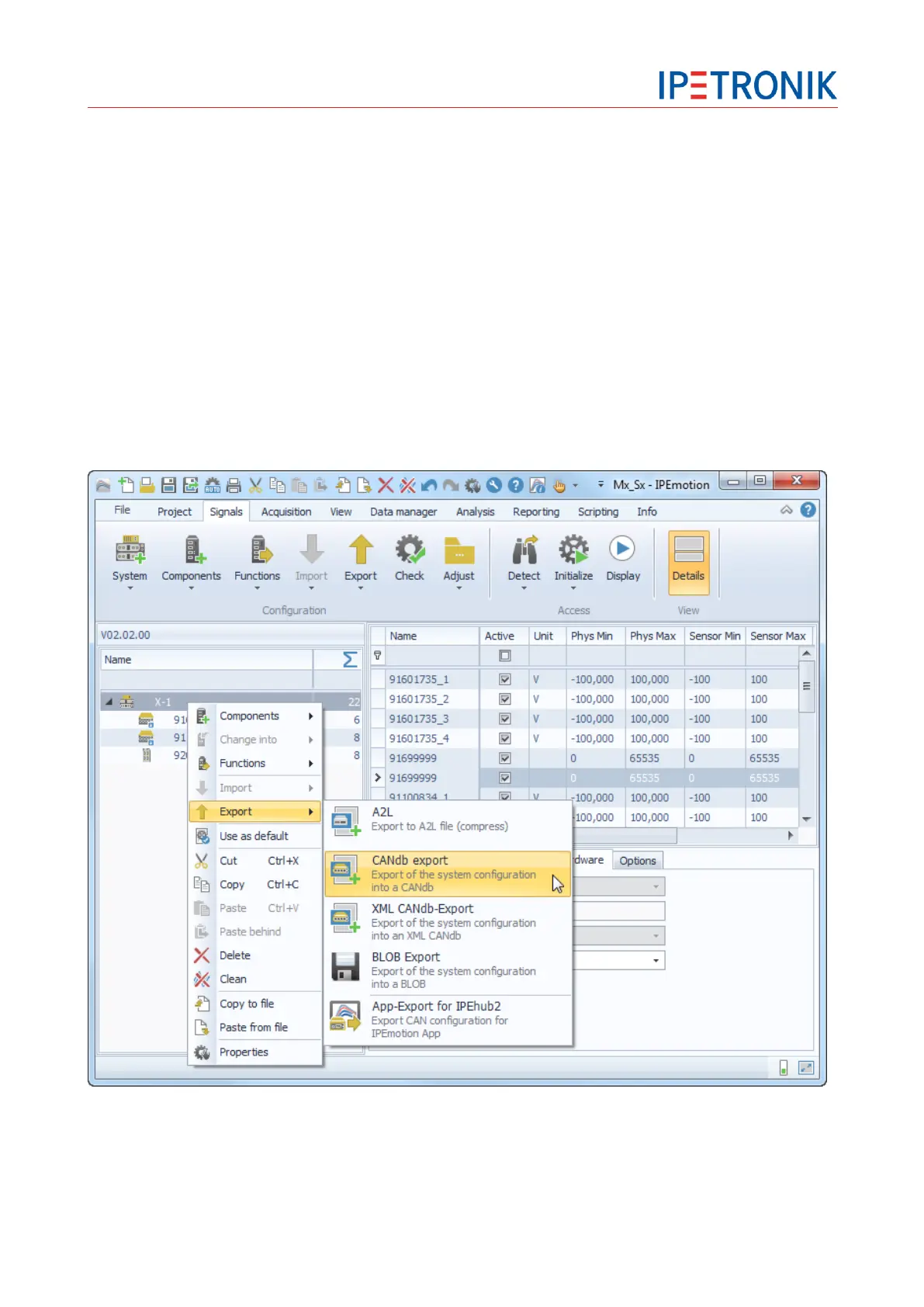
Export of a CANdb
Highlight the X-System at the left-hand system structure.
Select Export from the tool bar or from the context menu (right-hand mouse button).
Select CANdb export or XML CANdb export and enter an individual file name to save the settings of all
CAN signals used in the system (CAN output channel and CAN-Monitoring signals) to the DBC description
file.


 To Next Page