4210 Flow Meter
Section 5 Maintenance and Service
5-4
5.2 Maintenance of the
Printer
The internal printer needs little maintenance beyond changing
the chart roll and the ink ribbon. Refer to the pictures provided
for each section. Also refer to the label inside the cabinet.
5.2.1 Changing the Roll of
Paper
To change the chart paper, you will need:
• new roll of paper
• knife or pair of scissors
• small piece of tape
The printer will shut down when the paper runs out. The roll is
nearly empty when a 1-inch wide pink band appears on the left
side of the chart.
To change the roll:
Removing Empty Paper
Roll
1. Locate the handle on the left side of the take-up roll and
pull it straight out until the take-up roll slips off the
printer.
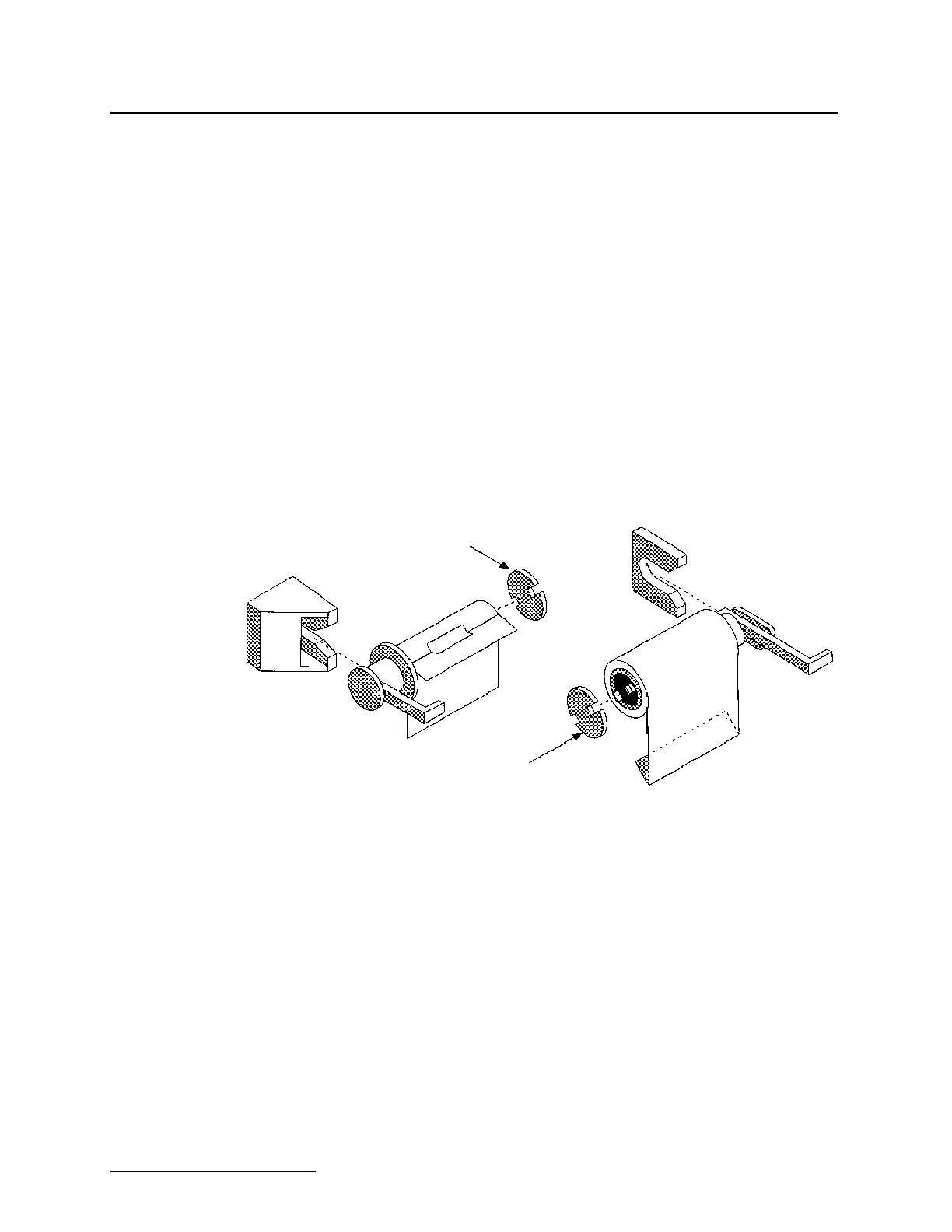
2. Remove the paper roll from the take-up spool by holding
the handle in one hand with your thumb pressed against
one of the slots in the white end cap.
Figure 5-2 Paper Roll and Spool Assemblies
3. Snap the white end cap free from the two black catches on
the end of the spool.
4. Pull the paper roll off the spool with your other hand.
5. Remove the feed spool by pulling on the handle extending
from the right side of the printer.
6. Snap off the other white end cap as described previously.
Save the white end caps; you will reuse them.
7. Remove the empty roll from the spool by holding the han-
dle in one hand and pulling the roll from the spool with the
other.
Installing New Paper Roll 8. Slide the new roll onto the feed spool so it unrolls from the
back side - facing away from you.
Reroll Spool
Assembly
Supply Spool
Assembly
End Cap
End Cap



 To Next Page