Chapter 3 Adjustment Mode
3.2.8 Adjusting Left and Right Squeezing Plates Widening Amount
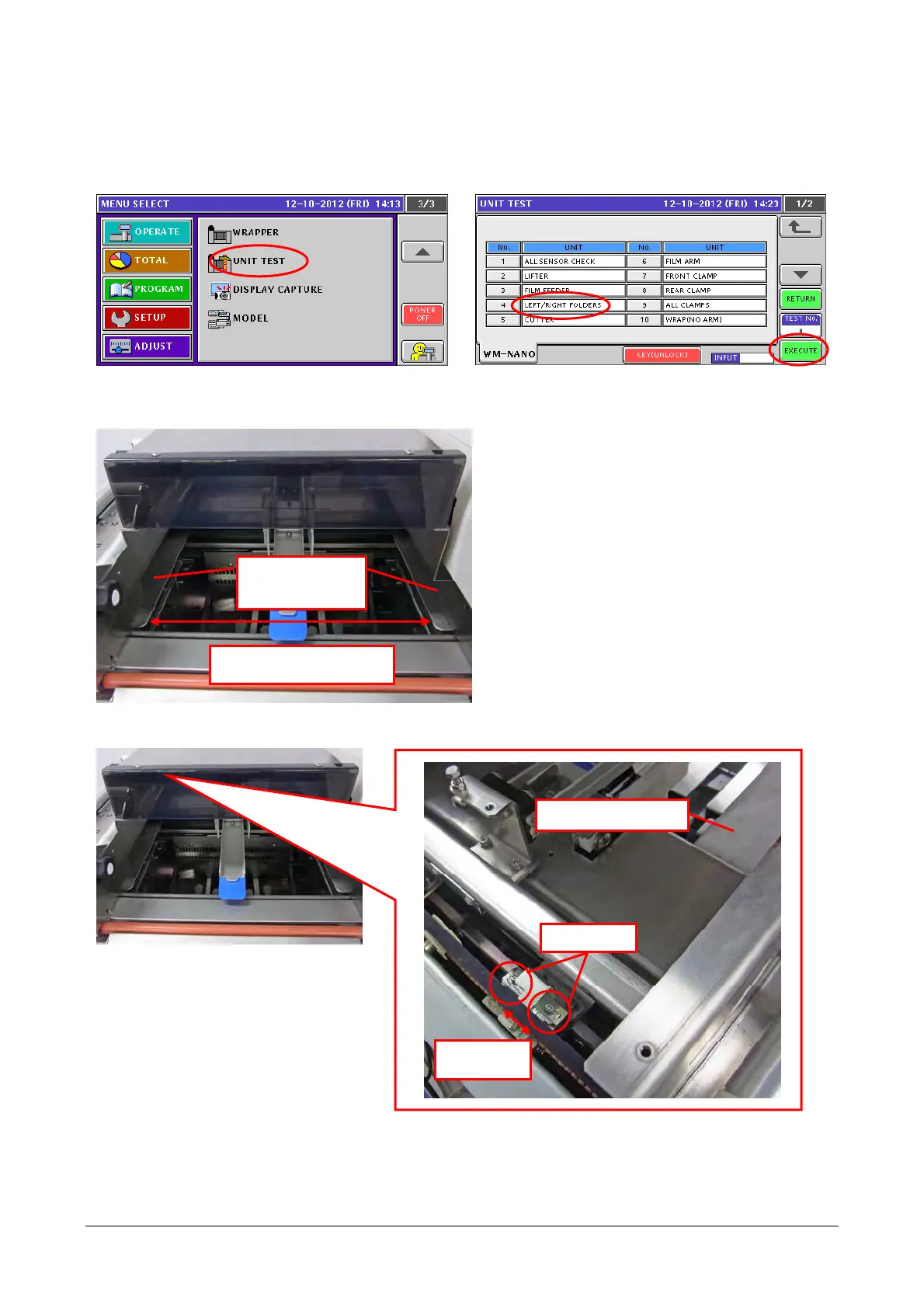
Adjust the widening amount between the left and right squeezing plates to 366 – 369 mm.
1) Touch the [UNIT TEST] in the Adjustment
Mode.
2) Select [LEFT/RIGHT FOLDERS] and touch
[EXECUTE.]
3) When the left and right squeezing plates reach the both ends, check that their widening amount is 366
– 369 mm.
4)
If the widening amount is not 366 – 369, adjust the amount with screws (2) on the detection plate
attached on the left squeezing plate.
Left and right
squeezing plates
Widening amount: 366 –
369 mm
Left squeezing plate
Screws (2)
Detection
plate
3-51


 To Next Page
 Loading...