Chapter 2 Functions for Each Mode
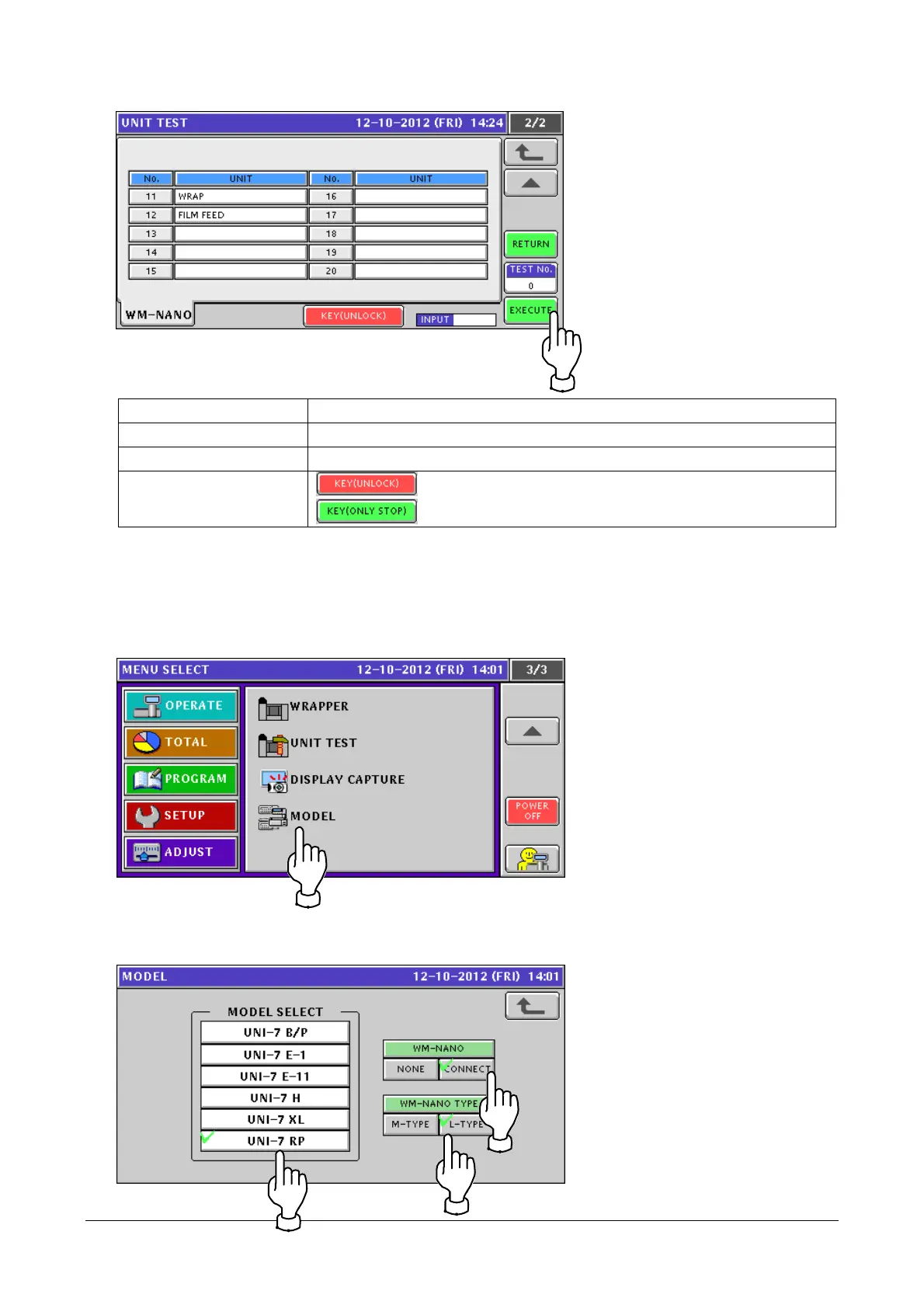
RETURN Returns the mechanism to the initial positions.
TEST No. Specifies a unit to operate. Enter a value to specify. (0 means operation stop)
EXECUTE Operates the unit of the specified number.
KEY(UNLOCK)
KEY(ONLY STOP)
Releases the key lock.
Locks the key.
2.4.6 WM-NANO Added to MODEL
1. Touch [MODEL] in the ADJUST mode screen.
If [MODEL] is not displayed, touch ▼ or ▲ button until it appears.
2. The [MODEL] screen appears.
Select a UNI-7 model and WM-NANO connection and type.
2-31


 To Next Page
 Loading...